Waves SSL G-Master Buss Compressor Plugin
New Price$249
Instant Download
This gear has sold
See similar gear from other Reverb sellers
Listed:over a month ago
Views:2,187
Saves:18
Offers:21

Chicago, IL, United States
Our users rate Reverb
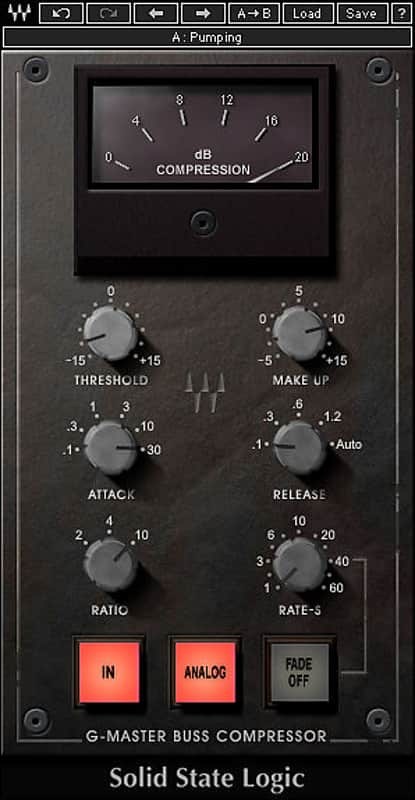
Glue your track together by way of SSL.
What it is:
SSL's iconic master buss compressor.
How we use it:
Add cohesiveness to your final mix.
Why it's cool:
Licensed under SSL, Waves brings that iconic SSL sound to your computer. Based on the renowned master buss center compressor of the SSL 4000 G console, the Waves SSL G-Master Buss Compressor captures the unique sound of the original’s IC input and twin VCA gain-reduction amplifier design. Prized by top engineers for its ability to “glue together” tracks, the SL 4000 G master buss center compressor is ideal for taming piano dynamics or adding punch to drums and percussion. Now, the ultimate finalizer that transforms a mix into a finished record can be yours - in the box.
Features:
Compatibility
Mac:
CPU
Memory
Operating System
Screen Resolution
CPU
Memory
Operating System
Screen Resolution
Installation Instructions
What it is:
SSL's iconic master buss compressor.
How we use it:
Add cohesiveness to your final mix.
Why it's cool:
Licensed under SSL, Waves brings that iconic SSL sound to your computer. Based on the renowned master buss center compressor of the SSL 4000 G console, the Waves SSL G-Master Buss Compressor captures the unique sound of the original’s IC input and twin VCA gain-reduction amplifier design. Prized by top engineers for its ability to “glue together” tracks, the SL 4000 G master buss center compressor is ideal for taming piano dynamics or adding punch to drums and percussion. Now, the ultimate finalizer that transforms a mix into a finished record can be yours - in the box.
Features:
- Perfect for tightening up final mixes
- Includes presets from GRAMMY®-winning mixer Chris Lord-Alge
- Developed under license from Solid State Logic
Compatibility
Mac:
CPU
- Intel Core i5 / i7 / Xeon
Memory
- 8 GB RAM
- 8 GB free disk space on the system drive
Operating System
- 10.10.5 - 10.13.1
Screen Resolution
- Minimum: 1024x768
- Recommended: 1280x1024 / 1600x1024
- USB displays are not supported as the primary display.
- Support for Visually Impaired Users
- Mac OS Sierra 10.12.4
- VoiceOver Utility enabled
- Pro Tools 12.7
- Logic 10.3.1
CPU
- Intel Core i3 / i5 / i7 / Xeon / AMD Quad-Core
Memory
- 4 GB RAM
- 8 GB free disk space on the system drive
Operating System
- Windows 7 with SP1 64 bit
- Windows 8.1 64 bit
- Windows 10 64 bit
Screen Resolution
- Minimum: 1024x768
- Recommended: 1280x1024 / 1600x1024
Installation Instructions
- Create an account: https://www.waves.com/create-account (if you have an account, skip this step)
- Register the serial number we emailed: https://www.waves.com/account/register
- Download and install Waves Central for Mac | Windows.
- If you already have Waves Central installed, skip to step 4. - Launch Waves Central.
- Windows: via the desktop shortcut or Start Menu > All Programs > Waves.
- Mac: Applications > Waves Central. - Log into Waves Central using your Waves account information.
- Click on Easy Install & Activate.
- Select the products you wish to install & activate on this computer.
- Click on the Install & Activate button.