Softube Metal Amp Room
Softube Metal Amp Room
This gear has sold
See similar gear from other Reverb sellers

Our users rate Reverb
What it is:
Powerful, endlessly dirty, tone without forfeiting versatility and character.
How we use it:
Put Metal Amp Room on anything from a guitar track, for the purists, to a vocal track, for the experimentalists, to bring colorful gain to a mix.
Why it's cool:
Most units that reach this level of gain create a nebulous mess. However, Metal Amp Room takes you to extremely distorted heights while maintaining your track's natural qualities.
Softube purchases are strictly licensed for sale to customers in the USA only!
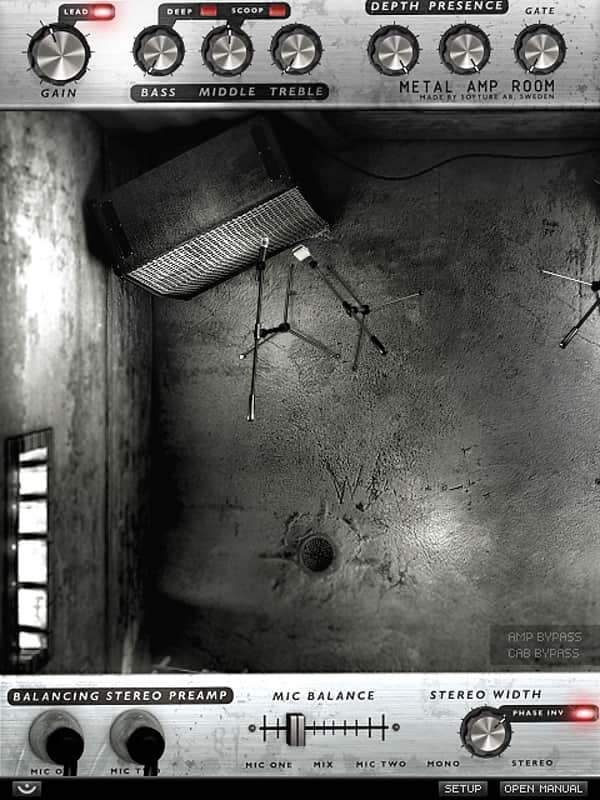
Metal Amp Room was designed to bring you the most brutal, evil and aggressive guitar sound that is possible to squeeze out of your DAW. It may even contain backward messages. Run it in mono for a tight and focused sound, or let it take up your entire stereo width by the use of two panned microphones.
We should probably add it to our end user agreement that by installing Metal Amp Room to your DAW, you agree to having it posessed by a dark and evil force. Plus you may want to consult an exorcist if you should ever wish to uninstall.
Just kidding. Metal Amp Room won't make your computer screen spin (and you won't want to uninstall it either), but it was designed with the intent of letting you metal heads get the most fiercely brutal high gain guitar sound possible out of your DAW.
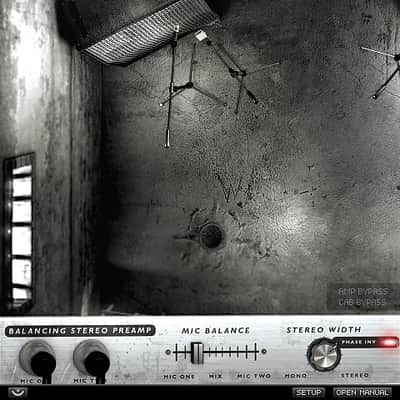
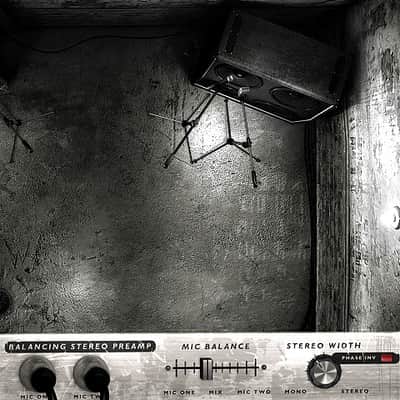
Metal Amp Room was co-developed with Patrik Jensen (The Haunted) and tailored to his needs. The continuous mic placement from Vintage Amp Room is here as well, but this time with twin mics and adjustable stereo panning. Get a huge stereo sound with complex adjustable phasing effects, a plain old one-mic-right-against-the-cone, or anything in between.
Included is also a fantastic gate, great for palm muting galore. It opens insanely fast - faster than any hardware gate - and its release (how fast it closes after being opened) is program-dependent. This means that fast playing will give you an extremely fast closing gate, while slow playing will yield a slower release.
The cabinets were measured in the In Flames studio (previously known as Studio Fredman) by Tue Madsen (producer of Dark Tranquility, Sick Of It All, Mnemic) and Patrik Jensen. Among the presets, you will find Tue Madsen's own personal favorites.
In Short- Raw and authentic metal guitar amp sound
- Made in collaboration with Patrik Jensen (The Haunted) and producer Tue Madsen. Cabinet simulations made in the In Flames studio.
- Program-dependent guitar noise gate
- Two cabs with two mics per cabinet
- Easy to use balancing stereo mic preamp for balancing the two mics
- Flexible & continuous click-and-drag mic positioning
- Fully automatable parameters
Compatibility
Version 2.0 of the Softube plug-ins have the following minimum requirements.
All native versions- Mac OS X 10.8 or newer
- Windows 8, Windows 7 (latest Service Pack, 32/64 Bit)
- Windows 10
- Intel Core 2 Duo, AMD Athlon 64 X2 or newer
- Screen resolution larger than 1280x800
- 1 GB RAM or more, and at least 6 GB hard disk space for installation (individual plug-ins take less space)
- Any VST, VST3, AU, or AAX (Pro Tools 10.3.7, 11.0.2 or higher) compatible host application
- iLok License Manager (iLok USB key is NOT required)
- Broadband internet access for downloading installer and register licenses.
All Softube plug-ins support both 32- and 64-bit hosts and operating systems, although a 64-bit OS is recommended. Supported sample rates: 44.1, 48, 88.2, 96, 176.4 and 192 kHz, in both mono and stereo. Please, make sure that you always use the latest iLok License Manager.
AAX DSP version
- For AAX DSP you need to meet the reguirements for the Native version. You also need to have an Avid HDX processing card.
- Different plug-ins will have a different load on your HDX card.
Windows XP and Vista are no longer officially supported.TDM/VENUE is no longer supported.
Installation Instructions
Create a Softube/Gobbler account here: https://www.softube.com/index.php?id=myaccount
Download and install the Gobbler App
- Open the Gobbler App and sign in using your Softube/Gobbler account
- In the Gobbler App, click "Install All" to install all Softube products you have a license for - use the license key emailed to you by Reverb SYNC.
- If you have new licenses, keep the Gobbler App running when starting your DAW. The first time you run a plug-in, you will get a prompt for activation. Please follow the step by step instructions.
- We auto-detect your computer operating system, so just click the download button above.
- Find the downloaded plugin (it's in your computer's download folder, or wherever you've chosen to save it) and double click the installer.
- A plugin installer window will open. Simply go through the installation process.
- We will also send you an email with a link to re-download in case you need it.
- If Ableton Live is closed, open it and skip to #5.
- If Ableton Live is already open, go to Preferences.
- Go to Files & Folder.
- Click "Rescan plugins".
- Find the plugin in the Ableton plugins folder in the sidebar.
- Drag-and-drop the plugin onto your track at the bottom of the screen.
- Open Logic Pro X. Newly installed plugins should be detected automatically every time Logic is opened.
- If you've downloaded an effect or utility plugin, these can be used on an insert for any track in the mixer.
- Create a software instrument track if you downloaded a virtual instrument plugin.
- Under Default Patch, go to AU Instruments and choose the plugin you just installed.
- Open Pro Tools. Newly installed plugins should be detected automatically every time Pro Tools is opened.
- If you've downloaded an effect or utility plugin, these can be used on an insert for many types of tracks (Audio, Aux, Instrument, Master Fader...)
- If you’ve downloaded a software instrument, create a new Instrument track.
- Navigate to the Mixer and locate the newly created Instrument track.
- Select the desired instrument plugin by clicking on any of the Inserts on the Instrument track.
- Go to the Reverb SYNC Software and plugin Collection.
- Choose your desired plugin.
- Reverb will auto-detect your platform, so simply click the download button.
- Continue the installation process by following the prompt.
- Hover your mouse over the smart control button.
- Click Show Inspector icon.
- Click on plugins and choose your desired plugin.
General Instructions: