AudioThing Megaphone Plugin Emulation
This listing has ended
See similar gear from other Reverb sellers

Our users rate Reverb
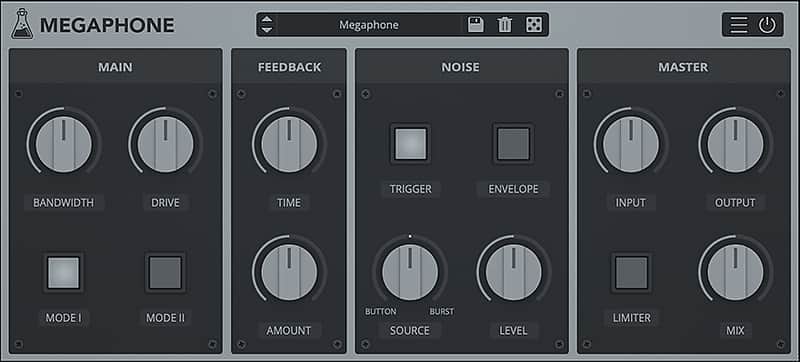
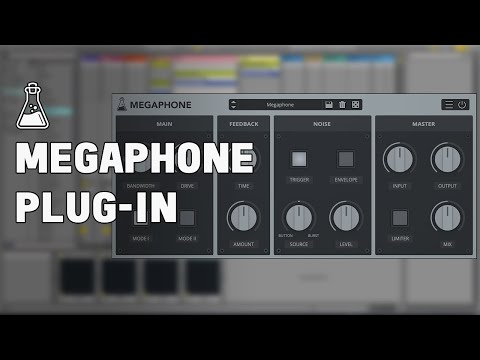
Megaphone is a plugin that emulates an amplified bullhorn / PA loudspeaker.
It features two loudspeaker emulations (Mode I and Mode II), feedback control (slapback echo), and a noise section.
Megaphone can be used to make any audio source sound as if it’s being played by a bullhorn.
Feedback
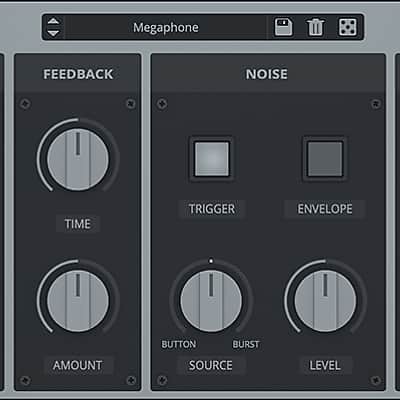
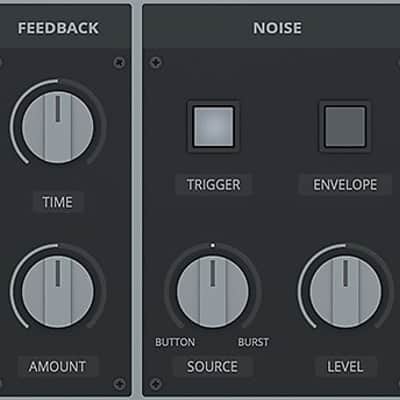
The feedback section is essentially a slapback effect. When using megaphones, the output of the loudspeaker can be captured again by the input microphone, introducing a delay/reflection and the usual feedback tones (those can be triggered with high gain sources and feedback amount higher than 50%).
Noise
The megaphone noises can be enabled by the Trigger button. There are two types of noise: Button and Burst. You can balance the mix between the two noises with the Source parameter.
The button noise is the noise made by clicking on the megaphone button to enable its microphone.
The burst is the typical background noise of the loudspeaker.
If the envelope is enabled, the Burst noise will follow the transients of the input signal.
SPECIFICATIONS:
- 2 Loudspeaker emulations
- Overdrive + Bandwidth control
- Feedback / Slapback
- Preset system with randomizer
Compatibility
Windows 7, 8, 10 (64 bit)
Intel Core 2 Duo or AMD Athlon 64 X2, 4 GB RAM
VST2, VST3, or AAX, 64-bit host
OS X 10.7 – macOS 10.14
Intel Core 2 Duo, 2 GB RAM
VST2, VST3, AU, or AAX, 64-bit host
Installation Instructions
MAC OS
- Double click on the DMG archive to extract it
- Right click on the PKG installer and click open
- Follow the instructions to install the plug-in(s)
WINDOWS
- Extract the ZIP archive
- Double click on the setup file (.exe)
- Follow the instructions to install the plug-in(s)
REGISTRATION
In demo mode the plug-in will output silence for 3 seconds every 45 seconds, and you won't be able to save presets.
You can open the registration window by clicking on the icon next to the bypass button, in the top-right corner.
You can choose between Online and Offline authorization.
ONLINE
- If you haven't created an account yet, you can sign up at https://www.audiothing.net/account/signup/
- Just input your credentials into the text fields and click on Log In.
OFFLINE
- Download the license file from your AudioThing account: https://www.audiothing.net/account/
- Copy the file to your offline computer.
- Just drag and drop the license into the registration window or click on the Load License File button and browse to the downloaded license.
WHERE IS EVERYTHING?
The installer will place the plugins, presets and other data in these folders.
MAC OS
AU: /Library/Audio/Plug-ins/Components/
VST: /Library/Audio/Plug-ins/VST/
VST3: /Library/Audio/Plug-ins/VST3/
AAX: /Library/Application Support/Avid/Audio/Plug-Ins/
Data: /Users/Shared/AudioThing/
WINDOWS
VST: custom path from installer
VST3: \Program Files\Common Files\VST3\
AAX: \Program Files\Common Files\Avid\Audio\Plug-Ins\
Data: \Users\Public\Public Documents\AudioThing\
What's new?
2019/03/01: v1.5
- Added: VST3 plugin format
- Added: Online Authorization Form
- Added: Noise Source Parameter
- Added: Global option – Resizable Window
- Improved: New GUI with support for Retina/HiDPI displays
- Fixed: MAC with High Sierra (APFS) presets scrambled
- Fixed: Bypass noise in Pro Tools
| Brand | |
|---|---|
| Model |
|
| Categories |
Product safety information may be available here.