


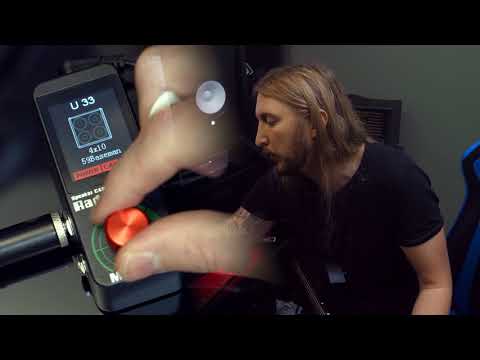
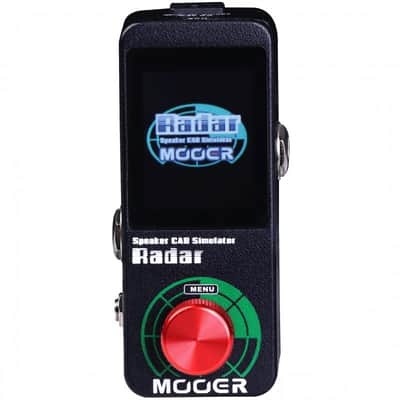
Mooer Radar Speaker Cab Simulator
Il venditore non ha impostato il costo di spedizione per Regno Unito. Per favore contatta e chiedigli il costo della spedizione.
Prezzo originale£113.38
Riduzione di prezzo del 24%
Nuovo prezzo£86.74
IVA incl.
+ spedizione
Pubblicato:più di un mese fa
Visualizzazioni:75
Salvataggi:1
Offerte:0
Ottawa, Canada

Politica per i resi entro 14 giorni
Concediti il massimo della tranquillità con il tuo nuovo strumento
I nostri utenti valutano Reverb
- Before opening the STUDIO software for the first time you must have your Radar connected to the computer via USB cable.
- Boot Radar into firmware update mode by pressing and holding the menu button(Red knot) and powering the unit on. You can now open the STUDIO software for the first time.
- Some USB cables are not for meant for DATA transfer and are only supposed to be used for powering devices. Also, cable quality can vary greatly. Please ensure that you're using a high quality USB cable for trouble free operation.
- Please turn off the antivirus programs before installing STUDIO software or updating. Some of the antivirus program will pop up false alert and prevent software from installing or data transferring. Please ensure that you have turned off them completely.
| Condizione | Nuovo (Nuovo) Gli articoli "Nuovi” sono venduti da un rivenditore autorizzato o dal produttore originale e comprendono l’imballo originale.Scopri di più |
|---|---|
| Marchio | |
| Modello |
|
| Categorie | |
| Formato pedale |
|
| Famiglia colore |
|
Le informazioni sulla sicurezza del prodotto sono disponibili qui.

Protezione di Reverb
Resi semplici, transazioni sicure, assistenza di persone in carne e ossa
Scopri di più