
Brooklyn, NY, United States
About this listing
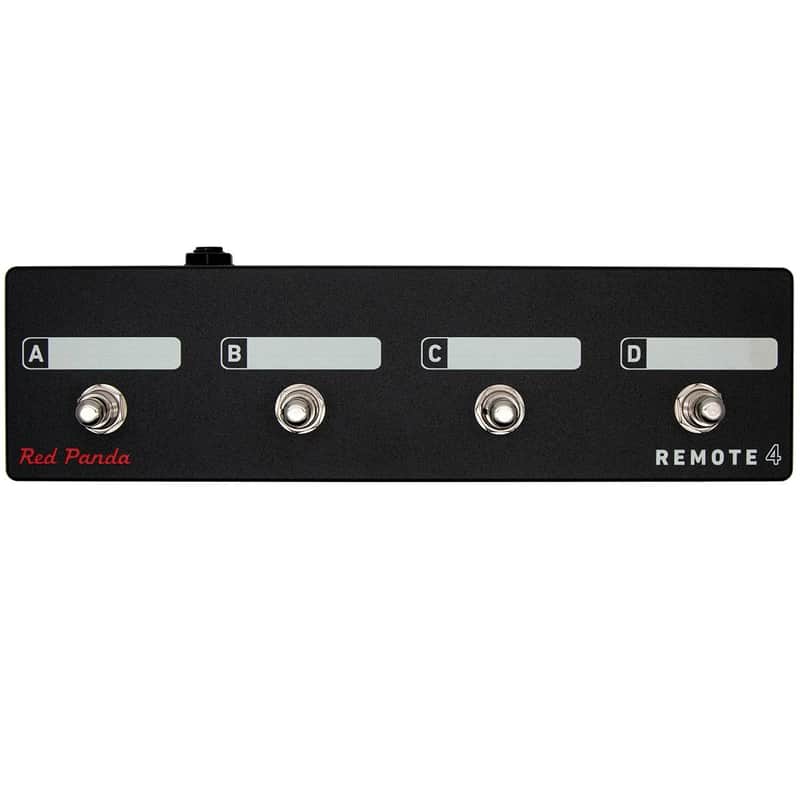
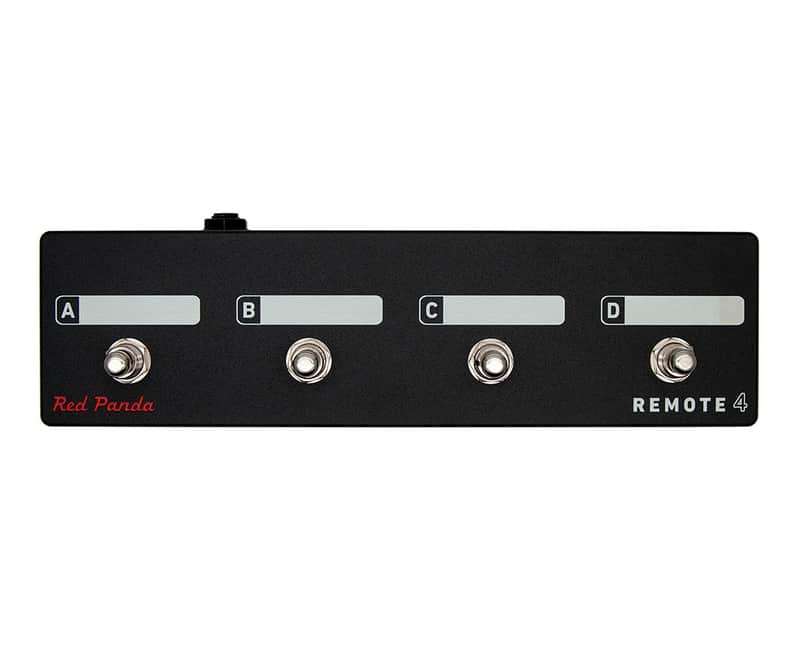
Remote Switch With 4 Modes to Access Presets And Pedal Functions
Scribble strips above each switch can be labeled with a Sharpie and erased using isopropyl alcohol. Connects to our pedals via a 1/4" TRS cable (included). The Remote 4 does not require power.
Bitmap 2 Remote Switch Modes
Mode 1
A (Switch) - Preset 1 (hold to save)(Function)
B (Switch) - Preset 2 (hold to save)(Function)
C (Switch) - Preset 3 (hold to save)(Function)
D (Switch) - Preset 4 (hold to save)(Function)
Mode 2
A (Switch) - Next preset(Function)
B (Switch) - Bypass / on(Function)
C (Switch) - LFO hold(Function)
D (Switch) - Tap(Function)
Context 2 Remote Switch Modes
Mode 1
A (Switch) - Preset 1 (hold to save)(Function)
B (Switch) - Preset 2 (hold to save)(Function)
C (Switch) - Preset 3 (hold to save)(Function)
D (Switch) - Preset 4 (hold to save)(Function)
Mode 2
A (Switch) - Preset footswitch(Function)
B (Switch) - Right footswitch(Function)
C (Switch) - Reverb hold (latching)(Function)
D (Switch) - Tap tempo(Function)
Mode 3
A (Switch) - Dry kill (momentary)(Function)
B (Switch) - Delay kill (momentary)(Function)
C (Switch) - Reverb sustain (momentary)(Function)
D (Switch) - Reverb damping (momentary)(Function)
Particle 2 Remote Switch Modes
Mode 1
A (Switch) - Preset 1 (hold to save)(Function)
B (Switch) - Preset 2 (hold to save)(Function)
C (Switch) - Preset 3 (hold to save)(Function)
D (Switch) - Preset 4 (hold to save)(Function)
Mode 2
A (Switch) - Left footswitch(Function)
B (Switch) - Right footswitch(Function)
C (Switch) - Preset down(latching)(Function)
D (Switch) - Preset up(Function)
Raster 2 Remote Switch Modes
Mode 1
A (Switch) - Preset 1 (hold to save)(Function)
B (Switch) - Preset 2 (hold to save)(Function)
C (Switch) - Preset 3 (hold to save)(Function)
D (Switch) - Preset 4 (hold to save)(Function)
Mode 2
A (Switch) - Left footswitch(Function)
B (Switch) - Right footswitch(Function)
C (Switch) - Preset down(latching)(Function)
D (Switch) - Preset up(Function)
Tensor Remote Switch Modes
Mode 1
A (Switch) - Preset 1 (hold to save)(Function)
B (Switch) - Preset 2 (hold to save)(Function)
C (Switch) - Preset 3 (hold to save)(Function)
D (Switch) - Preset 4 (hold to save)(Function)
Mode 2
A (Switch) - Left footswitch(Function)
B (Switch) - Right footswitch(Function)
C (Switch) - Preset 1 (hold to save)(latching)(Function)
D (Switch) - Preset 2 (hold to save)(Function)
Mode 3
A (Switch) - Record / Overdub(hold to save)(Function)
B (Switch) - Play / Stop(hold to save)(Function)
C (Switch) - Play Once(hold to save)(Function)
D (Switch) - Toggle TIME & PITCH (tap) Toggle SPEED (double tap)(hold to save)(Function)
Mode 4
A (Switch) - Toggle SPEED knob(Function)
B (Switch) - Toggle TIME knob(Function)
C (Switch) - Toggle PITCH knob(Function)
D (Switch) - Toggle RAND knob(Function)
Tensor Loop Sampler (Remote Mode 3)
Mode 3 is designed to use the Tensor as a loop sampler with live loop manipulation. Switches A-C control loop record, overdub, play, and retrigger functions. Switch 4 toggles between the current knob settings and the default (normal playback settings). For example, you can set SPEED to reverse and PITCH to -1 octave for instant access to reverse and half-speed effects. See the user's manual for complete details.Features
Connects to our pedals via a 1/4" TRS cable (included).
The Remote 4 does not require power.
Size : 10" x 2.75" x 2.25" high
Configuring the Remote Switch (all pedals)
Start with the pedal-powered on and nothing plugged into the CTRL port.
Hold the right foot switch while plugging in the remote switch. The right LED will blink yellow 3 times to indicate it is in CTRL configuration mode. You can release the right footswitch and begin configuration immediately.
Press one of the buttons on the remote switch to select a mode.
Hold the right footswitch for 2 seconds to save the configuration. The right LED will blink green to indicate that the configuration has been saved.
Price$99
Free Shipping

Free Shipping
from Brooklyn, NY

30-Day Return Policy
Enjoy peace of mind with your new gear
1
3 in stock