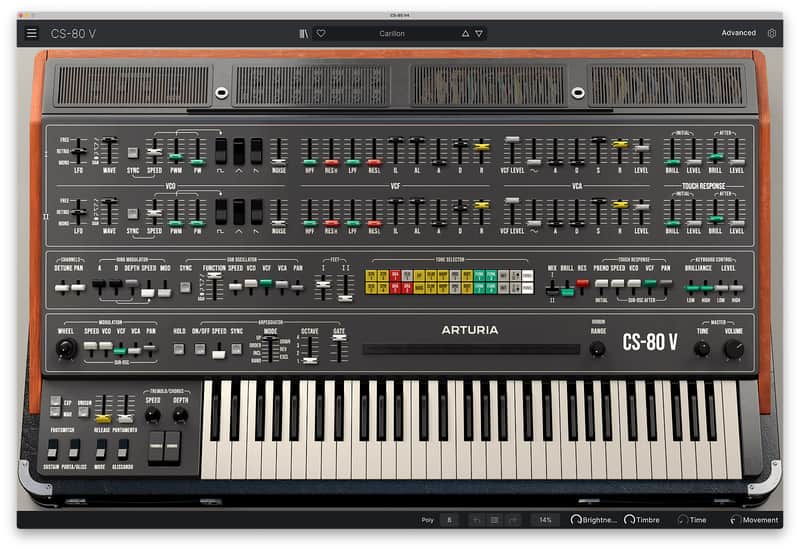
Arturia CS-80 V Synthesizer Virtual Instrument Software
Price$149
Instant Download

Free Shipping
from Chicago, IL
Listed:over a month ago
Views:560
Saves:4
Offers:0

Chicago, IL, United States
Our users rate Reverb
CS-80 V faithfully resurrects the most famous Japanese synthesizer of all time in software form; a nexus of unmatched expressivity, distinctly cinematic sound, and cutting-edge softsynth enhancements for a virtual instrument that’s almost human.
Compatibility
Windows
Installation Instructions
- Virtual Instruments playable in a DAW (Live, FL Studio, Logic,...) or standalone with a MIDI keyboard.
- 2 VCOs with 3 shapes, PWM, and Noise
- 4 VCFs (high-pass, low-pass)
- 2 LFOs
- 4 Envelopes
- 2 VCAs
- Sub-Oscillator
- Ring Modulator
- Dedicated Chorus and Tremolo
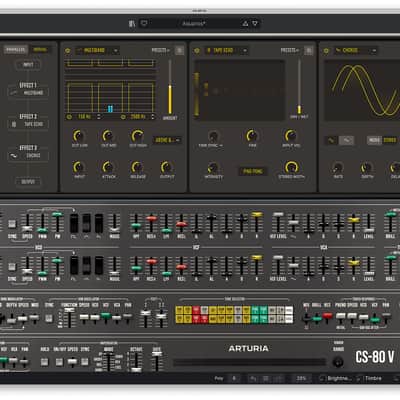
- 3 FX slots with 15 FX to choose from
- Virtual Ribbon controller
- 2-source Modulation Mixer with 3 destinations
- Preset library with over 200 presets, including original factory patches
- Polyphonic aftertouch response
- Built-in 5-mode arpeggiator
- Full MIDI controller mapping
- MPE compatibility
- MTS-ESP microtuning compatibility
Compatibility
Windows
- Win 10+ (64bit)
- 4 GB RAM
- 4 cores CPU, 3.4 GHz (4.0 GHz Turbo-boost)
- 3GB free hard disk space
- OpenGL 2.0 compatible GPU
- ARM processors not supported on Windows
- Works in Standalone, VST, AAX, Audio Unit, NKS (64-bit DAWs only).
- Mac OS 11+
- 4 GB RAM
- 4 cores CPU, 3.4 GHz (4.0 GHz Turbo-boost) or M1 CPU
- 3GB free hard disk space
- OpenGL 2.0 compatible GPU
- An elegant and simple solution to help you install, activate, and update your Arturia software instruments.
Installation Instructions
To download your purchase, follow this link to download the Arturia Software Center (ASC)
Once downloaded, launch the ASC and log in (new users can select “Create Account”)
After logging in, find your product in the list and select “Activate”
Once the product has been activated, select “Install”
| Brand | |
|---|---|
| Model |
|
| Categories |
Product safety information may be available here.

