Rio MIDI USB Host Interface White
Price$39
Free Shipping
This listing has ended
See similar gear from other Reverb sellers
Listed:over a month ago
Views:136
Saves:6

Aliso Viejo, CA, United States
Our users rate Reverb
MIDI USB Host Interface for a USB keyboard and a legacy MIDI device with DIN connectors
Many new MIDI keyboard controllers have no MIDI DIN connector.
They only have a USB port. They do not control a legacy MIDI device (sound module).
This interface solves the problem.
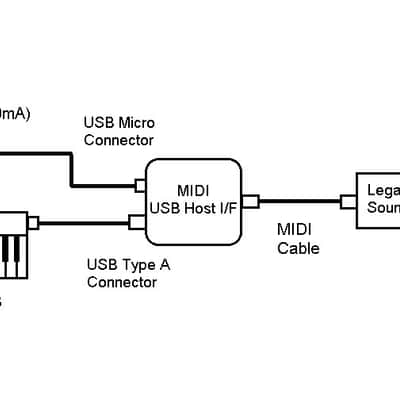
* This interface works as a USB host. No PC required. (See the connection chart)
* The interface supplies DC5V power to your USB keyboard.
A resettable fuse limits the current up to 500mA to protect the USB keyboard.
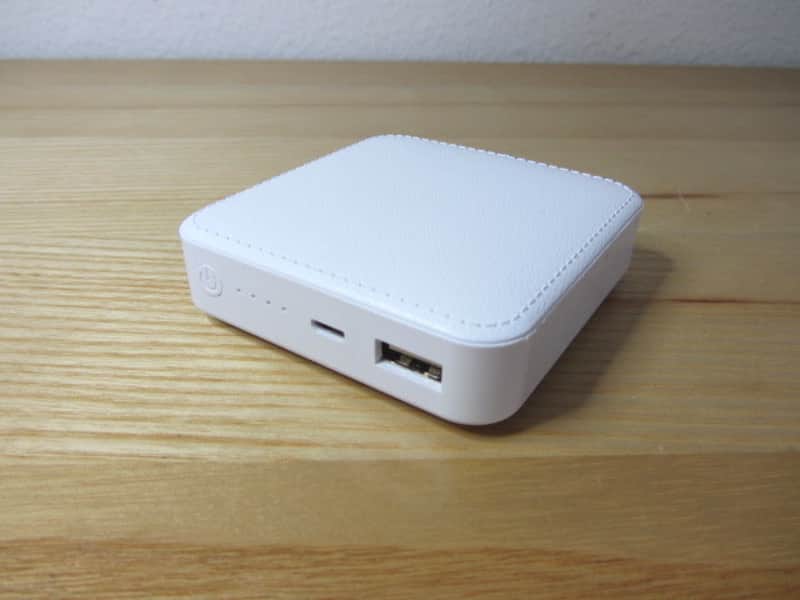
* It has 3 connectors and a power indicator
- USB 2.0 Type A connector for a USB keyboard.
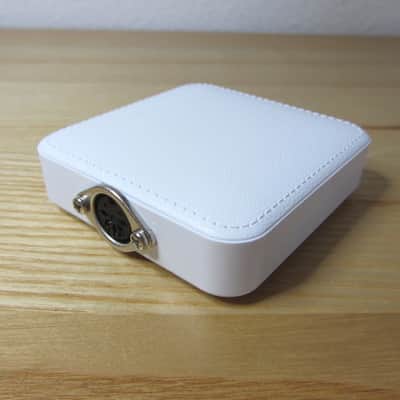
- 5-pin MIDI DIN connector for a legacy MIDI device
- Micro USB connector for DC5V power supply
* It requires a smart phone AC adapter with USB micro connector (DC5V, >600mA).
The max current should be 600mA or more. (A few dollars at eBay).
* This interface handles the following MIDI messages (at least):
[Channel Voice Messages]
n=MIDI channel (0-15)
0x8n Note Off
0x9n Note On
0xCn Program Number (Timbre)
0xEn Pitch Wheel Change
0xBn Control Change (see below)
[MIDI Control Change]
0x01 Modulation Wheel
0x02 Breath Controller
0x05 Portamento Time
0x07 Channel Volume
0x0A Pan
0x12 General Purpose Controller 3
0x13 General Purpose Controller 4
0x15 Undefined
0x16 Undefined
0x10 General Purpose Controller 1
0x1C Undefined
0x1D Undefined
0x40 Sustain Pedal
0x47 Timbre/Harmonic Intensity
0x4A Brightness
0x50 General Purpose Controller 5
0x51 General Purpose Controller 6
0x52 General Purpose Controller 7
0x53 General Purpose Controller 8
0x5B Effect1 Depth
(Tested with Pocket MIDI Ver.1.4.1 software. )
* Tested devices:
(USB keyboard) Midiplus Origin 37, IK Multimedia iRig KEYS, Akai LPK25,
Alesis Vortex Wireless 2 keytar (Wireless USB dongle), Korg Nanokontrol
(MIDI controller) MIDI Fighter, Akai LPD8
(MIDI guitar controller) Fishman Tripleplay
(USB electronic drum set) Pyle PTED01
(MIDI DIN sound module) Roland VK-8M, E-mu Vintage Key Pro, Alesis NanoPiano, Behringer XR12, Elektron Octatrack
* Your MIDI-USB device must be class compliant/plug-and-play.
That means no driver software installation is required to connect to a PC/MAC.
* It does not support non-standard MIDI format devices which require proprietary driver software.
Some of Yamaha keyboards do not work with this interface. Please check user's manual.
* This interface does not work with a USB hub. Connect the interface directly to your keyboard.
* No MIDI DIN input. Only inbound to the sound module. No outbound communication.
* Custom printed circuit board.
* Encased in a cell phone power bank case.
* Dimensions 80 x 75 x 20mm
* No MIDI/USB cable included.
I assembled some for my friends. I will sell a couple of them for you.
More than ten people are using this interface.
Please see the feedback from them.
If you have a question, please email me.
Many new MIDI keyboard controllers have no MIDI DIN connector.
They only have a USB port. They do not control a legacy MIDI device (sound module).
This interface solves the problem.
* This interface works as a USB host. No PC required. (See the connection chart)
* The interface supplies DC5V power to your USB keyboard.
A resettable fuse limits the current up to 500mA to protect the USB keyboard.
* It has 3 connectors and a power indicator
- USB 2.0 Type A connector for a USB keyboard.
- 5-pin MIDI DIN connector for a legacy MIDI device
- Micro USB connector for DC5V power supply
* It requires a smart phone AC adapter with USB micro connector (DC5V, >600mA).
The max current should be 600mA or more. (A few dollars at eBay).
* This interface handles the following MIDI messages (at least):
[Channel Voice Messages]
n=MIDI channel (0-15)
0x8n Note Off
0x9n Note On
0xCn Program Number (Timbre)
0xEn Pitch Wheel Change
0xBn Control Change (see below)
[MIDI Control Change]
0x01 Modulation Wheel
0x02 Breath Controller
0x05 Portamento Time
0x07 Channel Volume
0x0A Pan
0x12 General Purpose Controller 3
0x13 General Purpose Controller 4
0x15 Undefined
0x16 Undefined
0x10 General Purpose Controller 1
0x1C Undefined
0x1D Undefined
0x40 Sustain Pedal
0x47 Timbre/Harmonic Intensity
0x4A Brightness
0x50 General Purpose Controller 5
0x51 General Purpose Controller 6
0x52 General Purpose Controller 7
0x53 General Purpose Controller 8
0x5B Effect1 Depth
(Tested with Pocket MIDI Ver.1.4.1 software. )
* Tested devices:
(USB keyboard) Midiplus Origin 37, IK Multimedia iRig KEYS, Akai LPK25,
Alesis Vortex Wireless 2 keytar (Wireless USB dongle), Korg Nanokontrol
(MIDI controller) MIDI Fighter, Akai LPD8
(MIDI guitar controller) Fishman Tripleplay
(USB electronic drum set) Pyle PTED01
(MIDI DIN sound module) Roland VK-8M, E-mu Vintage Key Pro, Alesis NanoPiano, Behringer XR12, Elektron Octatrack
* Your MIDI-USB device must be class compliant/plug-and-play.
That means no driver software installation is required to connect to a PC/MAC.
* It does not support non-standard MIDI format devices which require proprietary driver software.
Some of Yamaha keyboards do not work with this interface. Please check user's manual.
* This interface does not work with a USB hub. Connect the interface directly to your keyboard.
* No MIDI DIN input. Only inbound to the sound module. No outbound communication.
* Custom printed circuit board.
* Encased in a cell phone power bank case.
* Dimensions 80 x 75 x 20mm
* No MIDI/USB cable included.
I assembled some for my friends. I will sell a couple of them for you.
More than ten people are using this interface.
Please see the feedback from them.
If you have a question, please email me.
Reverb Buyer Protection
Reverb has your back if your item is lost, damaged, or doesn't match its description. Simply report any issues within 7 days and we'll help you get a full refund.Learn more about Reverb Buyer Protection.
| Condition | Brand New (New) Brand New items are sold by an authorized dealer or original builder and include all original packaging.Learn more |
|---|---|
| Brand | |
| Model |
|
| Finish |
|
| Categories | |
| Made In |
|
Product safety information may be available here.