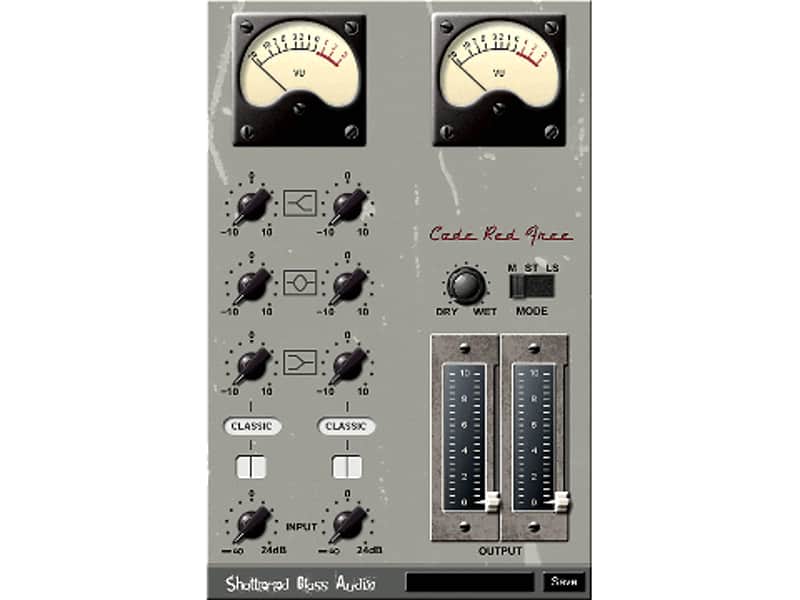
Shattered Glass Audio Code Red Free Preamp & EQ
PriceFREE
Incl. VAT
Instant Download
This listing has ended
See similar gear from other Reverb sellers
Listed:over a month ago
Views:11,966
Saves:129
Downloads:5,479

Chicago, IL, United States
Our users rate Reverb
Carefully constructed console preamp and EQ inspired by the famous British board from the late 1960s.
What it is:
Classic British console preamp and equalization.
How we use it:
To add punch, warmth, and drive to our tracks.
Why it's cool:
Chain two of these together to get the Revolution sound.
Code Red Free is inspired by a classic, all tube, British console from the late 60s. The original console was known for its EQ, bold and punchy character, and the warmth it imparted. The Beatles recorded most of their material using this, and other versions of this console. Easily recognized overdriven sound of the Beatles' Revolution was created by chaining two preamps from this console. Shattered Glass Audio has gone to considerable lengths to find accurate information and reproduce the original EQ curves and accurately model the preamp.Compatibility
Mac:
- OS X 10.8+
- VST2/VST3 and/or AU 32-bit or 64-bit host
- 7/8
- VST2/VST3 and/or AU 32-bit or 64-bit host
Installation Instructions
If your Mac issues the following error: "Plugin can't be opened because it is from an unidentified developer," there are two workarounds.
- Open System Preferences, go to Security & Privacy. Under "Allow apps downloaded from," you will see the name of the software which was blocked. Locate the blocked plugin, click 'allow,' and you're good to go!
- Simply right-click the .dmg and hit 'open.' Click confirm and you're good to go!
General Instructions:
- We auto-detect your computer operating system, so just click the download button above
- Find the downloaded plugin (it’s in your computer’s download folder) and double click it
- A plugin installer window will open, so go through the installation process
- We will also send you an email with a link to re-download in case you need it
How to install plugins in Ableton Live:
- If Ableton is closed, open it and skip to #5
- If Ableton is already open, go to Preferences
- Go to Files & Folder
- Click “Rescan plugins”
- Find the plugin in the Ableton plugins folder in the sidebar
- Drag-and-drop the plugin onto your track at the bottom of the screen
- Open Logic Pro X
- Create a software instrument track if you downloaded a virtual instrument plugin
- Under Default Patch, go to AU Instruments and choose the plugin you just installed
- If you downloaded an effect or utility plugin, you can insert them on the mixer
- Click the Track menu and create a new track
- Select any of the available inserts
- Go to Multi-Channel plugins, then Instruments to find your new virtual instrument plugin
| Brand | |
|---|---|
| Model |
|
| Categories |
Product safety information may be available here.