iZotope RX 7 Standard
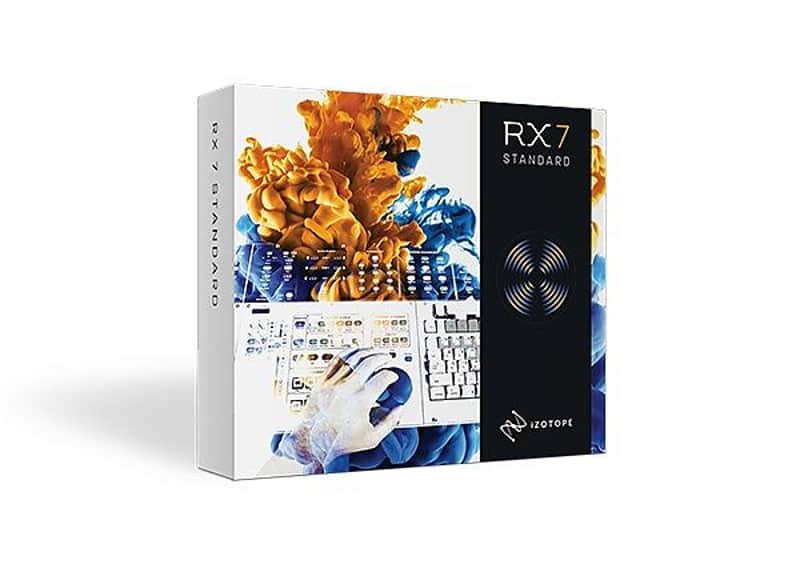
iZotope RX 7 Standard
Price€370.89
Instant Download
This gear has sold
See similar gear from other Reverb sellers
Listed:over a month ago
Views:164
Saves:2
Offers:2

Chicago, IL, United States
Our users rate Reverb
RX 7 Standard - The ultimate in post-production audio magic.
What it is:
An advanced audio processor designed to remedy audio ailments.
How we use it:
Isolate dialogue, cure lavalier mic rustle, eliminate wind rumble, and much, much more.
Why it’s cool:
iZotope’s RX products seem to make the impossible possible - saving the perfect take from shoddy audio.RX 7 Standard | The Industry Standard for Audio Repair
Introducing RX 7 Standard - Audio Repair for Music and Post Production
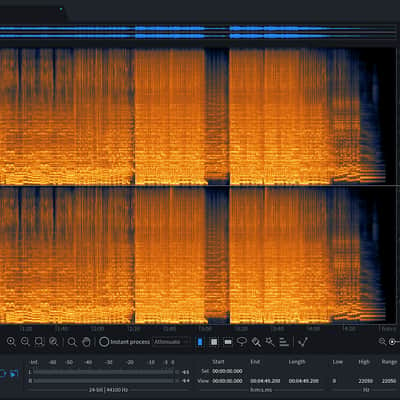
Used on countless albums, movies, and TV shows to restore damaged, noisy audio to pristine condition, RX 7 is a complete toolkit for audio cleanup and restoration needs. Visually identify and repair problems with the standalone RX Audio Editor application, or use the plug-ins in real time in your favorite DAW or NLE.
RX 7 Standard introduces new features and workflows that allow you to easily edit, repair, and restore audio to pristine condition both in post and music production. Instantly fix clicks, pops, hum, noise with Repair Assistant, rebalance music or isolate vocals with Music Rebalance, and surgically fix dialogue and musical performances using the editor or plug-ins.
Perfect for music and smaller post production studios
Isolate or remove vocals from your song
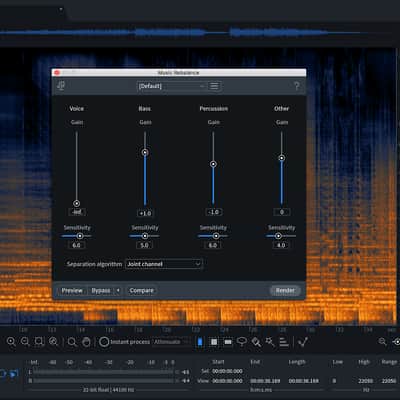
Not only can Music Rebalance be used to adjust the levels of musical elements in a mix, but it can also make once-impossible workflows like vocal isolation and vocal removal from a stereo mix a reality. In RX 7 Standard, you can easily extract an entire vocal performance from other musical elements or even remove the vocals, leaving only the instrumental elements.
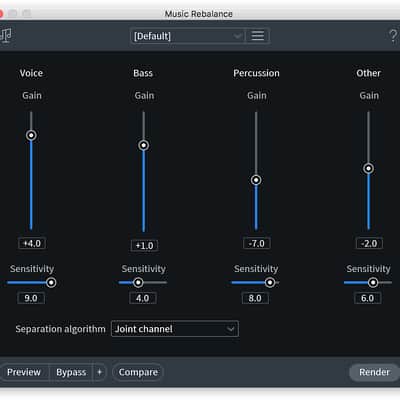
RX 7 Standard: Features: Music Rebalance [Standard Only] NEW.
Music Rebalance is a powerful tool that intelligently identifies vocals, bass, percussion, and other instruments in a mix and allows for independent gain adjustment of each element—you can even isolate or remove vocals. Drums too loud? Vocals not loud enough? Are other instruments too present or is percussion not punchy enough? With Music Rebalance, you can easily reanimate a mix, create instrumental versions of songs by removing the vocal elements, or even isolate the vocal to prepare a remix without having access to individual tracks or stems. Also available as a AudioSuite plug-in.
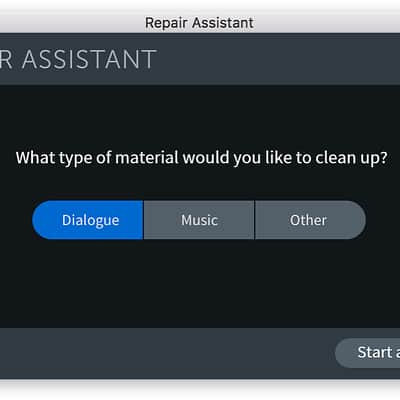
Repair Assistant NEW.
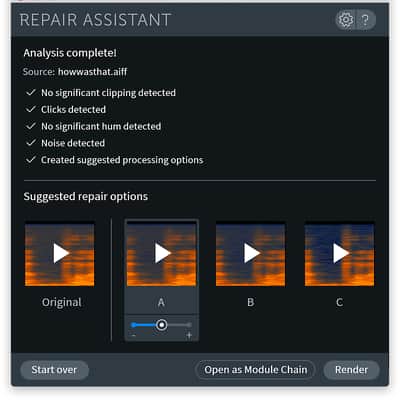
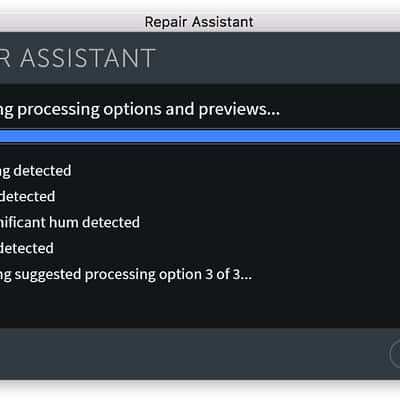
Representing the latest advances in iZotope's assistive audio technology, Repair Assistant is a game-changing intelligent repair tool that can detect noise, clipping, clicks, and more. Solve common audio issues faster than ever, simply by selecting the type of material (music, dialogue, other) and letting RX 7 Standard analyze the audio. Repair Assistant then offers different processing suggestions to help give you the best result, as well as three different intensities (light, medium, or aggressive) for each. Review and audition different suggestions, hit render, and let Repair Assistant do the rest for you!
Quickly repair these common issues in just 3 clicks:
Compatibility
Operating system requirements
Installation Instructions
What it is:
An advanced audio processor designed to remedy audio ailments.
How we use it:
Isolate dialogue, cure lavalier mic rustle, eliminate wind rumble, and much, much more.
Why it’s cool:
iZotope’s RX products seem to make the impossible possible - saving the perfect take from shoddy audio.RX 7 Standard | The Industry Standard for Audio Repair
Introducing RX 7 Standard - Audio Repair for Music and Post Production
Used on countless albums, movies, and TV shows to restore damaged, noisy audio to pristine condition, RX 7 is a complete toolkit for audio cleanup and restoration needs. Visually identify and repair problems with the standalone RX Audio Editor application, or use the plug-ins in real time in your favorite DAW or NLE.
RX 7 Standard introduces new features and workflows that allow you to easily edit, repair, and restore audio to pristine condition both in post and music production. Instantly fix clicks, pops, hum, noise with Repair Assistant, rebalance music or isolate vocals with Music Rebalance, and surgically fix dialogue and musical performances using the editor or plug-ins.
Perfect for music and smaller post production studios
- Includes everything in RX Elements
- Isolate and remove vocals or rebalance mix elements with Music Rebalance
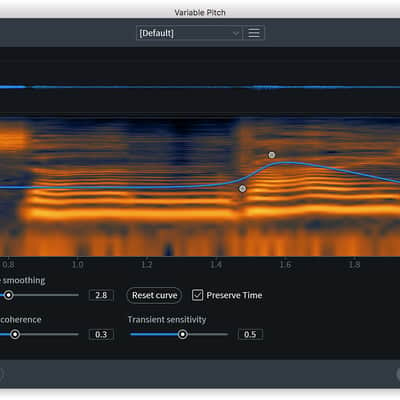
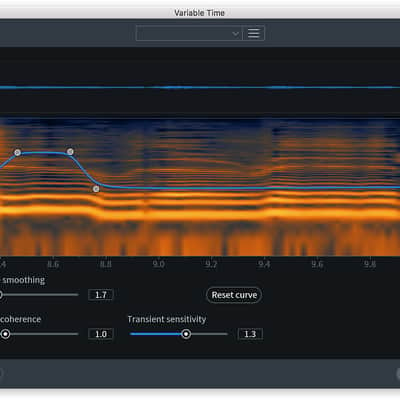
- Independently adjust time and pitch with Variable Time and Variable Pitch
- Eliminate noise issues with the magic of Spectral Repair
- Remove instrument mic bleed with the De-bleed module
- Easily fix vocal issues like sibilance, breath, and mouth clicks
- Instantly repair multiple files at once with Composite View
- Rebalance the musical elements of a mix
Isolate or remove vocals from your song
Not only can Music Rebalance be used to adjust the levels of musical elements in a mix, but it can also make once-impossible workflows like vocal isolation and vocal removal from a stereo mix a reality. In RX 7 Standard, you can easily extract an entire vocal performance from other musical elements or even remove the vocals, leaving only the instrumental elements.
RX 7 Standard: Features: Music Rebalance [Standard Only] NEW.
Music Rebalance is a powerful tool that intelligently identifies vocals, bass, percussion, and other instruments in a mix and allows for independent gain adjustment of each element—you can even isolate or remove vocals. Drums too loud? Vocals not loud enough? Are other instruments too present or is percussion not punchy enough? With Music Rebalance, you can easily reanimate a mix, create instrumental versions of songs by removing the vocal elements, or even isolate the vocal to prepare a remix without having access to individual tracks or stems. Also available as a AudioSuite plug-in.
Repair Assistant NEW.
Representing the latest advances in iZotope's assistive audio technology, Repair Assistant is a game-changing intelligent repair tool that can detect noise, clipping, clicks, and more. Solve common audio issues faster than ever, simply by selecting the type of material (music, dialogue, other) and letting RX 7 Standard analyze the audio. Repair Assistant then offers different processing suggestions to help give you the best result, as well as three different intensities (light, medium, or aggressive) for each. Review and audition different suggestions, hit render, and let Repair Assistant do the rest for you!
Quickly repair these common issues in just 3 clicks:
- Noisy recordings
- Mouth clicks and pops
- Clipped audio
- Adjust the time stretch amount of an audio selection without altering its pitch.
- Adjust the pitch of an audio selection while preserving the time and length.
- Remove headphone bleed from an acoustic guitar track, click track bleed from a vocal take, and fix other signal bleed issues.
- Tame overly aggressive sibilance. The new Spectral De-ess mode transparently attenuates sibilance with iZotope’s Spectral Shaping technology.
- Remove distracting mouth noise with the new low-latency Mouth De-click.
- Visually paint away audio problems like ringing cell phones, birds, and squeaky bass drum pedals.
- Fine-tuned for vocal application, reduce unwanted steady state or changing background noise like air conditioning, refrigerator hum, and amp hiss.
- Transparently repair unwanted plosives with a single click.
- Attenuate amp buzz, tape hiss, and other unwanted steady state background noise.
- Clean up vinyl clicks, soften up click-y bass guitars and more. The new low-latency algorithm enables you to use De-click right within your DAW or NLE without introducing sync issues.
- Repair digital and analog clipping artifacts to restore distorted audio.
- Remove ground loop hum and line noise.
- Fix problems picked up by multiple microphones by editing multiple files at once.
Compatibility
Operating system requirements
- Mac OS X 10.8–10.11
- Windows 7, 8, and 10
Native AAX 64 bit, RTAS 32 bit, Audiosuite DPM 32 bit and AAX 64 bit, AU 32 and 64 bit, VST 2 32 and 64 bit, VST 3
Plug-in host compatibilityPro Tools (10–12.4), Ableton Live (9.5), Logic Pro X (version 10.2), Nuendo 7 / Cubase 8.5, Audition CC 2015, Sonar, PreSonus Studio One, Media Composer 7.0.5 & 8.4.5, Premiere Pro CC 2015, Final Cut X, Sony Sound Forge (Windows: V.11.299; Mac: V.2.5.133), Digital Performer, Reaper
Installation Instructions
First Time Users: If you haven't already, create an account with iZotope: http://www.izotope.com/en/account/log-in/
- Download your installer (Mac or PC) from your account. Once the file has finished downloading to your computer, you will need to open and run the installer.
- Once you have gone through the install wizard and accepted the software license agreement, you will be prompted to select which features you would like to install. If you are not sure what you will need, it is advisable to just leave the default options ticked and press 'Continue'.
- Once you have selected your install features, press 'Continue' and start the 'Install'.
- Near the end of the installation, you will be prompted if you would like to 'check for updates to iZotope software', press yes on this prompt, and your plug-ins will be scanned to see if there are any newer versions for any of your iZotope products.
- If any updates are found, you will be prompted with an updates window where you can follow the on screen prompt.
- Once the installation is complete and all checks have been run, you will be prompted with an installation was successful window, which you can then 'Close'.
- When the installation is finished, you will next need to open and authorize the product. It is always best practice to authorize using the standalone version (if available).
- The first time launching for product, you will be prompted with an Authorization box. After clicking 'Authorize' you will need to enter your serial number and the Name and E-mail address used to create your iZotope user account. [If you intend to use your software offline, here you will need to press the 'Offline Authorization' button and follow the on screen instructions.]
- After pressing 'Authorize' you will see a pop-up box confirming your details for you to then press 'Submit'. Your software should now be fully authorized and ready to go!
- Download your installer (Mac or PC) from your account. Once the file has finished downloading to your computer, you will need to open and run the installer.