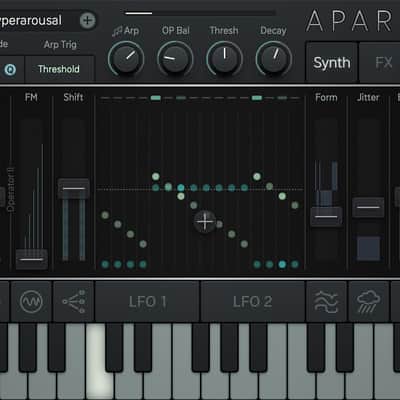

Sugar Bytes Aparillo Plugin
Nouveau prix€104.29
TVA incl.
Téléchargement instantané
Ce matériel a été vendu
Découvrez du matériel similaire proposé par d'autres vendeurs Reverb
Mis en ligne:il y a plus d'un mois
Vues:637
Ajouts aux favoris:10
Offres:29

Chicago, IL, États-Unis
Nos utilisateurs évaluent Reverb
The cinematic machine.
What it is:
Powerful 16-voice FM synth by Sugar Bytes.
How we use it:
Craft emotive, majestic, and moving soundscapes.
Why it's cool:
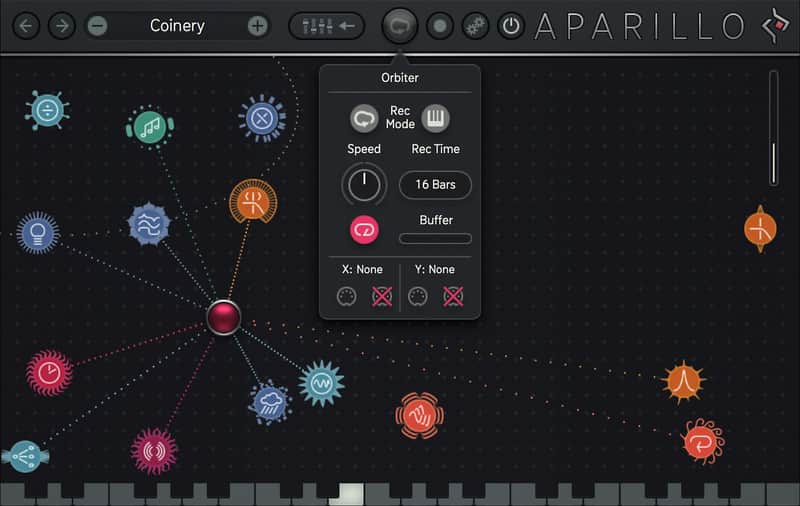
Built-in tools such as the Orbiter make sound design a cinch. Aparillo is an advanced 16-voice FM synthesizer, tailored for majestic sonic motions. A clever arrangement of synthesis, wave shaping, filtering, FX and modulation unfolds into a serious sound design tool for epic sonic creation. Make sure to check out the Orbiter, a mass-controller for immediate, instant blockbuster sounding themes.
Features:
Compatibility
macOS
Installation Instructions
Registration:
General Instructions:
What it is:
Powerful 16-voice FM synth by Sugar Bytes.
How we use it:
Craft emotive, majestic, and moving soundscapes.
Why it's cool:
Built-in tools such as the Orbiter make sound design a cinch. Aparillo is an advanced 16-voice FM synthesizer, tailored for majestic sonic motions. A clever arrangement of synthesis, wave shaping, filtering, FX and modulation unfolds into a serious sound design tool for epic sonic creation. Make sure to check out the Orbiter, a mass-controller for immediate, instant blockbuster sounding themes.
Features:
- FM Synthesizer with 16 Voices
- Formant Shifting, Wave Folding & Shifting
- Multi-Mode Filter with Spacializer
- 2 interdependent LFOs with S+H and Gravitation
- Orbiter for one-touch Sound Morphing
- 500 handpicked Presets
- Wide Modulation Options from 10 sources
- Melody Generator
- Two FM Operators give birth to waveforms so complex it's like they have a life of their own.
- Different FM Complexity/ and Ratio Modes, Waveshaping, Folding, Formant Shifting, Complex LFOs and the Orbiter deliver sonic spectacles that are sure to blow you out of your seat.
- A modulatable Scale editor creates unbelievable unison spreads with the deepest of harmonic structures, stacking up to a 16 voice orchestra from another planet.
- Total control for an almost unlimited range of sounds.
- The Orbiter pulls strings throughout the engine putting all the power at your fingertips, with an XY pad to control a massive, record-ready engine.
- By mouse animation or position per note (128 different sound sounds from your keyboard!), you will discover exquisite sounds and create unbelievable sonic motions.
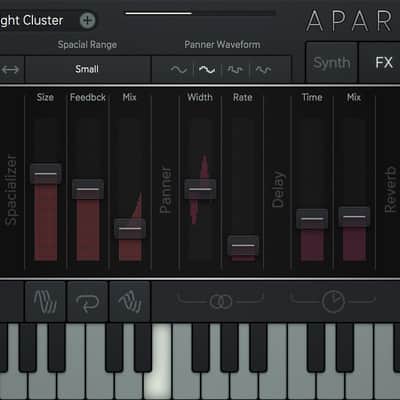
- The effect section is a sound source in its own right. The Spacializer, a delay-based pitch resonator, can generate an additional synth layer per wave-guide synthesis.
- Besides the typical specialties like Comb and Vowel, the Multi-Mode filter dishes up the super-evil Dirt HP/BP/LPs, that bubble over with spectral grit.
- The Poly-Autopan, synced Delay, and our best Reverb yet, will add space and air to your precious audio produce.
- The sole focus of the modulation lies on the diversity of the 16 independent synth voices. As freely definable layers of sound, they will unfold a vast sonic biotope.
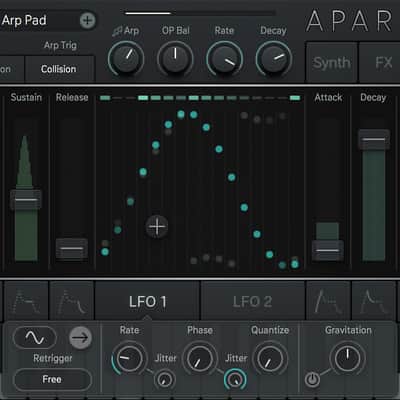
- The Envelopes show off user definable slopes, looping modes, and polyphonic parameter modulation. The dual Complex LFO brings along some specialties like FM, Gravitation, Oneshot, S+H/Quantize, and the beautifully chaotic Collision Mode.
- The ARP is interwoven with the engine to pick, pluck and extract rhythmic and melodic structures.
Compatibility
macOS
- Requires macOS 10.6.7 or higher
- Audio Unit, VST2, AAX, Standalone
- Requires Windows 7 or higher
- VST2, AAX, Standalone
Installation Instructions
Registration:
- Go Here: https://sugar-bytes.de/register
- Enter Serial
- Register your new product.
- Download the full-version installer
- Install Software
General Instructions:
- We auto-detect your computer operating system, so just click the download button above.
- Find the downloaded plugin (it's in your computer's download folder, or wherever you've chosen to save it) and double click the installer.
- A plugin installer window will open. Simply go through the installation process.
- We will also send you an email with a link to re-download in case you need it.
- If Ableton Live is closed, open it and skip to #5.
- If Ableton Live is already open, go to Preferences.
- Go to Files & Folder.
- Click "Rescan plugins".
- Find the plugin in the Ableton plugins folder in the sidebar.
- Drag-and-drop the plugin onto your track at the bottom of the screen.
- Open Logic Pro X. Newly installed plugins should be detected automatically every time Logic is opened.
- If you've downloaded an effect or utility plugin, these can be used on an insert for any track in the mixer.
- Create a software instrument track if you downloaded a virtual instrument plugin.
- Under Default Patch, go to AU Instruments and choose the plugin you just installed.
- Open Pro Tools. Newly installed plugins should be detected automatically every time Pro Tools is opened.
- If you've downloaded an effect or utility plugin, these can be used on an insert for many types of tracks (Audio, Aux, Instrument, Master Fader...)
- If you’ve downloaded a software instrument, create a new Instrument track.
- Navigate to the Mixer and locate the newly created Instrument track.
- Select the desired instrument plugin by clicking on any of the Inserts on the Instrument track.
- Go to the Reverb SYNC Software and plugin Collection.
- Choose your desired plugin.
- Reverb will auto-detect your platform, so simply click the download button.
- Continue the installation process by following the prompt.
- Hover your mouse over the smart control button.
- Click Show Inspector icon.
- Click on plugins and choose your desired plugin.
| Marque | |
|---|---|
| Modèle |
|
| Catégories |
Des informations concernant la sécurité des produits peuvent être disponibles ici.