Audified GK Amplification 2 LE
This gear has sold
See similar gear from other Reverb sellers

What it is:
An impeccable recreation of the classic MB150 bass amplifier.
How we use it:
To energize DI bass tracks by simulating a miked amplifier.
Why it's cool:
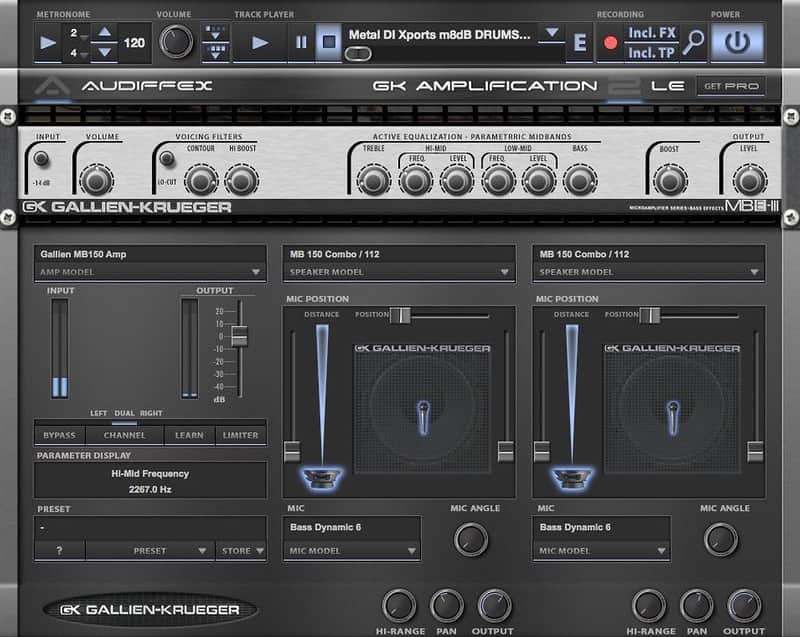
Dual cabinets, each with adjustable microphone positioning, allows for endless tonal combinations. A plug-in and a standalone application that acts as an exact model of a Gallien-Krueger amp and speaker. GK Amplification 2 LE is the Light version of GK Amplification 2 Pro.
Enhance the bass tracks in your DAW application or use the standalone application to perform live, practice with your favorite tracks or record your bass ideas. All the functions of the original amp are available. All controls work the same way as their hardware counterparts.
The Gear:
Simulated amps: Gallien Krueger MB150
Simulated cabs: MB 150
Simulated mic: Audix D6
Compose and practice:GK Amps' advanced track player lets you play along with your favorite artists and learn their songs. Speed control allows you to slow down, if you can't keep up, or even increase the speed of the track. The built in recorder will keep every new riff safe. Record dry bass sound, processed or even mix with the track player.
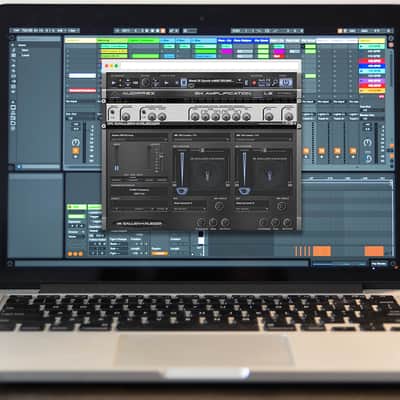
Record and mix:GK Amplification 2 can also be used as a plug-in module for host applications. That makes bass recording so easy. Forget about miking your amp. Just take the DI of your bass and GK Amplification LE will do the rest.
Play live:There's no need to move around heavy stacks for every show. Simply take your laptop with GK Amplification 2 installed and use that instead. The application can be easily controlled by any MIDI controller.
Compatibility
Mac:
- Mac OS X 10.6 - Mac OS X 10.11.
- Plug-in from OS X 10.6. Standalone from OS X 10.8
- AAX 32b, AAX 64b, AU 32b, AU 64b, Standalone app, VST2 32b, VST2 64b, VST3 32b, VST3 64b
Windows:
- Windows 7 - Windows 10
- AAX 32b, AAX 64b, Standalone app, VST2 32b, VST2 64b, VST3 32b, VST3 64b
Installation Instructions
General Instructions:
- We auto-detect your computer operating system, so just click the download button above
- Find the downloaded plugin (it’s in your computer’s download folder) and double click it
- A plugin installer window will open, so go through the installation process
- We will also send you an email with a link to re-download in case you need it
How to install plugins in Ableton Live:
- If Ableton is closed, open it and skip to #5
- If Ableton is already open, go to Preferences
- Go to Files & Folder
- Click “Rescan plugins”
- Find the plugin in the Ableton plugins folder in the sidebar
- Drag-and-drop the plugin onto your track at the bottom of the screen
- Open Logic Pro X
- Create a software instrument track if you downloaded a virtual instrument plugin
- Under Default Patch, go to AU Instruments and choose the plugin you just installed
- If you downloaded an effect or utility plugin, you can insert them on the mixer
| Brand | |
|---|---|
| Model |
|
| Categories |
Product safety information may be available here.