Waves CLA-76 Compressor/Limiter
Waves CLA-76 Compressor/Limiter
New Price$249
Instant Download
This gear has sold
See similar gear from other Reverb sellers
Listed:over a month ago
Views:1,501
Saves:11
Offers:10

Chicago, IL, United States
Our users rate Reverb
Two studio legends from Waves and Chris Lord-Alge.
What it is:
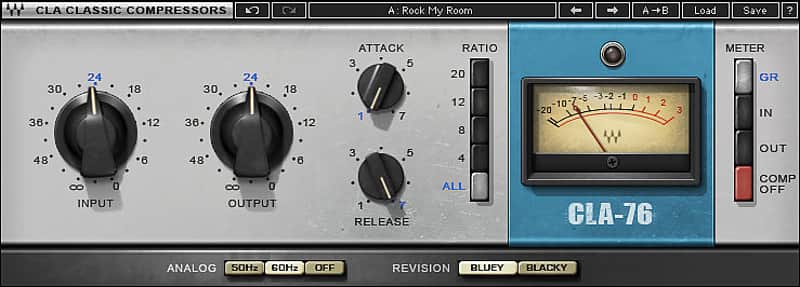
Meticulously modeled renditions of two famed, Class A, line level limiting amps.
How we use it:
Add the timeless character and superfast attack of a studio staple to most any track.
Why it's cool:
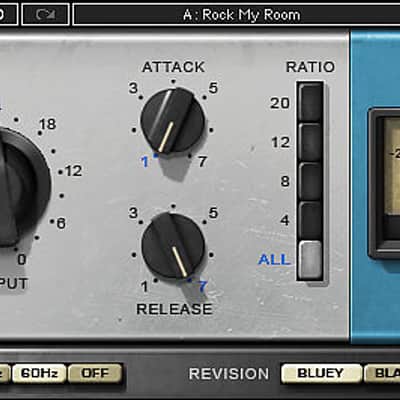
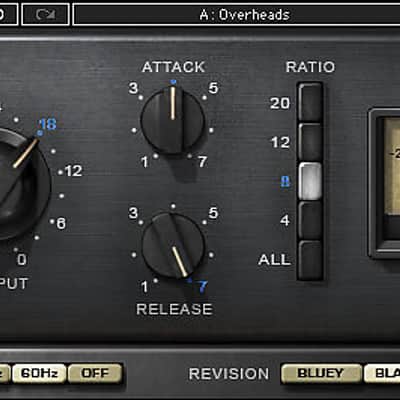
Use the exclusive "ALL" control to recreate the fiery "all-ratio-buttons-in" mode of the original units. Inspired by two highly-desirable revisions of the famed mid-60s Class A line level limiting amplifier, both versions of the CLA-76 (“Blacky” and “Bluey”) offer the superfast attack (as quick as 50 microseconds!) that made the originals studio legends. With an exclusive “ALL” control that recreates the original’s explosive “All-Ratio-Buttons-In” mode, plus modeled pre-amp distortion for that extra edge, the CLA-76 delivers some of the most powerful drum sounds imaginable.
Features:
Compatibility
Mac:
CPU
Memory
Operating System
Screen Resolution
Support for Visually Impaired Users
Windows:
CPU
Memory
Operating System
Screen Resolution
Installation Instructions
What it is:
Meticulously modeled renditions of two famed, Class A, line level limiting amps.
How we use it:
Add the timeless character and superfast attack of a studio staple to most any track.
Why it's cool:
Use the exclusive "ALL" control to recreate the fiery "all-ratio-buttons-in" mode of the original units. Inspired by two highly-desirable revisions of the famed mid-60s Class A line level limiting amplifier, both versions of the CLA-76 (“Blacky” and “Bluey”) offer the superfast attack (as quick as 50 microseconds!) that made the originals studio legends. With an exclusive “ALL” control that recreates the original’s explosive “All-Ratio-Buttons-In” mode, plus modeled pre-amp distortion for that extra edge, the CLA-76 delivers some of the most powerful drum sounds imaginable.
Features:
- Modeled compressor plugin
- Based on the famed mid-'60s Class A line level limiting amplifier
- Superfast attack
- Sounds excellent on drums
- Exclusive ALL control
- Zero latency
- Pre-amp distortion modeling
Compatibility
Mac:
CPU
- Intel Core i5 / i7 / Xeon
Memory
- 8 GB RAM
- 8 GB free disk space on the system drive
Operating System
- 10.10.5 - 10.12.6
Screen Resolution
- Minimum: 1024x768
- Recommended: 1280x1024 / 1600x1024
- USB displays are not supported as the primary display.
Support for Visually Impaired Users
- Mac OS Sierra 10.12.4
- VoiceOver Utility enabled
- Pro Tools 12.7
- Logic 10.3.1
Windows:
CPU
- Intel Core i3 / i5 / i7 / Xeon / AMD Quad-Core
Memory
- 4 GB RAM
- 8 GB free disk space on the system drive
Operating System
- Windows 7 with SP1 64 bit
- Windows 8.1 64 bit
- Windows 10 64 bit
Screen Resolution
- Minimum: 1024x768
- Recommended: 1280x1024 / 1600x1024
Installation Instructions
- Create an account: https://www.waves.com/create-account (if you have an account, skip this step)
- Register the serial number we emailed: https://www.waves.com/account/register
- Download and install Waves Central for Mac | Windows.
- If you already have Waves Central installed, skip to step 4. - Launch Waves Central.
- Windows: via the desktop shortcut or Start Menu > All Programs > Waves.
- Mac: Applications > Waves Central. - Log into Waves Central using your Waves account information.
- Click on Easy Install & Activate.
- Select the products you wish to install & activate on this computer.
- Click on the Install & Activate button.