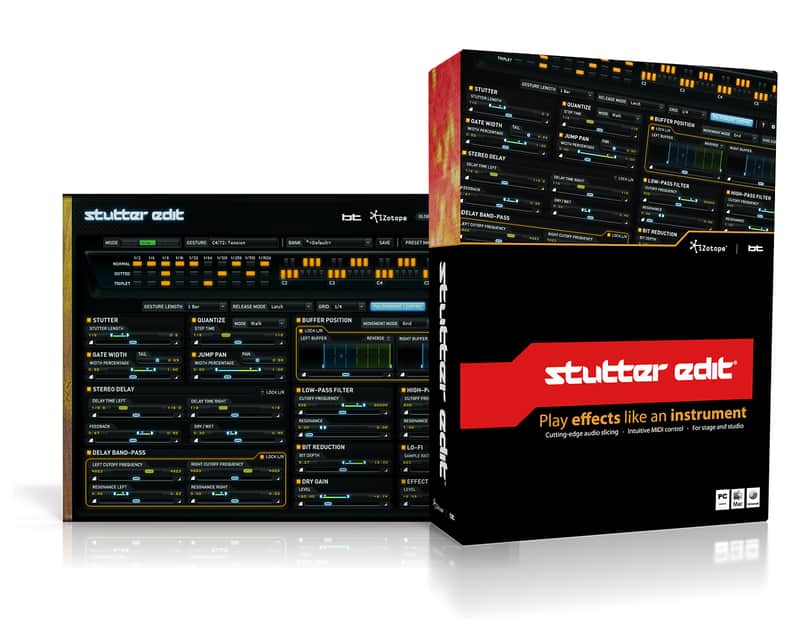
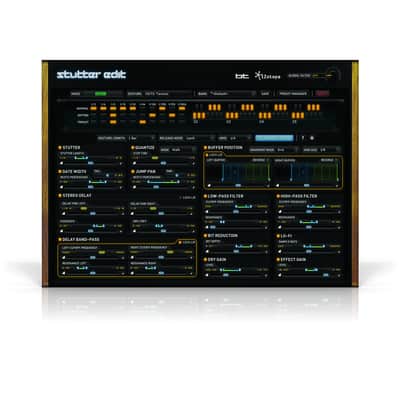
iZotope Stutter Edit Performance Effect Plugin
New Pricekr.1,385.49
Instant Download
This gear has sold
See similar gear from other Reverb sellers
Listed:over a month ago
Views:295
Saves:3
Offers:4

Chicago, IL, United States
Our users rate Reverb
Play effects like an instrument.
What it is:
An innovative tool to tear up tracks in real time.
How we use it:
Build thrilling fills, complex effects, sweeps, stutters, and more.
Why it's cool:
Simply put, Stutter Edit changes the way you'll perform and inspires you to make impromptu production choices. HEAR IT TO BELIEVE IT
It's an effect. It's an instrument. It's Stutter Edit—an innovative tool for both studio and stage, designed by BT and developed by iZotope.
Tear up your tracks in real time, building thrilling fills, complex effects, shimmering sweeps, and staggering stutters that will leave your listeners screaming for more. They'll think you spent hours slaving over the slices… but all it took was a press of a key. (Don't worry, we won't tell.) Push your performances and production into a new realm of musical intensity with Stutter Edit.
TOP FEATURES
Stutter Edit is the perfect complement to programs like Ableton Live for revitalizing remixes, mashups, or arrangements. Whether your game is electronica, hip-hop, pop, or beyond, Stutter Edit adds dynamics, tension, drama and artistry to even the simplest tracks and loops.
WHEN THE MOUSE IS AWAY, PLAY
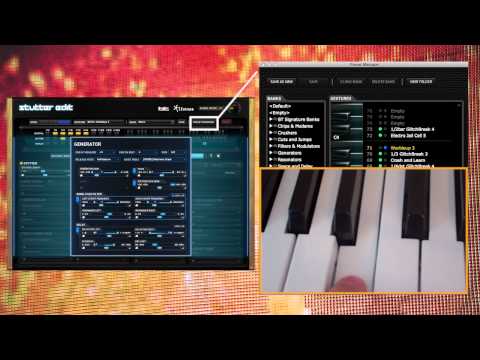
Use your MIDI controller to trigger rhythmic stutters, glitches, gating, build-ups, sweeps, fills, and more.
ALWAYS BE ON TIME
Drop the beat perfectly thanks to flawless tempo sync and timing grids.
TURN THE WORLD ON ITS EAR
Turn rhythm into pitch and pitch into rhythm with incredible stuttering techniques.
Compatibility
Installation Instructions
General Instructions:
What it is:
An innovative tool to tear up tracks in real time.
How we use it:
Build thrilling fills, complex effects, sweeps, stutters, and more.
Why it's cool:
Simply put, Stutter Edit changes the way you'll perform and inspires you to make impromptu production choices. HEAR IT TO BELIEVE IT
It's an effect. It's an instrument. It's Stutter Edit—an innovative tool for both studio and stage, designed by BT and developed by iZotope.
Tear up your tracks in real time, building thrilling fills, complex effects, shimmering sweeps, and staggering stutters that will leave your listeners screaming for more. They'll think you spent hours slaving over the slices… but all it took was a press of a key. (Don't worry, we won't tell.) Push your performances and production into a new realm of musical intensity with Stutter Edit.
TOP FEATURES
- Play effects like an instrument
- Remix in real-time, on stage or in the studio
- Cutting edge audio slicing and manipulation
- Elegant and intuitive MIDI control
Stutter Edit is the perfect complement to programs like Ableton Live for revitalizing remixes, mashups, or arrangements. Whether your game is electronica, hip-hop, pop, or beyond, Stutter Edit adds dynamics, tension, drama and artistry to even the simplest tracks and loops.
WHEN THE MOUSE IS AWAY, PLAY
Use your MIDI controller to trigger rhythmic stutters, glitches, gating, build-ups, sweeps, fills, and more.
ALWAYS BE ON TIME
Drop the beat perfectly thanks to flawless tempo sync and timing grids.
TURN THE WORLD ON ITS EAR
Turn rhythm into pitch and pitch into rhythm with incredible stuttering techniques.
Compatibility
- Format: AAX 64, RTAS, VST, VST3, AU
- Mac Hardware Requirements: Intel Processor, 4GB RAM minimum
- PC Hardware Requirements: Multicore Processor, 4GB RAM minimum
- Mac OS Requirements: OS X 10.6.8-10.10
- PC OS Requirements: Windows 7 or later
Installation Instructions
General Instructions:
- We auto-detect your computer operating system, so just click the download button above.
- Find the downloaded plugin (it's in your computer's download folder, or wherever you've chosen to save it) and double click the installer.
- A plugin installer window will open. Simply go through the installation process.
- We will also send you an email with a link to re-download in case you need it.
- If Ableton Live is closed, open it and skip to #5.
- If Ableton Live is already open, go to Preferences.
- Go to Files & Folder.
- Click "Rescan plugins".
- Find the plugin in the Ableton plugins folder in the sidebar.
- Drag-and-drop the plugin onto your track at the bottom of the screen.
- Open Logic Pro X. Newly installed plugins should be detected automatically every time Logic is opened.
- If you've downloaded an effect or utility plugin, these can be used on an insert for any track in the mixer.
- Create a software instrument track if you downloaded a virtual instrument plugin.
- Under Default Patch, go to AU Instruments and choose the plugin you just installed.
- Open Pro Tools. Newly installed plugins should be detected automatically every time Pro Tools is opened.
- If you've downloaded an effect or utility plugin, these can be used on an insert for many types of tracks (Audio, Aux, Instrument, Master Fader...)
- If you’ve downloaded a software instrument, create a new Instrument track.
- Navigate to the Mixer and locate the newly created Instrument track.
- Select the desired instrument plugin by clicking on any of the Inserts on the Instrument track.
- Go to the Reverb SYNC Software and plugin Collection.
- Choose your desired plugin.
- Reverb will auto-detect your platform, so simply click the download button.
- Continue the installation process by following the prompt.
- Hover your mouse over the smart control button.
- Click Show Inspector icon.
- Click on plugins and choose your desired plugin.