Beatskillz Beatfactory Drums
PriceFREE
Incl. VAT
Instant Download
This listing has ended
See similar gear from other Reverb sellers
Listed:over a month ago
Views:22,568
Saves:98
Downloads:9,594

Chicago, IL, United States
Our users rate Reverb
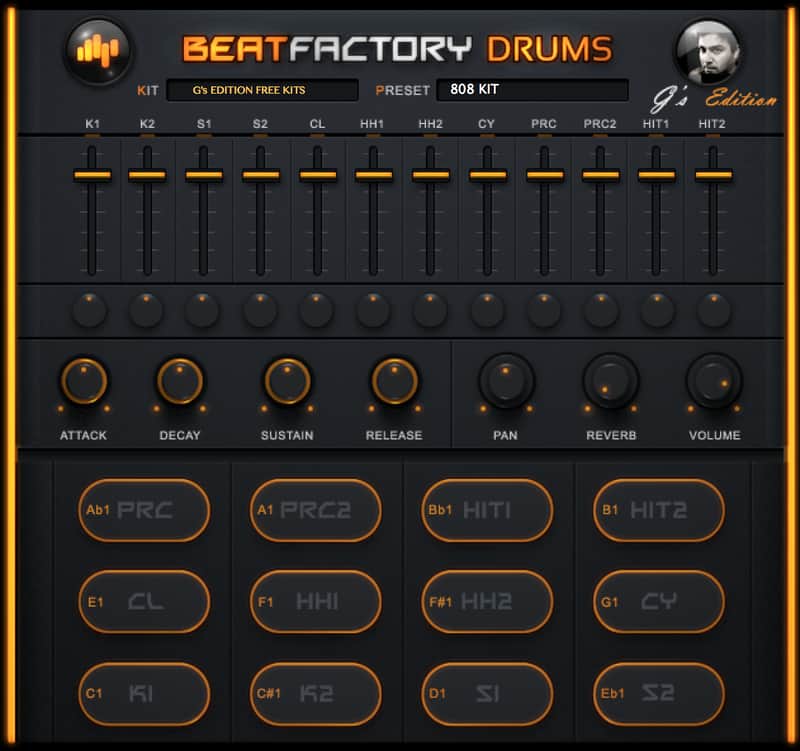
A drum machine with 10 preset kits featuring ADSR envelope shaping and separate volume and pan controls.
What it is:
Classic drum machine with sounds sampled from the MPC2500.
How we use it:
Add a driving drum track to any song.
Why it's cool:
A wide variety of usable samples created with high end outboard gear. With 10 kits ranging from classic TR sounds to soulful samples, the BeatSkillz Beatfactory is a perfect addition to any beat enthusiast's sound library.
Compatibility
Installation Instructions
General Instructions:
Using BeatFactory without an installer:
What it is:
Classic drum machine with sounds sampled from the MPC2500.
How we use it:
Add a driving drum track to any song.
Why it's cool:
A wide variety of usable samples created with high end outboard gear. With 10 kits ranging from classic TR sounds to soulful samples, the BeatSkillz Beatfactory is a perfect addition to any beat enthusiast's sound library.
Compatibility
The majority of plugins hosted on Reverb run on both Mac and Windows operating systems. General minimum requirements are as follows:
Mac:
- Mac OS X 10.7 - 10.11.
- Ableton Live, Logic Pro, or any host compatible with VST/AAX/AU.
- Intel Core i3 / i5 / i7 / Xeon
- 2GB RAM.
- Display Resolution of at least 1280 x 1024px
PC:
- Windows 7 - 10.
- Ableton Live, or any host compatible with VST/AAX.
- Intel Core i3 / i5 / i7 / Xeon
- 2GB RAM.
- Display Resolution of at least 1280 x 1024px.
Installation Instructions
General Instructions:
- We auto-detect your computer operating system, so just click the download button above
- Find the downloaded plugin (it’s in your computer’s download folder) and double click it
- We will also send you an email with a link to re-download in case you need it
Using BeatFactory without an installer:
- On Macs, unzip the downloaded file, drag the .vst and .component to HD/Library/Audio/Plug-Ins/VST or Components folders, respectively.
- On Windows, unzip the downloaded file, and place the entire folder into your computer's VST Plugins folder.
- If Ableton is closed, open it and skip to #5
- If Ableton is already open, go to Preferences
- Go to Files & Folder
- Click “Rescan plugins”
- Find the plugin in the Ableton plugins folder in the sidebar
- Drag-and-drop the plugin onto your track at the bottom of the screen
- Open Logic Pro X
- Create a software instrument track if you downloaded a virtual instrument plugin
- Under Default Patch, go to AU Instruments and choose the plugin you just installed
- If you downloaded an effect or utility plugin, you can insert them on the mixer
| Brand | |
|---|---|
| Model |
|
| Categories |
Product safety information may be available here.