Waves Renaissance Compressor
Waves Renaissance Compressor
New Pricezł397.83
Incl. VAT
Instant Download
This gear has sold
See similar gear from other Reverb sellers
Listed:over a month ago
Views:491
Saves:6
Offers:4

Chicago, IL, United States
Our users rate Reverb
Musical compression for any instrument.
What it is:
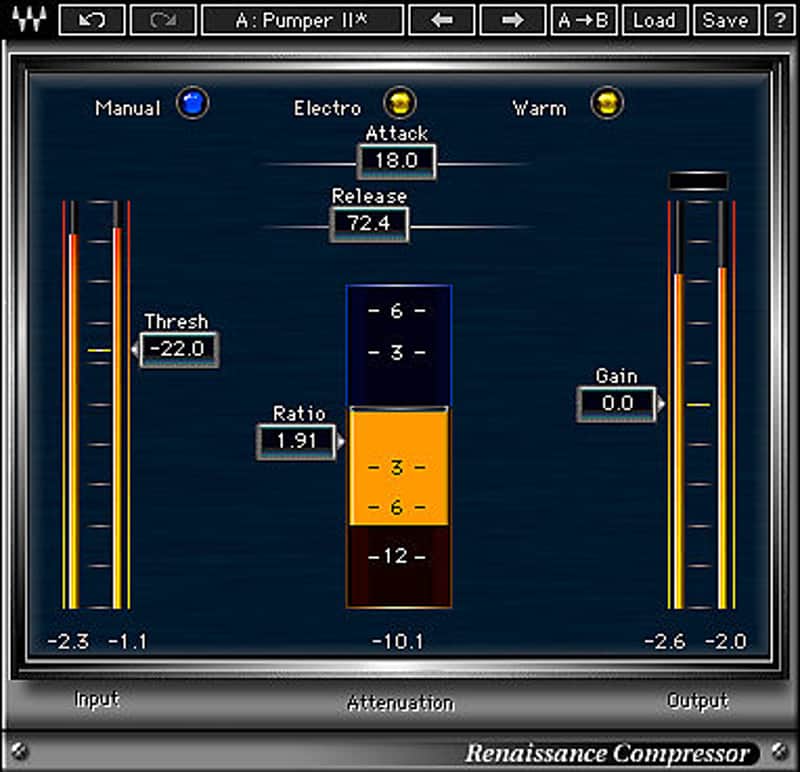
A warm and present compression plugin from Waves.
How we use it:
Craft great-sounding dynamics processing with ease.
Why it's cool:
Renaissance Compressor's intuitive interface and great sound will make it your go-to compressor for myriad applications. This multi-purpose compressor delivers musical results on any vocal or instrument, including drums, bass and guitar. Warm and present, yet as transparent as you want it to be. Easy to use and light on CPU, this classic plugin is the go-to compressor for thousands of mixing engineers and musicians.
Features:
Compatibility
Mac:
CPU
CPU
Installation Instructions
What it is:
A warm and present compression plugin from Waves.
How we use it:
Craft great-sounding dynamics processing with ease.
Why it's cool:
Renaissance Compressor's intuitive interface and great sound will make it your go-to compressor for myriad applications. This multi-purpose compressor delivers musical results on any vocal or instrument, including drums, bass and guitar. Warm and present, yet as transparent as you want it to be. Easy to use and light on CPU, this classic plugin is the go-to compressor for thousands of mixing engineers and musicians.
Features:
- Great-sounding, easy-to-use compressor
- Vintage Opto and modern Electro compression modes
- Internal brickwall limiting for clip-free output
Compatibility
Mac:
CPU
- Intel Core i5 / i7 / Xeon
- 8 GB RAM
- 8 GB free disk space on the system drive
- 10.10.5 - 10.13.3
- Minimum: 1024x768
- Recommended: 1280x1024 / 1600x1024
- USB displays are not supported as the primary display.
- Mac OS Sierra 10.12.4
- VoiceOver Utility enabled
- Pro Tools 12.7
- Logic 10.3.1
CPU
- Intel Core i3 / i5 / i7 / Xeon / AMD Quad-Core
- 4 GB RAM
- 8 GB free disk space on the system drive
- Windows 7 with SP1 64 bit
- Windows 8.1 64 bit
- Windows 10 64 bit
- Minimum: 1024x768
- Recommended: 1280x1024 / 1600x1024
Installation Instructions
- Create an account: https://www.waves.com/create-account (if you have an account, skip this step)
- Register the serial number we emailed: https://www.waves.com/account/register
- Download and install Waves Central for Mac | Windows.
- If you already have Waves Central installed, skip to step 4. - Launch Waves Central.
- Windows: via the desktop shortcut or Start Menu > All Programs > Waves.
- Mac: Applications > Waves Central. - Log into Waves Central using your Waves account information.
- Click on Easy Install & Activate.
- Select the products you wish to install & activate on this computer.
- Click on the Install & Activate button.