Antares Auto-Tune Pro
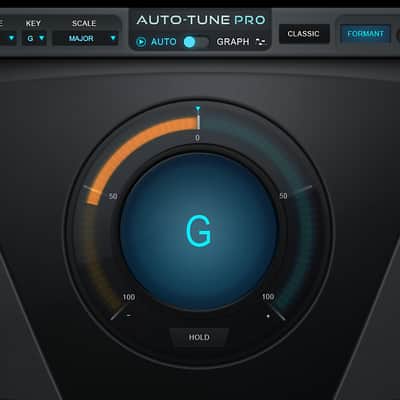
Antares Auto-Tune Pro
This gear has sold
See similar gear from other Reverb sellers

Our users rate Reverb
What it is:
A powerful pitch-correcting vocal tool and effector from the company that started it all.
How we use it:
Put Auto-Tune Pro on a pitchy, but otherwise perfect performance, or add the controversial, yet brilliant warble used by the likes of everyone from Cher and Kanye West.
Why it's cool:
Auto-Tune Pro is a must-have for any serious producer. Plus, 8 features an ultra-low latency mode for live performances and studio tracking.
Building on over 17 years as the overwhelming choice of professional musicians, producers and engineers, Auto-Tune Pro is the new generation of genuine Auto-Tune pitch and time correction.
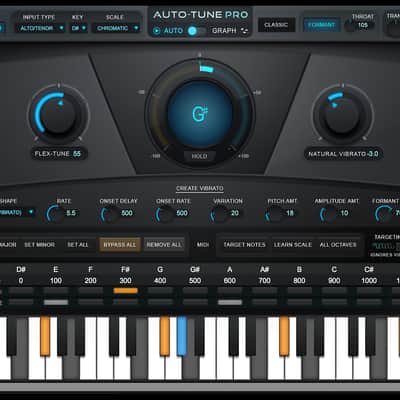
New in Auto-Tune Pro is Antares’ revolutionary new Flex-Tune real-time pitch correction technology. While providing the seamless, natural pitch correction and audio quality that Auto-Tune is known for, Flex-Tune correction gives singers unmatched freedom to exercise their vocal creativity.
In addition to the option of Flex-Tune, Auto-Tune Pro features a new ultra-low latency mode for use during tracking or for live performance, along with a variety of workflow enhancements designed to let you address your pitch and time correction tasks with a maximum of creativity and a minimum of frustration
Freedom of Expression
Whether you want to quickly touch up a few questionable notes or meticulously polish an entire performance, Auto-Tune Pro offers the natural sounding, pristine results you desire. Auto-Tune Pro comes loaded with new features, including Flex-Tune natural real-time pitch correction, an ultra low-latency mode and a more customizable interface to streamline your editing process.
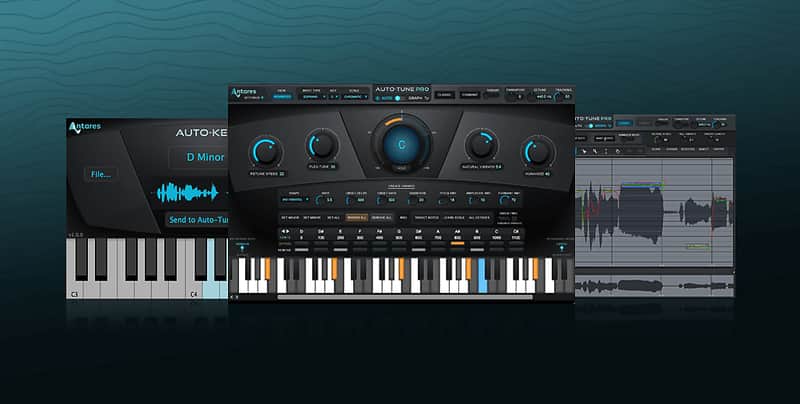
Auto-Tune Pro works in two modes: Automatic Mode, designed to be intuitive for users of all abilities and a more technical Graphical Mode for advanced users.
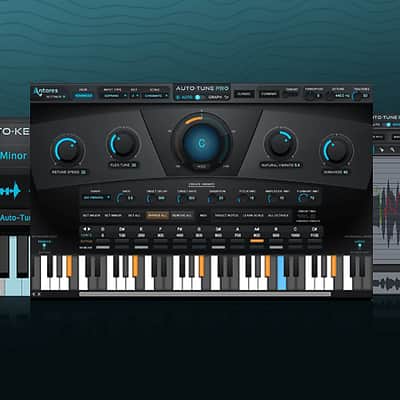
For most common pitch problems, Auto-Tune Pro's Automatic Mode detects input pitch and instantaneously adjusts it to the closest pitch in a user-specified scale (including major, minor, chromatic and 26 historical and microtonal scales).
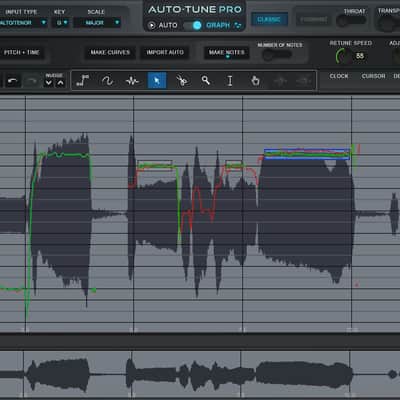
Auto-Tune Pro's Graphical Mode, used for meticulous pitch and time editing, displays the performance's detected pitch envelope and allows you to modify pitch and timing with a variety of graphics tools. This mode gives complete control over the correction or modification of the most elaborate pitch and rhythmic gestures.
Key New Auto-Tune Pro Features
Automatic Mode
Flex-Tune Natural Pitch Correction Technology: Other real-time pitch correction methods, including previous versions of Auto-Tune, pull every note towards a scale note. In contrast, Flex-Tune only provides correction when the vocalist approaches a scale note. At all other times, they are free to sing with whatever vocal gestures best express their emotional connection to their song, secure in the knowledge that Auto-Tune 8 will pass them through, exactly as they are sung.
Low Latency Mode: Auto-Tune Pro's new ultra-low latency mode allows for Auto-Tune use when tracking or during live performance, letting vocalists monitor their performance with no disorienting delay.
Graphical Mode
Editing Tools Active During Playback: For those who prefer editing on the fly or with looped segments, Auto-Tune Pro's editing tools are now active during playback, so you never has to stop and restart just to hear the results of an edit.
Audio Feedback of Note Object Pitch: Auto-Tune's Note mode was already the easiest way to re-pitch already recorded melodies. In Auto-Tune Pro, you can choose to have any note edits provide audio feedback of the note's pitch, so selecting new notes is just a matter of using your ears.
Hide or Show Amplitude Envelope in Main Edit Display: You can now choose to hide or show the amplitude envelope plot in the main edit window.
Hide or Show Envelope Display: You can now choose to hide or show the dedicated envelope display. This is particularly useful when working on a laptop, where screen real estate is at a premium.
Increased Maximum Timeline Resolution in Bars + Beats Mode: The maximum resolution of the timeline in Bars + Beats mode has been increased to 16th notes.
Automatic Update Notification: To make sure you always have the latest and the greatest, Auto-Tune Pro will notify you whenever an update to the plug-in or an upgrade is available.
The Professional Standard
For well over a decade and a half, Auto-Tune has stood alone as the worldwide standard in professional pitch (and more recently, time) correction. Now, with Auto-Tune 8, the introduction of Flex-Tune establishes a new standard of natural real-time pitch correction. Also, with Auto-Tune 8, it's virtually impossible to know that Auto-Tune had been used on a track.
Compatibility
Macintosh Versions (Intel processors only)
AAX Native (64 and 32-bit compatible)
• Pro Tools 10.3.8 or later
• Mac OS 10.6.8 to 10.11 as required by your version of Pro Tools
VST (64 and 32-bit compatible)
• A certified compatible VST host program that supports VST3 format.
• Mac OS 10.6.8 to 10.11 as required by your host
Audio Units (64 and 32-bit compatible)
• A certified compatible host program that supports the AU format
• Mac OS 10.6.8 to 10.11 as required by your host
PC Versions
AAX (64 and 32-bit compatible)
• Pro Tools 10.3.8 or later
• Windows 7 SP1 to Windows 10 as required by your version of Pro Tools
VST (64 and 32-bit compatible)
• A certified compatible host program that supports the VST3 format.
• Windows 7 SP1 to Windows 10 as required by your host
MIDI
Auto-Tune 8's MIDI functions require that your computer be equipped with a MIDI interface and properly configured system level software. Some host applications may not support the routing of MIDI to plug-ins, in which case Auto-Tune 8 MIDI functions will not operate.
Auto-Tune 8 authorization requires an iLok USB smart key and the ability to access ilok.com (on any computer).
Installation Instructions
- Authorize your license (emailed you via Reverb) https://www.antarestech.com/register/
- Open the iLok License Manager application and log in to your iLok account.
- Click the "Available" tab at the top of the iLok License Manager.
- Find the license you are trying to activate, and drag it onto your iLok
- You'll be asked if you would like to activate the license. Click "Yes" to complete the activation.
- Download the proper installer from Antares https://www.antarestech.com/software-download/