Free Plugins - The Synth Collection
PriceFREE
Incl. VAT
Instant Download
This listing has ended
See similar gear from other Reverb sellers
Listed:over a month ago
Views:56,723
Saves:430
Downloads:12,811

Chicago, IL, United States
Our users rate Reverb
Cover all of your synth bases with the best free synthesizer plugins to hit Reverb.
What it is:
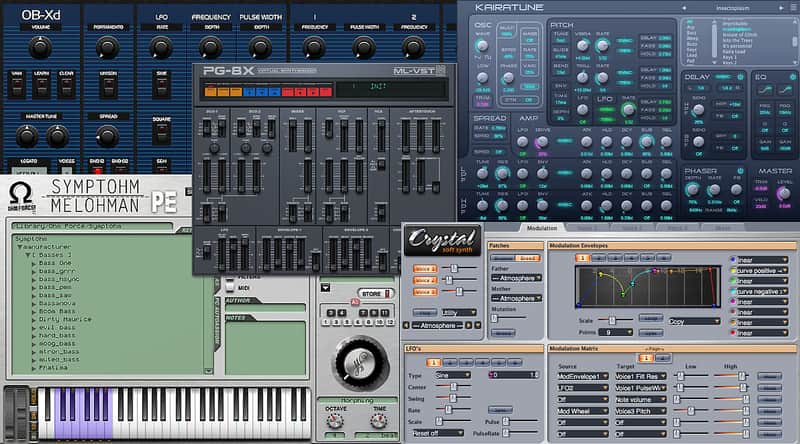
A collection of five free synths with near endless sonic capacity.
How we use it:
From the soaring leads of Kairatune to the wavy foundational pads of PG-8X, this collection offers a plethora of usable sounds.
Why it's cool:
This best of collection is a great first step into the world of software synths as well as a fantastic edition to any producer's sound bank.Ohm Force Symptohm PE Synthesizer:
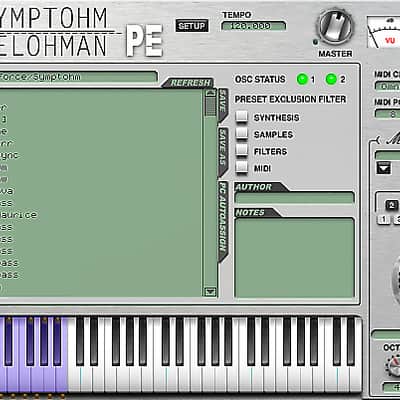
An expansive synthesizer packed with over 1,200 customizable presets.
Martin Lüders' Pg-8X 2.0 Synthesizer:
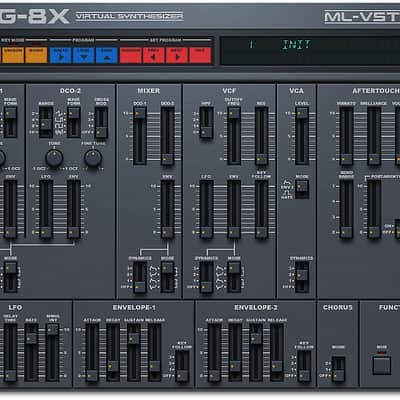
Jump back to 1984 with this rendition of Roland's JX-8P designed with the modern musician in mind.
DiscoDSP OB-Xd Synthesizer:
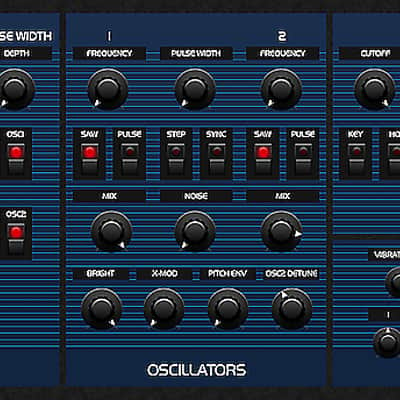
Get your synth on with this wonderfully accurate homage to the famous Oberheim OB series.
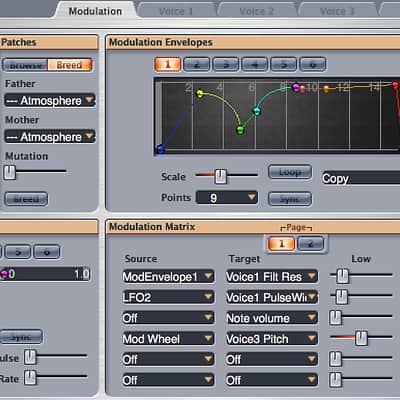
Crystal Soft Synth Synthesizer:
An advanced semi-modular synth with an inventive patch mutation algorithm.
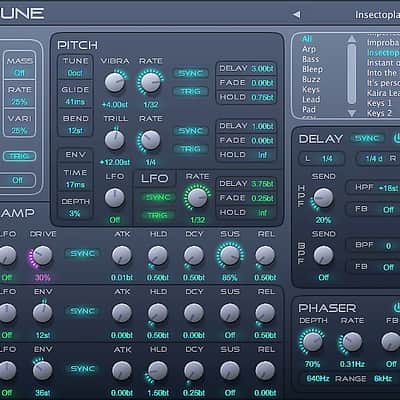
Futucraft Kairatune Virtual Synth Synthesizer:
The freeware synth with an emphasis on tight, crisp sounds designed to complement EDM production.
Installation Instructions
PG-8X:
On a Mac:
Crystal Soft Synth:
Windows:
Crystal includes 128 patches and 8Mb of sampled waveforms built-in. For additional patches and waveforms, follow these additional instructions:
Mac OS X:
Crystal includes 128 patches and 8Mb of sampled waveforms built-in. For additional patches and waveforms, follow these additional instructions:
Futucraft Kairatune Virtual Synth:
On a Mac:
DiscoDSP OB-Xd:
On a Mac:
General Instructions:
What it is:
A collection of five free synths with near endless sonic capacity.
How we use it:
From the soaring leads of Kairatune to the wavy foundational pads of PG-8X, this collection offers a plethora of usable sounds.
Why it's cool:
This best of collection is a great first step into the world of software synths as well as a fantastic edition to any producer's sound bank.Ohm Force Symptohm PE Synthesizer:
An expansive synthesizer packed with over 1,200 customizable presets.
Martin Lüders' Pg-8X 2.0 Synthesizer:
Jump back to 1984 with this rendition of Roland's JX-8P designed with the modern musician in mind.
DiscoDSP OB-Xd Synthesizer:
Get your synth on with this wonderfully accurate homage to the famous Oberheim OB series.
Crystal Soft Synth Synthesizer:
An advanced semi-modular synth with an inventive patch mutation algorithm.
Futucraft Kairatune Virtual Synth Synthesizer:
The freeware synth with an emphasis on tight, crisp sounds designed to complement EDM production.
Installation Instructions
PG-8X:
On a Mac:
- Go to Macintosh HD/Library/Audio/Plug-Ins and drop the PG-8X.vst file into your VST folder.
- For the standalone version, drag PG-8X into your Applications folder.
- For 32bit: Drag the 32bit PG-8X.dll file into C:\Program Files (x86)\Steinberg\Vstplugins\
- For 64bit: Drag the 64bit PG-8X.dll file into C:\Program Files\Steinberg\Vstplugins\
Crystal Soft Synth:
Windows:
- Download the windows version of Crystal. The name of this file is Crystal.dll
- Copy this file to your VST Instruments folder. See the documentation for your VST host for the location of this folder.
Crystal includes 128 patches and 8Mb of sampled waveforms built-in. For additional patches and waveforms, follow these additional instructions:
- For additional patches, download Crystal patch bank (.fxb) files and drag them, one at a time, to the "Import Bank Drop" well in Crystal's Browse tab (under Patches on the Modulation page). Once imported, you can load a bank from the Banks menu, and choose patches from the loaded bank with the Patches menu. You can find Crystal patch bank files here.
- For additional waveforms, first find your Crystal folder by choosing "Show Crystal Folder" from Crystal's Utility menu. Create a folder named CrystalSoundFonts in your Crystal folder. Download the 20MB SF2 ROM by clicking here.. Copy this to the CrystalSoundFonts folder. Place any other soundfonts in this folder as well. These soundfonts will show up on the Oscillator Type menu for each voice.
Mac OS X:
- Download and run the Crystal installer.
Crystal includes 128 patches and 8Mb of sampled waveforms built-in. For additional patches and waveforms, follow these additional instructions:
- For additional patches, download Crystal patch bank (.fxb) files and drag them, one at a time, to the "Import Bank Drop" well in Crystal's Browse tab (under Patches on the Modulation page). Once imported, you can load a bank from the Banks menu, and choose patches from the loaded bank with the Patches menu. You can find Crystal patch bank files here.
- For additional waveforms, first find your Crystal folder by choosing "Show Crystal Folder" from Crystal's Utility menu. Create a folder named CrystalSoundFonts in your Crystal folder. Download the 20MB SF2 ROM by clicking here.. Copy this to the CrystalSoundFonts folder. Place any other soundfonts in this folder as well. These soundfonts will show up on the Oscillator Type menu for each voice.
Futucraft Kairatune Virtual Synth:
On a Mac:
- Go to Macintosh HD/Library/Audio/Plug-Ins and either
- Drop the kairatune.vst file into your VST folder.
- Drop the kairatune.component file into your Components folder.
- Open the Kairatune32 folder and drag the .dll file into C:\Program Files (x86)\Steinberg\Vstplugins\
- Open the Kairatune64 folder and drag the .dll file into C:\Program Files\Steinberg\Vstplugins\
DiscoDSP OB-Xd:
On a Mac:
- Go to Macintosh HD/Library/Audio/Plug-Ins and either
- drop the kairatune.vst file into your VST folder.
- drop the kairatune.component file into your Components folder.
- Open the DiscoDSP OB-Xd Synthesizer folder and drag the Obxd.dll file into C:\Program Files (x86)\Steinberg\Vstplugins\
- Open the DiscoDSP OB-Xd Synthesizer folder and drag the Obxd64.dll file into C:\Program Files\Steinberg\Vstplugins\
General Instructions:
- We auto-detect your computer operating system, so just click the download button above.
- Find the downloaded plugin (it's in your computer's download folder, or wherever you've chosen to save it) and double click the installer.
- A plugin installer window will open. Simply go through the installation process.
- We will also send you an email with a link to re-download in case you need it.
- If Ableton Live is closed, open it and skip to #5.
- If Ableton Live is already open, go to Preferences.
- Go to Files & Folder.
- Click "Rescan plugins".
- Find the plugin in the Ableton plugins folder in the sidebar.
- Drag-and-drop the plugin onto your track at the bottom of the screen.
- Open Logic Pro X. Newly installed plugins should be detected automatically every time Logic is opened.
- If you've downloaded an effect or utility plugin, these can be used on an insert for any track in the mixer.
- Create a software instrument track if you downloaded a virtual instrument plugin.
- Under Default Patch, go to AU Instruments and choose the plugin you just installed.
- Go to the Reverb SYNC Software and plugin Collection.
- Choose your desired plugin.
- Reverb will auto-detect your platform, so simply click the download button.
- Continue the installation process by following the prompt.
- Hover your mouse over the smart control button.
- Click Show Inspector icon.
- Click on plugins and choose your desired plugin.
| Brand | |
|---|---|
| Model |
|
| Categories |
Product safety information may be available here.