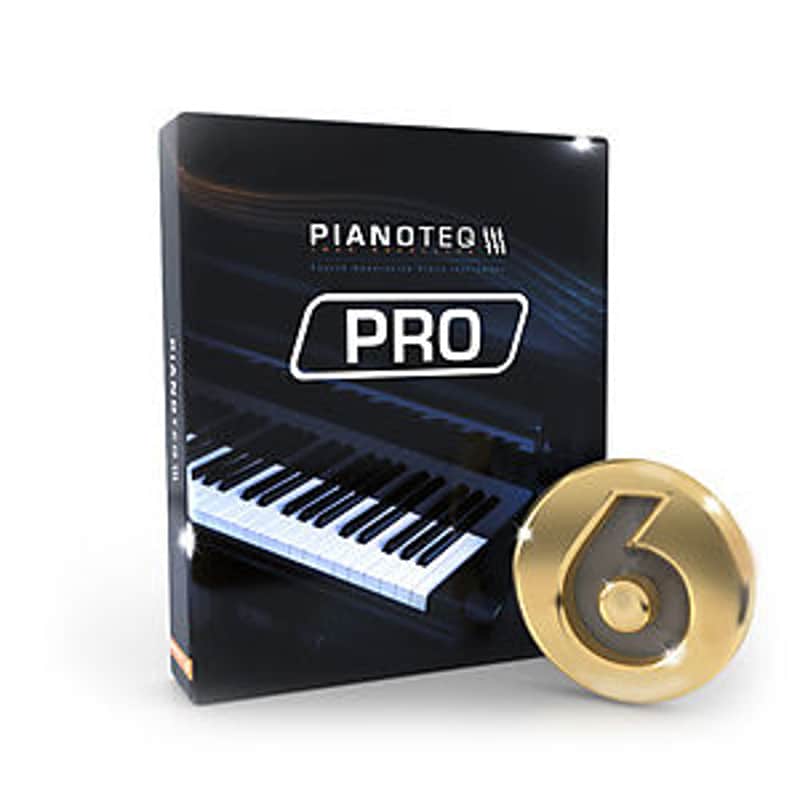
MODARTT Pianoteq 6 PRO Edition
Nouveau prix$359
Téléchargement instantané
Ce matériel a été vendu
Découvrez du matériel similaire proposé par d'autres vendeurs Reverb
Mis en ligne:il y a plus d'un mois
Vues:457
Suiveurs:5
Offres:2

Chicago, IL, États-Unis
Nos utilisateurs évaluent Reverb
Pianoteq 6 - Beautiful. Vivid. Adaptable.
What it is:
Powerful virtual piano modeling and beyond.
How we use it:
Replicate wonderfully authentic piano sounds and more.
Why it's cool:
Pianoteq works as the basis for a plethora of virtual instruments. After purchasing Pianoteq, you can expand your tonal palette by purchasing harp sounds, vibraphones, electric pianos, and many more. Pianoteq 6 brings numerous refinements in its engine and physical model, now implemented in all of the 49 physically modelled instruments.
Steinway & Sons
Steinway & Sons have approved the sound and playability of the Pianoteq virtual instruments Steinway Model D and Steinway Model B, which have gained from the refined physical model. These magnificent virtual grand pianos will appeal to all musicians in search of the most famous piano sound signature.
This major upgrade also adds compatibility with the VST3 format (in addition to VST2 format) and the ARM architecture (Linux version only, for example on Raspberry Pi 3 boards). The tuning section has become even more advanced with new tools, and the standalone version now offers a MIDI playlist, an improved MIDI archive and can export audio to FLAC and MP3 formats, in addition to WAV.
Pianoteq 6 Pro
Adapted for the creative composer and demanding studio engineer. In addition to the Standard version, it gives you all the tools needed to work in a truly professional environment, letting you adjust 30 parameters for each note on the keyboard and work with up to 192 Khz audio.
Pianoteq PRO is the ultimate product for professional composers and recording studios, and has proved to be an indispensable tool in many recording projects - from movie soundtracks and tv commercials to the latest hit songs.
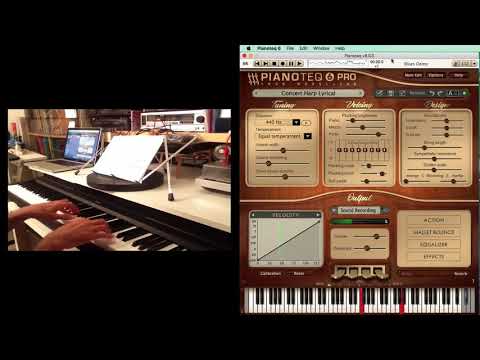
By being physically modeled, Pianoteq PRO brings you an extremely sophisticated tool for sound shaping and instrument creation, letting you create your own unique sounds that will enrich your projects. The PRO version works with internal sample rates up to 192 Khz. By using its powerful Note Edit feature, you are able to adjust physical parameters for specific ranges, and even note by note. You can also turn any Pianoteq instrument into a multi-instrument by using advanced keyboard splits for up to 105 notes (concerns instruments with extended octave range).
Pianoteq PRO offers note-by-note adjustment for no less than 30 parameters:
Compatibility
Installation Instructions
General Instructions:
What it is:
Powerful virtual piano modeling and beyond.
How we use it:
Replicate wonderfully authentic piano sounds and more.
Why it's cool:
Pianoteq works as the basis for a plethora of virtual instruments. After purchasing Pianoteq, you can expand your tonal palette by purchasing harp sounds, vibraphones, electric pianos, and many more. Pianoteq 6 brings numerous refinements in its engine and physical model, now implemented in all of the 49 physically modelled instruments.
Steinway & Sons
Steinway & Sons have approved the sound and playability of the Pianoteq virtual instruments Steinway Model D and Steinway Model B, which have gained from the refined physical model. These magnificent virtual grand pianos will appeal to all musicians in search of the most famous piano sound signature.
This major upgrade also adds compatibility with the VST3 format (in addition to VST2 format) and the ARM architecture (Linux version only, for example on Raspberry Pi 3 boards). The tuning section has become even more advanced with new tools, and the standalone version now offers a MIDI playlist, an improved MIDI archive and can export audio to FLAC and MP3 formats, in addition to WAV.
Pianoteq 6 Pro
Adapted for the creative composer and demanding studio engineer. In addition to the Standard version, it gives you all the tools needed to work in a truly professional environment, letting you adjust 30 parameters for each note on the keyboard and work with up to 192 Khz audio.
Pianoteq PRO is the ultimate product for professional composers and recording studios, and has proved to be an indispensable tool in many recording projects - from movie soundtracks and tv commercials to the latest hit songs.
By being physically modeled, Pianoteq PRO brings you an extremely sophisticated tool for sound shaping and instrument creation, letting you create your own unique sounds that will enrich your projects. The PRO version works with internal sample rates up to 192 Khz. By using its powerful Note Edit feature, you are able to adjust physical parameters for specific ranges, and even note by note. You can also turn any Pianoteq instrument into a multi-instrument by using advanced keyboard splits for up to 105 notes (concerns instruments with extended octave range).
Pianoteq PRO offers note-by-note adjustment for no less than 30 parameters:
- Volume
- Detune
- Dynamics
- Unison Width
- Unison Balance
- Direct Sound Duration
- Hammer Hardness Piano
- Hammer Hardness Mezzo
- Hammer Hardness Forte
- Spectrum Profile
- Hammer Noise
- Strike Point
- Pickup Symmetry
- Pickup Distance
- Impedance
- Cutoff
- Q Factor
- String Length
- Sympathetic Resonance
- Pinch Harmonic Point
- Duplex Scale Resonance
- Damper Position
- Damping Duration
- Mute
- Damper Noise
- Key Release Noise
- Blooming Energy
- Blooming Inertia
- Aftertouch Sensitivity
- Hammer Tine Noise
Compatibility
- Mac Formats: Host software that supports AAX Native, Audio Units, RTAS, or VST formats
- PC Formats: Host software that supports AAX Native, RTAS, or VST formats
- Mac Hardware Requirements: Intel Core 2 Duo
- PC Hardware Requirements: Intel Core 2 Duo/AMD X2
- Mac OS Requirements: Mac OS X 10.5 or later
- PC OS Requirements: Windows 7/Vista/XP
- Linux x86
Installation Instructions
General Instructions:
- We auto-detect your computer operating system, so just click the download button above.
- Find the downloaded plugin (it's in your computer's download folder, or wherever you've chosen to save it) and double click the installer.
- A plugin installer window will open. Simply go through the installation process.
- We will also send you an email with a link to re-download in case you need it.
- If Ableton Live is closed, open it and skip to #5.
- If Ableton Live is already open, go to Preferences.
- Go to Files & Folder.
- Click "Rescan plugins".
- Find the plugin in the Ableton plugins folder in the sidebar.
- Drag-and-drop the plugin onto your track at the bottom of the screen.
- Open Logic Pro X. Newly installed plugins should be detected automatically every time Logic is opened.
- If you've downloaded an effect or utility plugin, these can be used on an insert for any track in the mixer.
- Create a software instrument track if you downloaded a virtual instrument plugin.
- Under Default Patch, go to AU Instruments and choose the plugin you just installed.
- Open Pro Tools. Newly installed plugins should be detected automatically every time Pro Tools is opened.
- If you've downloaded an effect or utility plugin, these can be used on an insert for many types of tracks (Audio, Aux, Instrument, Master Fader...)
- If you’ve downloaded a software instrument, create a new Instrument track.
- Navigate to the Mixer and locate the newly created Instrument track.
- Select the desired instrument plugin by clicking on any of the Inserts on the Instrument track.
- Go to the Reverb SYNC Software and plugin Collection.
- Choose your desired plugin.
- Reverb will auto-detect your platform, so simply click the download button.
- Continue the installation process by following the prompt.
- Hover your mouse over the smart control button.
- Click Show Inspector icon.
- Click on plugins and choose your desired plugin.
| Marque | |
|---|---|
| Modèle |
|
| Catégories |
Des informations concernant la sécurité des produits peuvent être disponibles ici.