iZotope Music Production Bundle 2 + Iris 2 Synth
iZotope Music Production Bundle 2 + Iris 2 Synth
This gear has sold
See similar gear from other Reverb sellers

Our users rate Reverb
What it is:
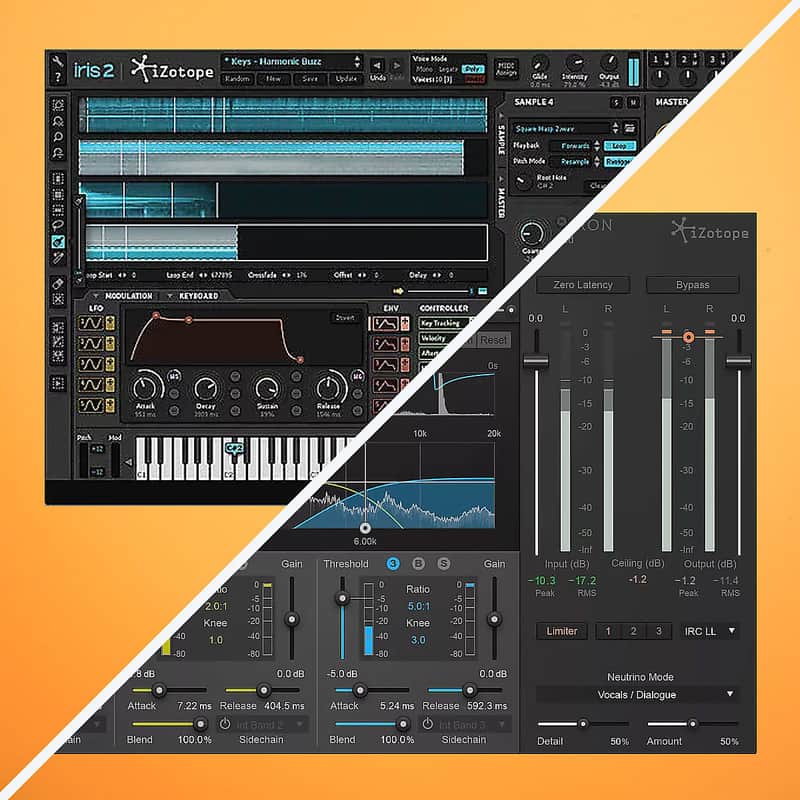
Music Production Bundle 2 - Award-winning plugins designed to sculpt, differentiate, and perfect your sound.
Iris 2 - A sample-based synthesizer aided by iZotope's classic filter algorithms.
How we use it:
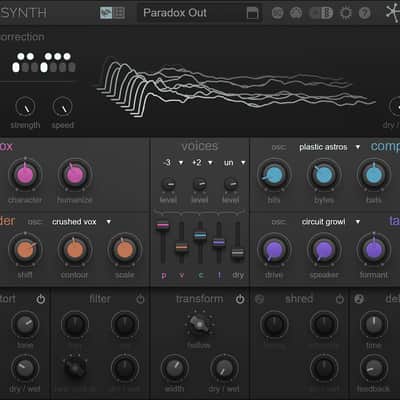
Music Production Bundle 2 - From vocal synthesizers via VocalSynth to crystal clear mastering through iZotope's renowned Ozone 7 Advanced, Music Production Bundle 2 is endless in its applications.
Iris 2 - Choose from iZotope's library of classic synth patches or layer up to four of your own samples and create the next iconic synth sound.
Why it's cool:
Music Production Bundle 2 - The single-step suite to take your mixes from amateur to professional.
Iris 2 - Building a playable synth with your own samples is a seamless process - creation was clearly not an afterthought during the development of Iris 2. Music Production Bundle 2 - Industry Leading Tools, Professional Results
This incredible value combines seven of the most popular tools from iZotope’s portfolio. Neutron Advanced for clear, focused mixes. Ozone 7 Advanced, the comprehensive mastering suite packed with classic vintage models. Complete vocal production with Nectar 2 Production Suite and the creative playground of VocalSynth. Unlimited distortion and sonic mangling with Trash 2 Expanded. The essential audio repair and restoration tools of the RX Plugin Pack, and the TEC award-winning metering solution Insight. These are plugins professionals have relied on as “secret weapons” for years, now available as a complete package for a special price.
The iZotope Music Production Bundle 2 includes:
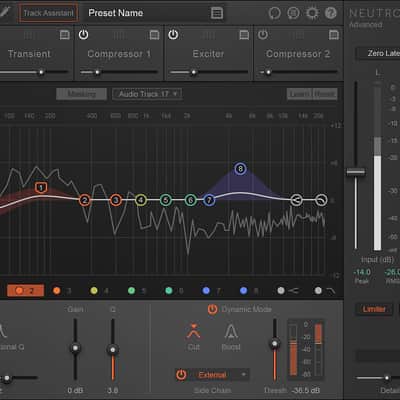
- Neutron Advanced: Achieve focus and clarity in your mixes with the Neutron mixing plugin which
includes five great sounding processors and the latest in intelligent metering and analysis.
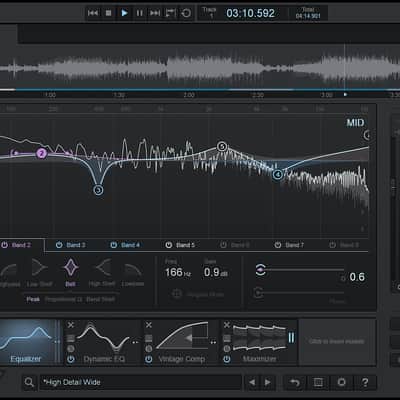
- Ozone 7 Advanced: Effortlessly produce professional sounding, competitive, and radio ready
masters in an elegant all-in-one package that includes four new Vintage modules.
- VocalSynth: Manipulate your voice to create electronic vocal textures, robot sounds, computerized
harmonies, vocoder and talkbox effects, thick octaves or doubles, and everything in between.
- Nectar 2 Production Suite: The only complete set of tools designed specifically for voice, Nectar
helps you easily recreate professional and classic vocal styles or craft a sound that’s uniquely
yours.
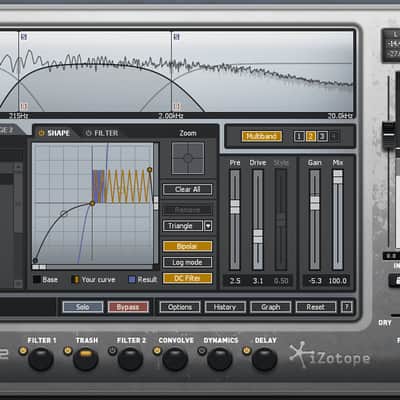
- Trash 2 Expanded: Distort in ways you never dreamed. Transform your sound into something
never before heard with 60+ distortion algorithms and 2 bonus Expansion Packs.
- Insight: (Bundled with Ozone Advanced) With audio analysis and metering tools, use Insight to
visualize changes made during mixing and mastering and troubleshoot problematic mixes.
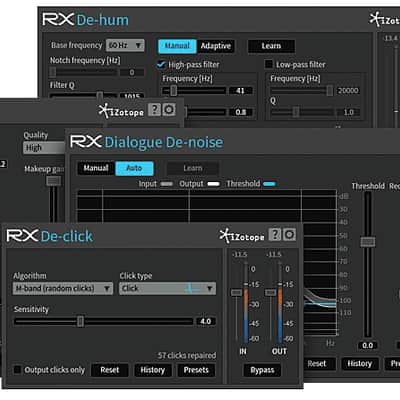
- RX Plugin Pack: Rescue your audio with four essential audio cleaning plugins—Declick,
Dialogue Denoise, Dehum, and Declip—curated directly from iZotope’s award winning RX
software.
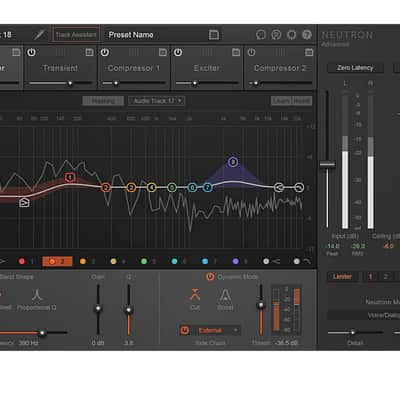
The Neutron mixing plugin combines five great sounding new processors with the latest in intelligent metering and analysis. Like having a virtual assistant, Neutron can listen to your audio, identify instruments, and offer tailored starting points for creating powerful mixes with focus and clarity while leaving all the creative control to you. The revolutionary new Masking Meter can help you visually identify frequency collisions between instruments, allowing you to tweak each track so it sits better in the mix. Optimized for mixing, you can use this on dozens of tracks to carve away muddiness and reveal new sonic possibilities in your mixes.
Ozone 7 Advanced
Bring a new artistry to your masters with Ozone 7, a powerful expansion of iZotope’s critically acclaimed mastering software platform. Use the full suite of mastering tools including a world class Maximizer, the living and breathing Dynamic EQ, and the new Vintage Limiter, Vintage EQ, Vintage Compressor, and Vintage Tape as a plugin within your audio editing software or as a standalone application. Bring the best sonic characteristics of analog hardware to your digital recordings. Glue a mix together, control dynamic range, and add that elusive “character” to your music. Plus, preview the sound of your masters before you output with the new Codec Preview.
VocalSynth
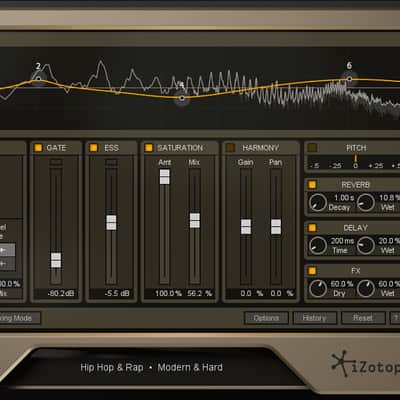
Ready for a transformative vocal experience? With VocalSynth, iconic vocal sounds from decades past and the wild vocal sounds you’ve only heard in your head are finally within reach. Manipulate your voice to create electronic vocal textures, robot sounds, computerized harmonies, vocoder and talkbox effects, thick octaves or doubles, and everything in between. Unique vocal effects have driven hit songs and launched careers. It’s time for your vocals to stand out, too.
Nectar 2 Production Suite
Bring a vocal track to life with the only complete set of tools designed specifically for voice. Whether you're a producer, engineer, musician, or voiceover artist, Nectar 2 Production Suite helps you easily recreate classic vocal styles or create brand new ones with a sound that’s uniquely yours. Add impact with modeled plate reverb, harmonic saturation, and a wealth of creative effects. Stay in tune and remove distracting breaths without tedious, timeconsuming editing. Rapidly audition different vocal sounds with 150+ presets in a variety of genres. Whether you're tracking or you're mixing, Nectar 2 delivers professional vocals in an instant.
Trash 2
Expanded Trash 2 combines the power of multi-band, dual-stage distortions and advanced post-filtering for immediate sonic transformation. Give your low end some thump, get a warm crunch on the midrange, and let your high end soar. With over 300 presets, start mangling your guitars, basses, drums, synths, pads, vocals, brass, woodwinds, and more. Design your own unique distortions, from massive to mild and everything in between. Capture the audio characteristics of another space or object with over 100 Impulse Responses.
RX Plugin
Pack RX Plugin Pack can help you rescue your audio. Remove background noise and sudden sounds that can mar instrument and vocal performances. Transform audio from tricky recording scenarios into usable tracks and avoid rerecording. This pack of four essential audio repair plugins — De-click, Dehum, De-clip, and Dialogue De-noise — is curated directly from iZotope’s awardwinning RX software and offers the same industryleading technology used on major label releases, network television, and Hollywood films. Use them within your audio or video editing software to fix audio you thought you’d never be able to use.
Insight
Insight is iZotope's essential metering suite, bundled with Ozone Advanced as an additional plugin (a $499 value). With its extensive set of audio analysis and metering tools, Insight is perfect for visualizing changes made during mixing and mastering and troubleshooting problematic mixes. Fully customizable and scalable, Insight allows you to visually monitor all relevant information from your mono, stereo or surround mix in a convenient floating window. Keep an eye and an ear on your mix at all times.
Iris 2 - The World is Your Instrument
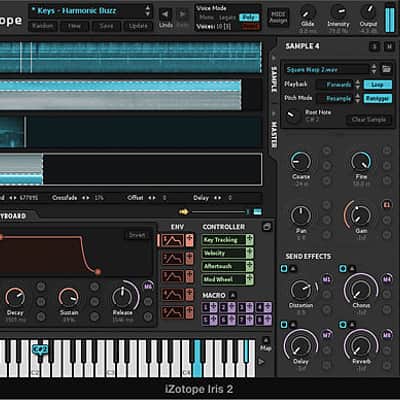
Create and discover musical sounds that have never been heard before. An inspiring sample-based synthesizer, Iris 2 is immediately playable—combining the power of a sampler, the flexibility of a modular synth, and the fun of spectral filtering.
Get started fast by selecting from hundreds of expertly crafted Bass, Keys, Leads, Pads, and Rhythmic patches. Then customize or build your own patches with an 11 GB factory library of intriguing audio samples, a modern modulation system, classic filters, evocative effects, and more. Explore a new world of musical possibilities with Iris 2.
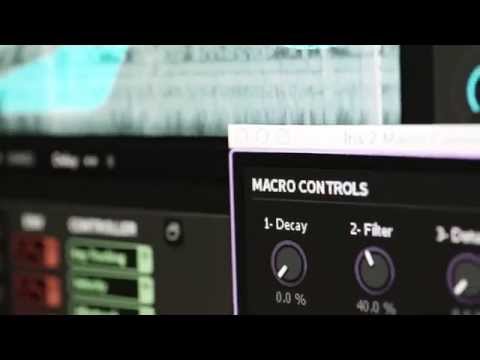
Key Features- Explore a world of sound: Load one of hundreds of fresh and inspiring patches, and easily experiment with the most relevant parameters via Macro controls.
- Build your own synth: Invent sounds that are completely your own by layering up to four different samples from a built-in collection of analog oscillator waveforms, an 11 GB sample library, or your own personal audio files.
- Design your own filters: Get the best-sounding and most unique filters by drawing, selecting, and isolating sonic components from each sample layer using iZotope's award-winning spectral filtering technology.
- Shape your own sound: Develop expressive, dynamic, and evolving musical sounds with the powerful and flexible new modulation system. Access every control from one window, or reveal only what you need with a dynamic new user interface.
Expand your sound palette with hundreds of exclusive musical patches from world-class sound designers and 11 GB of audio samples. Get inspired by the sounds, then explore new sonic territory. It’s easy to create or discover something totally new, just by tweaking a few controls.
Iris 2’s deep collection of patches will inspire you to create never-before-heard compositions and intricate, evolving soundscapes. Patch categories include Bass, Keys, Leads, Pads, and Rhythmic. Audio sample categories include Abstract, Environments, Instruments, Objects, Synthesizers, Toys, and Voice.
Compatibility
Music Production Bundle
The Music Production Bundle 2 installs via a single installer and all the products included are authorized with the same serial number. After purchasing the Music Production Bundle 2, you will receive an email with the link to download and authorization information.
Neutron Advanced SpecsNeutron Advanced includes four additional component plug-ins for direct access to individual Neutron modules in your host.
Operating system requirements
- Windows: 7, 8, and 10
- Mac: OS X 10.9–10.11 (Intel only)
Plug-in formats
Pro Tools 10-12 (RTAS, AudioSuite, 64-bit AAX), VST 2, VST 3, and Audio Unit.
Plug-in host compatibility
Pro Tools 10-12, Logic Pro X, Ableton Live, FL Studio, Cubase, Nuendo, Studio One, REAPER, and many more.
Ozone 7 Advanced Specs Ozone 7 runs as a standalone application, or as a plug-in in your audio editing software. Ozone 7 Advanced includes ten additional component plug-ins for direct access to individual Ozone modules in your host.Operating system requirements
- Windows: 7, 8, and 10
- Mac: OS X 10.8–10.11 (Intel only)
Plug-in formats
Pro Tools 10-12 (RTAS, AudioSuite, 64-bit AAX), VST 2, VST 3, and Audio Unit.
Plug-in host compatibility
Pro Tools 10-12, Logic Pro X, Ableton Live, Cubase, Digital Performer, SONAR, REAPER, and many more.
Graphics card requirements
For use of the scrolling 3D Spectrogram in Insight, Ozone 7 Advanced requires a graphics card that supports Open GL 2.0.
Minimum screen resolution
- Plug-in: 1,159 x 614
- Standalone application: 1,166 x 827
Note: The Ozone 7 standalone application does not currently support the Waveshell format for Waves plug-ins within the Ozone signal chain.
VocalSynth Specs Operating system requirements- Windows: 7, 8, and 10
- Mac: OS X 10.8, 10.9, 10.10, 10.11
System Recommendations:
VocalSynth may require higher CPU resources when running every module at sample rates of 96 kHz or higher. At these sample rates, we recommend:
- 2.8 GHz Intel Core i7 (or comparable)
- VocalSynth’s Wave-meter requires a graphics card that supports Open GL 2.0
Plug-in formats
AAX (64-bit), AAX AudioSuite (64-bit), RTAS (32-bit), DPM AudioSuite (32-bit), VST2, VST3, and Audio Unit.
Plug-in host compatibility
Pro Tools 10.3.1, Pro Tools 11.3.1, Pro Tools 12.4, Ableton Live 9.5, Logic Pro X, Cubase Pro 8.5, REAPER 5.11, Studio One 3.1.1, FL Studio 12.2 and more
Nectar 2 Production Suite SpecsNectar 2 runs as a plug-in within your audio editing software. Nectar 2 is not a standalone application.
Operating system requirements
- Windows: XP (32-bit Service Pack) 3, 7, 8, 10
- Mac: OS X 10.6.8-10.11
Plug-in formats
AAX (Pro Tools 11-12), RTAS/AudioSuite (Pro Tools 7.4-10), VST and VST 3, Audio Unit
Plug-in host compatibility
Nectar 2 works as plug-ins in popular hosts* like Pro Tools, Cubase, GarageBand, Logic, Ableton Live, Reaper, StudioOne, Audition, SONAR X2 & X3, ACID, Vegas, Sound Forge, and many more.
*Please note: The Pitch Editor plug-in included with Nectar 2 Production Suite is not compatible with some hosts like Sound Forge, GarageBand, ACID, Audition, and Samplitude.
Trash 2 Expanded SpecsTrash 2 runs as a plug-in within your audio editing software. Trash 2 is not a standalone application.
Operating system requirements
- Windows: XP (32-bit Service Pack 3), Vista (64-bit), 7, 8, 10
- Mac: OS x 10.6.8-10.11 (Intel only)
Plug-in formats
Pro Tools 7.4-12 (RTAS, AudioSuite, 64-bit AAX), VST, VST 3, Audio Unit, DirectX
Plug-in host compatibility
Compatible with both 32-bit and 64-bit hosts like Pro Tools 7.4+, Cubase, Nuendo, GarageBand, Logic, SONAR, ACID, Vegas, Ableton Live, and many more.
RX Plug-in Pack SpecsOperating system requirements
- Mac OS X 10.8–10.11
- Windows 7, 8, and 10
Plug-in formats
Native AAX 64 bit, RTAS 32 bit, Audiosuite DPM 32 bit and AAX 64 bit, AU 32 and 64 bit, VST 2 32 and 64 bit, VST 3
Plug-in host compatibility
Pro Tools (10–12.4), Ableton Live (9.5), Logic Pro X (version 10.2), Nuendo 7 / Cubase 8.5, Audition CC 2015, Sonar, PreSonus Studio One, Media Composer 7.0.5 & 8.4.5, Premiere Pro CC 2015, Final Cut X, Sony Sound Forge (Windows: V.11.299; Mac: V.2.5.133), Digital Performer, Reaper
Insight SpecsInsight runs as a plug-in within your audio editing software. Insight is not a standalone application.
Operating system requirements
- Windows: XP (32-bit Service Pack 3), Vista (64-bit), 7, 8, 10
- Mac: OS X 10.6.8-10.11
Plug-in formats
Pro Tools 7.4–12 (RTAS, AudioSuite, 64-bit AAX), VST, VST3, Audio Unit
Plug-in host compatibility
Compatible with both 32-bit and 64-bit hosts, like Pro Tools 7.4+, Avid Media Composer, Nuendo, Cubase, WaveLab, Logic, EDIUS Pro 6.5, Final Cut Pro X, Audition, Premiere Pro (Surround only), SONAR, REAPER, Digital Performer, Sound Forge Pro, Vegas Pro, and many more.
Graphics card requirements
For use of the scrolling 3D Spectrogram, Insight requires a graphics card that supports Open GL 2.0.
Iris 2Runs as a plug-in or as a standalone application.
Operating system requirements:- Windows: 7, 8, 10
- Mac: OS X 10.7–10.11 (Intel only)
32/64 bit Audio Units, VST, VST3, AAX, and RTAS
Plug-in host compatibility:Ableton Live 8 and 9, Logic Pro X, Pro Tools, Cubase, Nuendo, FL Studio, Bitwig, and many more.
Installing the full Iris 2 Sound Library:The Trial version includes only 45 patches and a small sampling of the epic library of great-sounding content. The remaining patches and 11 GB of samples are available to you after you purchase Iris 2. To access the full Iris 2 Sound Library after purchase:
- First, use your unique serial number to authorize your installation of Iris 2.
- Then log into your iZotope account, where you'll now have access to the Iris 2 Sound Library downloads.
- Download the installers from your account and install them on your computer.
Installation Instructions
General Instructions:
- We auto-detect your computer operating system, so just click the download button above.
- Find the downloaded plugin (it's in your computer's download folder, or wherever you've chosen to save it) and double click the installer.
- A plugin installer window will open. Simply go through the installation process.
- We will also send you an email with a link to re-download in case you need it.
- If Ableton Live is closed, open it and skip to #5.
- If Ableton Live is already open, go to Preferences.
- Go to Files & Folder.
- Click "Rescan plugins".
- Find the plugin in the Ableton plugins folder in the sidebar.
- Drag-and-drop the plugin onto your track at the bottom of the screen.
- Open Logic Pro X. Newly installed plugins should be detected automatically every time Logic is opened.
- If you've downloaded an effect or utility plugin, these can be used on an insert for any track in the mixer.
- Create a software instrument track if you downloaded a virtual instrument plugin.
- Under Default Patch, go to AU Instruments and choose the plugin you just installed.
- Open Pro Tools. Newly installed plugins should be detected automatically every time Pro Tools is opened.
- If you've downloaded an effect or utility plugin, these can be used on an insert for many types of tracks (Audio, Aux, Instrument, Master Fader...)
- If you’ve downloaded a software instrument, create a new Instrument track.
- Navigate to the Mixer and locate the newly created Instrument track.
- Select the desired instrument plugin by clicking on any of the Inserts on the Instrument track.
- Go to the Reverb Software and plugin Collection.
- Choose your desired plugin.
- Reverb will auto-detect your platform, so simply click the download button.
- Continue the installation process by following the prompt.
- Hover your mouse over the smart control button.
- Click Show Inspector icon.
- Click on plugins and choose your desired plugin.
| Brand | |
|---|---|
| Model |
|
| Categories |
Product safety information may be available here.