
Waves PuigTec EQs
New Price€278.81
Instant Download
This gear has sold
See similar gear from other Reverb sellers
Listed:over a month ago
Views:1,386
Saves:12
Offers:14

Chicago, IL, United States
Our users rate Reverb
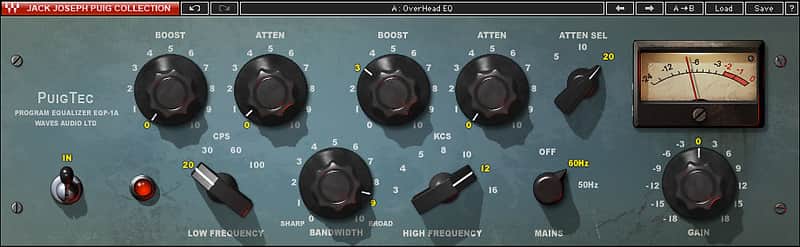
Bring the unique tonal character of the Pultec EQP-1A to your mix with Waves' thorough emulation.
What it is:
A precise replica of the original Pultec EQ unit modeled from famed producer/engineer Jack Joseph Puig's original Pultec.
How we use it:
Utilize the presets to add a warm, unique tone to each and every track.
Why it's cool:
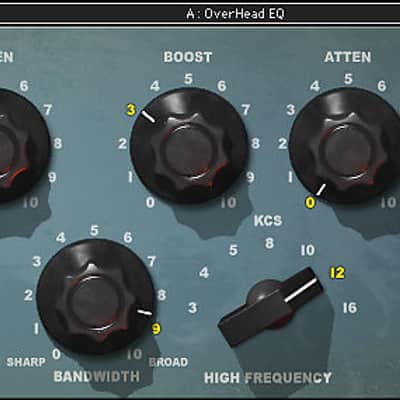
Simply put, it is difficult to use the PuigTec and not make your mix sound more musical. The Pultec EQP-1A is renowned for its unique ability to boost and cut the same frequencies simultaneously, thereby creating a resonant shelf. The PuigTec EQP-1A is a remarkable replication of the original hand-crafted unit owned by iconic producer/engineer Jack Joseph Puig (U2, Rolling Stones, Lady Gaga) and heard on dozens of popular recordings by Weezer, Black Crowes and many more.
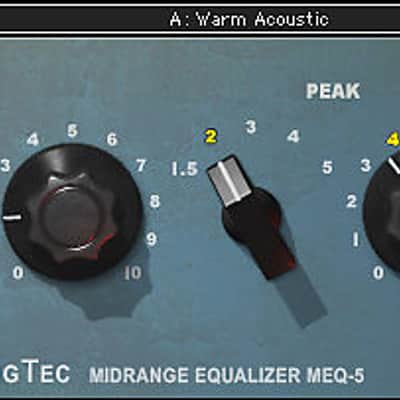
The distinctive tonal characteristics of the MEQ-5 have made the original Pultec hardware a mainstay at high-end studios for decades. The midrange PuigTec MEQ-5 and the broadband PuigTec EQP-1A together comprise a full range vintage EQ chain.
Compatibility
Running PuigTec EQs on a Mac OS:
CPU
Memory
Operating System
Screen Resolution
Supported Hosts - Mac:
Running PuigTec EQs on a Windows OS:
CPU
Memory
Operating System
Screen Resolution
Supported Hosts - Windows:
Installation Instructions
What it is:
A precise replica of the original Pultec EQ unit modeled from famed producer/engineer Jack Joseph Puig's original Pultec.
How we use it:
Utilize the presets to add a warm, unique tone to each and every track.
Why it's cool:
Simply put, it is difficult to use the PuigTec and not make your mix sound more musical. The Pultec EQP-1A is renowned for its unique ability to boost and cut the same frequencies simultaneously, thereby creating a resonant shelf. The PuigTec EQP-1A is a remarkable replication of the original hand-crafted unit owned by iconic producer/engineer Jack Joseph Puig (U2, Rolling Stones, Lady Gaga) and heard on dozens of popular recordings by Weezer, Black Crowes and many more.
The distinctive tonal characteristics of the MEQ-5 have made the original Pultec hardware a mainstay at high-end studios for decades. The midrange PuigTec MEQ-5 and the broadband PuigTec EQP-1A together comprise a full range vintage EQ chain.
- Modeled on rare vintage Pultec EQs
- EQP-1A offers a unique resonant low shelf boost
- MEQ-5 Midrange complement to EQP-1A
Compatibility
Running PuigTec EQs on a Mac OS:
CPU
- Intel Core i3 / i5 / i7 / Xeon
Memory
- 4 GB RAM
- 4 GB free disk space
Operating System
- 10.9.5 - 10.12.1
- 10.8.5 for ProTools 10 only
Screen Resolution
- Minimum: 1024x768
- Recommended: 1280x1024 / 1600x1024
- USB displays are not supported as the primary display.
Supported Hosts - Mac:
- Pro Tools 11.3.2 - 12.6 (AAX Native 64-bit, Audiosuite)
- Pro Tools 10.3.10 (RTAS, Audiosuite)
- Logic Pro X 10.2 - 10.2.4 (Audio Units)
- Digital Performer 9.0 - 9.1.2 (Audio Units)
- Ableton Live 9.2.2 - 9.7 (VST)
- Nuendo 7.0.20 - 7.1 (VST3)
- Cubase 8.0.30 - 8.5 (VST3)
- WaveLab 9.0.10 - 9.0.15 (VST3)
- Main Stage 3.2 - 3.2.3 (Audio Units)
- Garage Band 10.1.0 - 10.1.3 (Audio Units)
- Audition CC2015, CC2017 (VST3)
- Adobe Premiere CC2015, CC2017 (VST3)
- Final Cut Pro X 10.2.2 - 10.2.3 (Audio Units)
- Studio One 3.1 - 3.3.1 (VST3)
- Media Composer 8.6.3 - 8.6.4 (AAX Native)
- Sound Forge Pro 2.5 (Audio Units)
- REAPER 5.18 - 5.22 (VST3)
Running PuigTec EQs on a Windows OS:
CPU
- Intel Core i3 / i5 / i7 / Xeon / AMD Quad-Core
Memory
- 4 GB RAM
- 4 GB free disk space
Operating System
- Windows 7 with SP1 64 bit
- Windows 8.1 64 bit
- Windows 10 64 bit
Screen Resolution
- Minimum: 1024x768
- Recommended: 1280x1024 / 1600x1024
Supported Hosts - Windows:
- Pro Tools 11.3.2 - 12.6 (AAX Native 64-bit, Audiosuite)
- Pro Tools 10.3.8 - 10.3.10 (RTAS, Audiosuite)
- Ableton Live 9.1.6 - 9.7 (VST)
- Nuendo 6.5.35 - 7.1 (VST3)
- Cubase 7.5.30 - 8.5 (VST3)
- WaveLab 8.5, 9.0.10 - 9.0.15 (VST3)
- Sonar X3e (VST3), Platinum (VST3)
- Sound Forge 10.0e, 11 (VST)
- Vegas Pro 12 - 14 (VST)
- Acid 7.0e (VST)
- Audition CC2014, CC2015, CC2017 (VST3)
- Adobe Premiere CC2014, CC2015, CC2017 (VST3)
- Samplitude Pro X (VST), Pro X2 (VST), Pro X3 (VST)
- Sequoia 12 - 13 (VST)
- Pyramix 9.0.7 - 9.1.6 (VST)
- Studio One 3.1 - 3.3.1 (VST3)
- Media Composer 7.0.4 (RTAS), 8.6.3 - 8.6.4 (AAX Native)
- FL Studio 12.1.3 - 12.4 (VST3)
- REAPER 5.18 - 5.22 (VST3)
Installation Instructions
- Create an account: https://www.waves.com/create-account (if you have an account, skip this step)
- Register the serial number we emailed: https://www.waves.com/account/register
- Download and install Waves Central for Mac | Windows.
- If you already have Waves Central installed, skip to step 4. - Launch Waves Central.
- Windows: via the desktop shortcut or Start Menu > All Programs > Waves.
- Mac: Applications > Waves Central. - Log into Waves Central using your Waves account information.
- Click on Easy Install & Activate.
- Select the products you wish to install & activate on this computer.
- Click on the Install & Activate button.