Audified ampLion Free
PriceFREE
Incl. VAT
Instant Download
This gear has sold
See similar gear from other Reverb sellers
Listed:over a month ago
Views:1,669
Saves:17
Downloads:16

Chicago, IL, United States
Our users rate Reverb
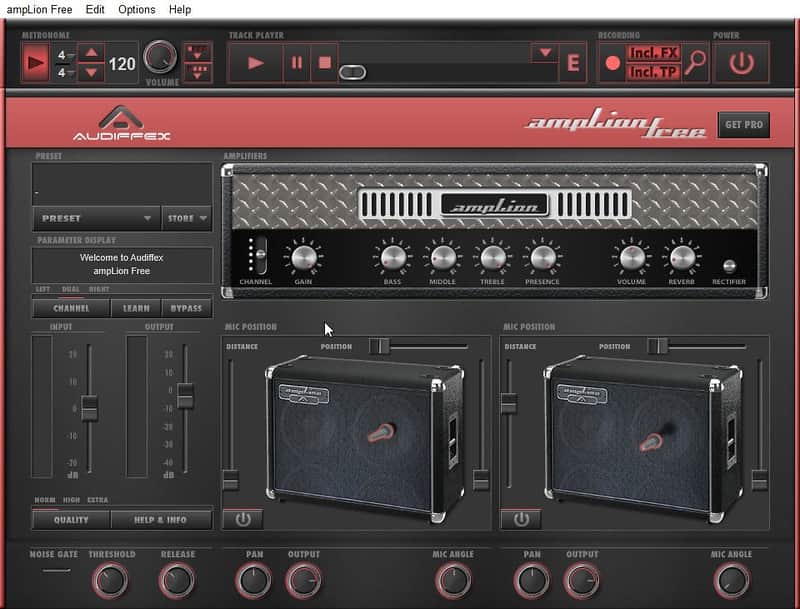
A 5-channel valve guitar amp simulator featuring two cabinets and a whole lot of mayhem.
What it is:
Realistic tube amp simulator with built-in metronome, recorder, and audio player.
How we use it:
Reamp lack luster guitar tracks or beef up your direct tone.
Why it's cool:
Dual cabinets with adjustable microphone positioning and a seemingly endless gain supply make this a go to amp simulator. ampLion is a light version of our ampLion Pro plug-in and application. Both versions were created using our advanced and precise circuit modeling technology. Though ampLion Free does not offer the same amount of simulated amps and effects as its big brother, you can still experience the superior quality and true sound of a real analog amplifier.
ampLion Free is a great tool for re-amping, recording, practicing, composing and playing live shows. Its advanced Track Player lets you play along with your favorite artists and learn their songs. Or practice with intelligent metronome. Speed control allows you to slow down, if you can't keep up, or even speed up when you get better.
It is a standalone application, but you can enhance your sound by plugging it in to the free inTone 2 Solo to combine its processing with other effects. ampLion Free is great in combination with inTone 2 and MultiCabinet or MultiDrive - our collection of legendary overdrive and distortion pedals.
Compatibility
Mac:
Installation Instructions
General Instructions:
How to install plugins in Ableton Live:
What it is:
Realistic tube amp simulator with built-in metronome, recorder, and audio player.
How we use it:
Reamp lack luster guitar tracks or beef up your direct tone.
Why it's cool:
Dual cabinets with adjustable microphone positioning and a seemingly endless gain supply make this a go to amp simulator. ampLion is a light version of our ampLion Pro plug-in and application. Both versions were created using our advanced and precise circuit modeling technology. Though ampLion Free does not offer the same amount of simulated amps and effects as its big brother, you can still experience the superior quality and true sound of a real analog amplifier.
ampLion Free is a great tool for re-amping, recording, practicing, composing and playing live shows. Its advanced Track Player lets you play along with your favorite artists and learn their songs. Or practice with intelligent metronome. Speed control allows you to slow down, if you can't keep up, or even speed up when you get better.
It is a standalone application, but you can enhance your sound by plugging it in to the free inTone 2 Solo to combine its processing with other effects. ampLion Free is great in combination with inTone 2 and MultiCabinet or MultiDrive - our collection of legendary overdrive and distortion pedals.
Compatibility
Mac:
- Mac OS X 10.6 - Mac OS X 10.11.
- Plug-in from OS X 10.6. Standalone from OS X 10.8.
- AAX 32b, AAX 64b, AU 32b, AU 64b, Standalone app, VST2 32b, VST2 64b, VST3 32b, VST3 64b
- Windows 7 - Windows 10
- AAX 32b, AAX 64b, Standalone app, VST2 32b, VST2 64b, VST3 32b, VST3 64b
Installation Instructions
General Instructions:
- We auto-detect your computer operating system, so just click the download button above
- Find the downloaded plugin (it’s in your computer’s download folder) and double click it
- A plugin installer window will open, so go through the installation process
- We will also send you an email with a link to re-download in case you need it
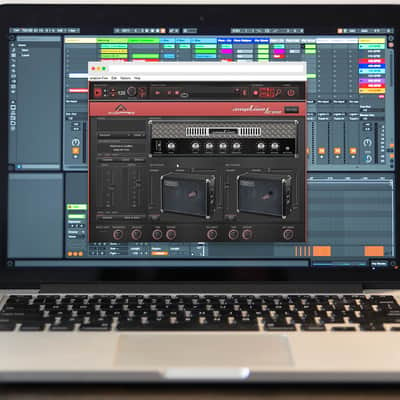
How to install plugins in Ableton Live:
- If Ableton is closed, open it and skip to #5
- If Ableton is already open, go to Preferences
- Go to Files & Folder
- Click “Rescan plugins”
- Find the plugin in the Ableton plugins folder in the sidebar
- Drag-and-drop the plugin onto your track at the bottom of the screen
- Open Logic Pro X
- Create a software instrument track if you downloaded a virtual instrument plugin
- Under Default Patch, go to AU Instruments and choose the plugin you just installed
- If you downloaded an effect or utility plugin, you can insert them on the mixer
- Click the Track menu and create a new track
- Select any of the available inserts
- Go to Multi-Channel plugins, then Instruments to find your new virtual instrument plugin