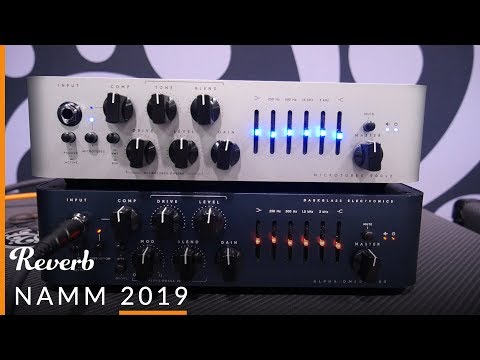
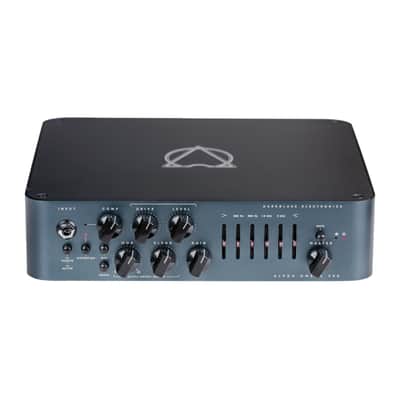
Darkglass Electronics Alpha Omega 900w Bass Head - Blue
Pricekr15,976.22
+ kr998.52 Shipping

Only 1 left
Grab it before it's gone
Listed:over a month ago
Views:37
Watchers:0
Walpole, MA, United States

30-Day Return Policy
Enjoy peace of mind with your new gear
Our users rate Reverb
The beginning and the end.
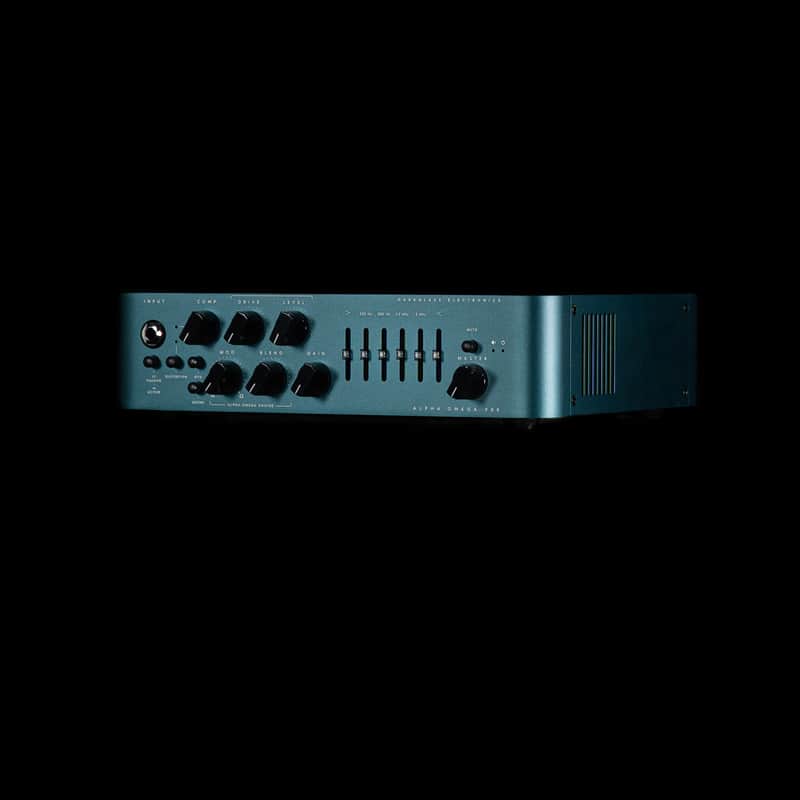
While Darkglass' signature Alpha and Omega drive engines add incredible girth and size to the overdriven signal, the studio-grade VCA compressor adds an extra layer of control, and the ultra-quiet 6-band graphic equalizer can help sculpt the tone from aggressive and overdriven to crystal clear clean, whatever your needs may be. That's not everything, though. The MIDI programmability and impulse response cabinet simulation, along with up to three storable virtual cabinets, make the AO900 not only one of the most complete amplifiers for touring musicians but also, combined with auxiliary input and headphone output, the ideal tool for silent practicing. The Alpha Omega 900 amplifies the best qualities of one of the most powerful and distinct Darkglass products ever made.
The Alpha·Omega 900 takes the best elements of our most successful distortion preamplifier ever, combined with state-of-the-art features to make a monstrous 900-watt amplifier with earth-shattering tone.
- 900-watt solid-state bass amplifier head
- Dual TS/speakON speaker outputs, with 4-ohm or 2-ohm functionality
- Direct outputs for both pre- and post-processed signals
- Passive/Active switch optimizes performance for passive or active bass pickups
- Aux input and headphone output allow you to practice along with a music player
- Acclaimed Alpha and Omega drive engines allow you to dial in harmonic richness and sonic girth
- VCA compressor for controlling dynamics and fattening your tone
- 6-band EQ gives you powerful tone-shaping options
- Memory for 3 IR cabinet simulations, uploadable via USB
- MIDI input for remote switching
DISTORTION
Use this push button to turn on or off the Alpha·Omega Engine™ to add natural compression, organic harmonic enhancement, and saturation ranging from mild overdrive to high gain bass rage. The Alpha·Omega Engine operates before the clean section (you can therefore use the 6-Band Active EQ for additional tone shaping).
MOD
Selects or mixes between the two distinct distortion circuits: Alpha is punchy, tight with a lot of definition, whereas Omega is simply brutal and raw.
DARKGLASS SUITE
The Alpha·Omega 900 integrates seamlessly with the Darkglass Suite via USB, allowing you to load custom or factory impulse responses (IRs) for cabinet simulation and fine-tune your tone for both DI and headphone outputs.
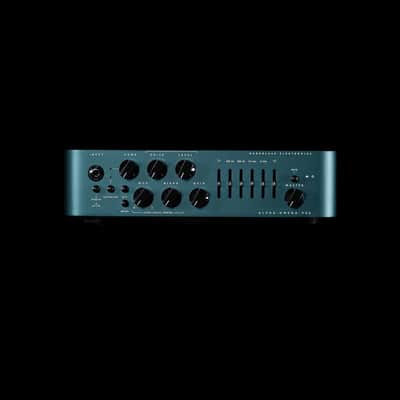
Front Panel Features
Input
Use this jack to connect your instrument via a standard ¼” mono cable.
Passive/Active
Use this jack to connect your instrument via a standard ¼” mono cable.
Distortion
Use this push-button switch to change from passive to active mode. If your bass is active it can have a hotter signal making the amp to distort early (feel free to use if such additional distortion is desired).
Bite
Use this push button to turn on or off the Alpha·Omega Engine™ to add natural compression, organic harmonic enhancement, and saturation ranging from mild overdrive to high gain bass rage. The Alpha·Omega Engine operates before the clean section (you can therefore use the 6-Band Active EQ for additional tone shaping).
Growl
Boosts high mids (2.8kHz) for additional presence and definition.
Compression
Shelving Bass Boost for a fatter tone and increased low end saturation.
Drive
This knob controls the amount of dynamic compression added to the Alpha·Omega Engine. The make up gain is adjusted automatically. The compression can be turned off or assigned using the Darkglass Suite.
Level
This knob controls the amount of distortion that the Alpha·Omega Engine will deliver. It will change from a soft, warm overdrive to a massive and modern distortion sound.
Blend
Use this knob to mix between the Clean signal and the Distortion signal (Alpha·Omega Engine).
Mod
Selects or mixes between the two distinct distortion circuits: Alpha is punchy, tight with a lot of definition, whereas Omega is simply brutal and raw.
Bass
+-12dB at 80Hz. Use this slider to change the low-end content of the signal.
Mids
+-12dB at 250, 500, 1.5k and 3kHz. These sliders control the mid content of the signal.
Treble
+-12dB at 5kHz. Use this slider to change the high content of the signal.
Master
Use this knob to control the overall volume of the amplifier.
Mute
Use this push button to mute the amplifier.
Dimensions
Width: 26.7 cm /10¼”
Length: 25.5 cm / 10″
Height: 7.1 cm / 2¾”
Weight: 2.4 kg / 5.3 lb
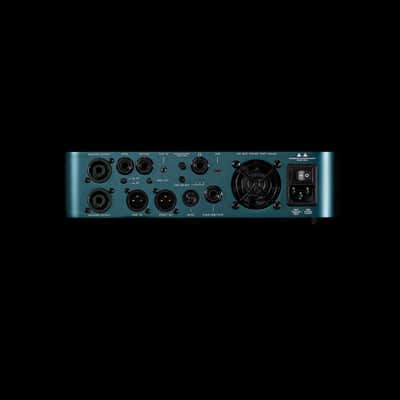
Back Panel Features
Speaker Output
Use this connector to connect the amplifier to your cabinet. This Speakon combo jack allows for either Speakon or ¼” speaker cable operation.
WARNING: Do not use an instrument cable with this jack. Using an instrument cable can damage your amplifier.
Send
Use this output to send the signal to effects pedals.
Return
Use this input to receive the signal from effects pedals. Master volume control is after this input.
Ground Lift
Use this control to lift the ground of the DI XLR output. If you are experiencing ground noise in your DI signal try changing the setting of this control.
DI Output
Use this connector to send your signal to the console, mic preamp, interface, etc. Both signals are available (Bypass and the amp signal with cabinet simulation) and are switched from the cab select switch.
USB
The USB connector allows you to use the Darkglass Suite to load different cabinet impulses or change different parameters on your amp.
Headphone Output
Connect your Headphones and enjoy the impulse based cabinet emulation.
Aux In
Use this connector to play music from your laptop, phone, MP3 player, etc. This input is routed only to the headphone output.
Cabinet Select
Use this switch to navigate between the 3 different cabinet impulses or the clean DI signal. This selection will define both the XLR and headphone out signal.
Footswitch
The Intelligent Footswitch is a proprietary digitally controlled device that allows you to remotely engage and disengage the Alpha·Omega Engine. You can also hold the footswitch to Mute the amplifier. You can also hold the footswitch to Mute the amplifier. The distortion push button will remain operational with the Intelligent Footswitch plugged in..
· You can use a regular mono instrument cable to connect the amplifier to the footswitch.
· You must remove the cable from the footswitch jack in the rear panel if you want to control the amp from the front panel.
AC Socket
Use this connector to feed electric power to the amplifier. 100 – 230 VAC, 50-60Hz. Set the voltage selector switch to the correct position before turning on the amplifier!
AC Power ON/OFF
Use this Switch to release the audio energy from your bass.
| Condition | Brand New (New) Brand New items are sold by an authorized dealer or original builder and include all original packaging.Learn more |
|---|---|
| Brand | |
| Model |
|
| Finish |
|
| Categories | |
| Year |
|
| Made In |
|
| Number of Inputs |
|
| Power Tube Type |
|
| Electronics |
|
| Reverb |
|
| Number of Channels |
|
| Impedance |
|
| Output Power (Watts) |
|
Product safety information may be available here.

