Freedom Audio 3D Audio
Price$50
Instant Download
This listing has ended
See similar gear from other Reverb sellers
Listed:over a month ago
Views:1,309
Saves:5
Offers:0

Chicago, IL, United States
Our users rate Reverb
3D Sound - The ultimate spatial dimensional array effect.
What it is:
A way for you to emulate the placement of any sound in 3-dimensional space in a listeners head.
How we use it:
Use on hi-hats and cymbals to make the drum room sound as if it's larger that it really is. Use on main and backing vox to simulate the effect of a room full of vocals.
Why it's cool:
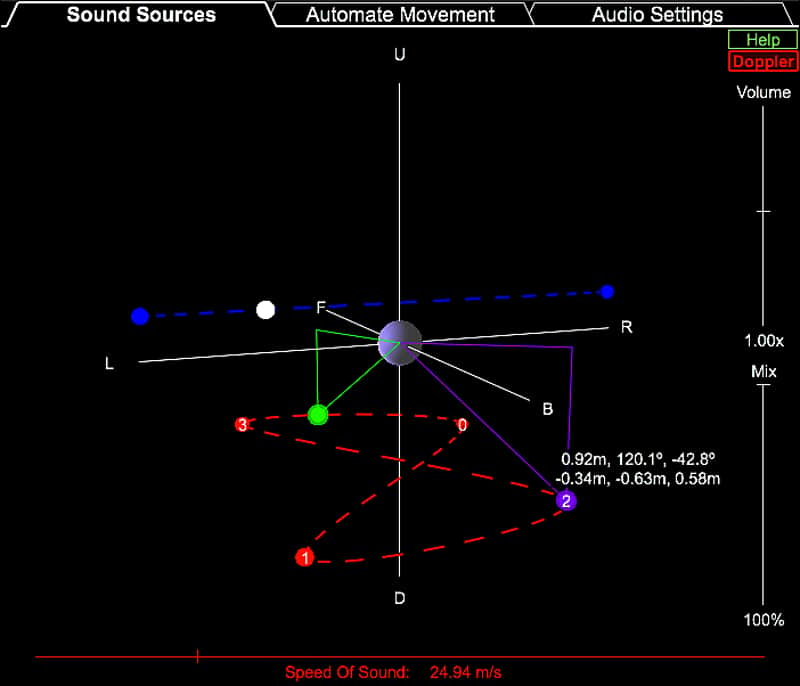
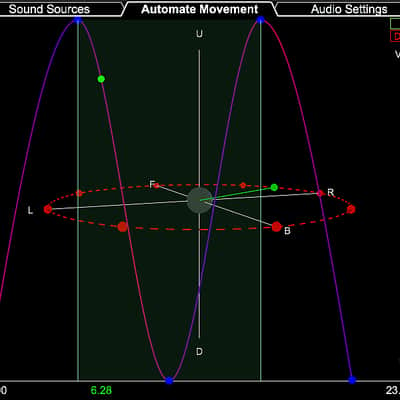
The ability to create more depth to your mixes beyond that of just a stereo field.Ultra-realistic surround sound for headphones. Simulates up to 8 distinct sound source positions per audio track. Sound sources may be placed anywhere in 3D space around the listener’s head: full 360deg front/back/left/right, 180deg up/down, and in distance ranging from touching the head to far away. Sources may be stationary or automated to move on any user-defined 3D path through space.
For moving sources, the doppler effect may be optionally enabled. With the doppler effect enabled, the speed of sound may be specified to be anywhere from 0.1m/s to 500m/s (~343m/s being typical for physical air). Furthermore the doppler effect is not just a pitch shifter. The algorithm also takes into account the real time delay for the sound to travel from each sound source to each of the listener’s ears, just like how sound propagates in the real world.
Comes with some basic presets that will help get you started though example. User-defined presets can be saved and reloaded for use at a later time. Extremely easy to use with a straightforward help screen and editing features such as undo/redo, copy/paste, select all, etc.
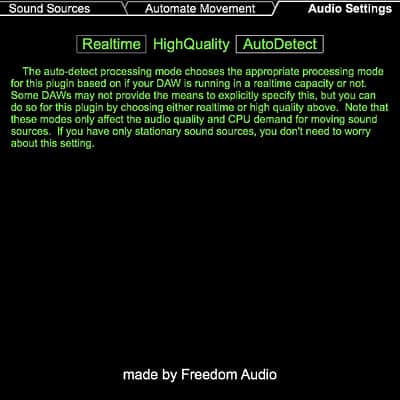
Works inside any digital audio workstation (DAW) software that supports either the Audio Unit, VST, or VST3 plugin formats. Supports any audio sample rate and buffer size. Provides two processing modes: real-time rendering for continuous playback during editing, and high quality rendering for seamlessly smooth audio when processing the final version of your track.
Compatibility
Works inside any digital audio workstation (DAW) software that supports either the Audio Unit, VST, or VST3 plugin formats. Supports any audio sample rate and buffer size.
Mac:
OSX10.7 or Later AU Format 64/32 Bit
Windows:
Win7 or Later VST/VST3 Format 64/32 Bit
What it is:
A way for you to emulate the placement of any sound in 3-dimensional space in a listeners head.
How we use it:
Use on hi-hats and cymbals to make the drum room sound as if it's larger that it really is. Use on main and backing vox to simulate the effect of a room full of vocals.
Why it's cool:
The ability to create more depth to your mixes beyond that of just a stereo field.Ultra-realistic surround sound for headphones. Simulates up to 8 distinct sound source positions per audio track. Sound sources may be placed anywhere in 3D space around the listener’s head: full 360deg front/back/left/right, 180deg up/down, and in distance ranging from touching the head to far away. Sources may be stationary or automated to move on any user-defined 3D path through space.
For moving sources, the doppler effect may be optionally enabled. With the doppler effect enabled, the speed of sound may be specified to be anywhere from 0.1m/s to 500m/s (~343m/s being typical for physical air). Furthermore the doppler effect is not just a pitch shifter. The algorithm also takes into account the real time delay for the sound to travel from each sound source to each of the listener’s ears, just like how sound propagates in the real world.
Comes with some basic presets that will help get you started though example. User-defined presets can be saved and reloaded for use at a later time. Extremely easy to use with a straightforward help screen and editing features such as undo/redo, copy/paste, select all, etc.
Works inside any digital audio workstation (DAW) software that supports either the Audio Unit, VST, or VST3 plugin formats. Supports any audio sample rate and buffer size. Provides two processing modes: real-time rendering for continuous playback during editing, and high quality rendering for seamlessly smooth audio when processing the final version of your track.
Compatibility
Works inside any digital audio workstation (DAW) software that supports either the Audio Unit, VST, or VST3 plugin formats. Supports any audio sample rate and buffer size.
Mac:
OSX10.7 or Later AU Format 64/32 Bit
Windows:
Win7 or Later VST/VST3 Format 64/32 Bit
| Brand | |
|---|---|
| Model |
|
| Categories |
Product safety information may be available here.