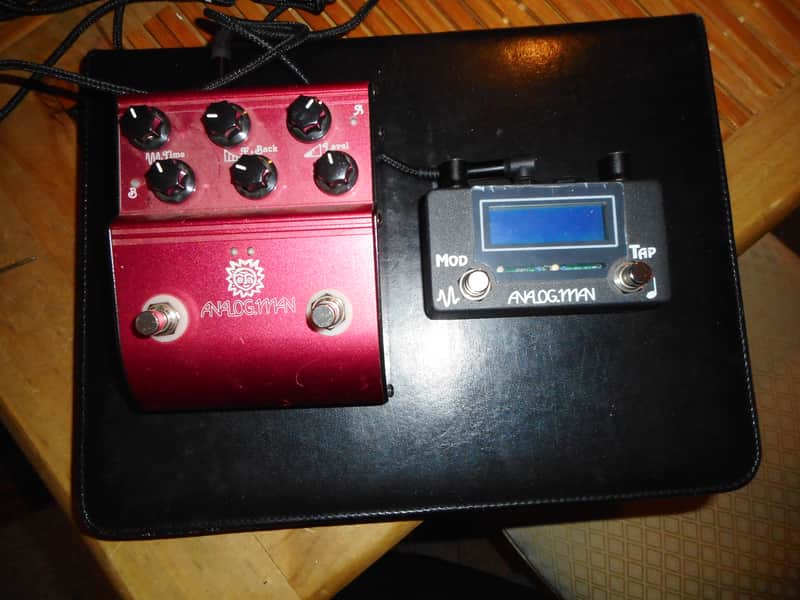
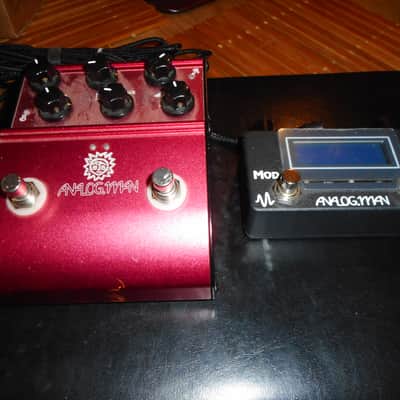
Analogman ARDX20 Dual Analog Delay 2010 - Redw/ Amaze 1 preset/tap tempo/modulation controler
This seller has not set a shipping cost for Finland. Please contact them to ask about shipping.

Our users rate Reverb
This is a fantastic analog delay with 2 switchable delays in one.....but when paired with the Amaze 1
controller the red channel can now have 8 switchable presets, switchable modulation and tap tempo while leaving the yellow channel as its own preset. Tons of flexibility in this unit.
Among boutique and custom pedal lovers, Analog Man enjoys a reputation for building some of the world’s coolest high-end guitar effects, as well as doing expert repairs and mods on vintage and new stompboxes. As a fan of their gear and designs, I was excited to check out their new delay pedal, the ARDX20 Dual Analog Delay.
What it is
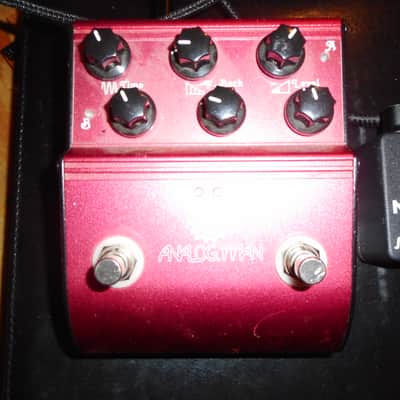
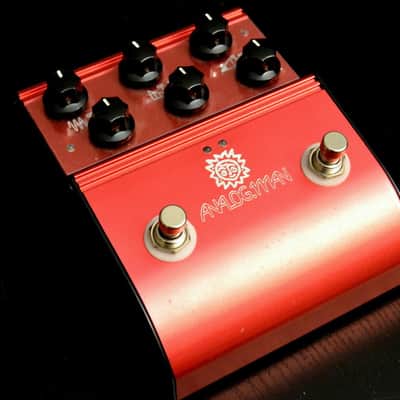
Co-designed by Analog Man’s Ohbayashi San and Analog Mike (who—full disclosure— contributes to our monthly Stomp School column along with his partner, Tom Hughes), the ARDX20 is a two-channel, handwired delay pedal that offers between 36 ms and 600 ms of delay time. Housed in a rugged, red metal case, the ARDX20 is powered by either a 9-volt battery or a Boss-style power supply. The pedal sports dual footswitches—a true-bypass on/off switch and a channel switch—six knobs, standard input and output jacks, an effects loop jack, and a delay time expression jack. The easy-to-access battery compartment is on the underside of the pedal.
The knobs are laid out in a very user-friendly fashion in two rows. The upper three knobs— delay time, feedback, and delay level— control the Yellow channel. The lower three knobs provide the same controls for the Red channel. Below the knobs are two small LEDs that alternately blink, speeding up or slowing down as you adjust the delay time.
The ARDX20 is designed to let you dial in two delay settings and then toggle between them with a footswitch. Nifty LEDs on either side of the pedal tell you which channel is in play at any given time. Conveniently, both the on/ off and channel switches sit higher than the knobs, so you won’t accidentally mess up your settings during a quick effects change.
Amaze 1 features
TAP TEMPO MODE:
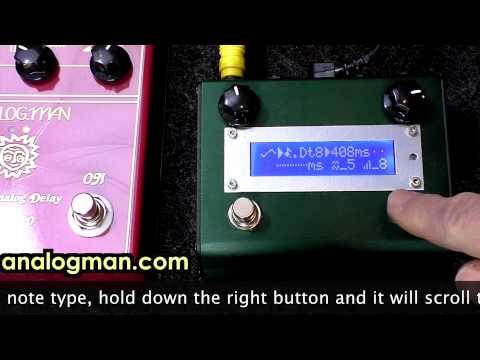
To change the tap note type, hold down the right button and it will scroll through Quarter (normal), Eighth (double speed), and Dotted eighth note (Floyd/U2 etc) settings.
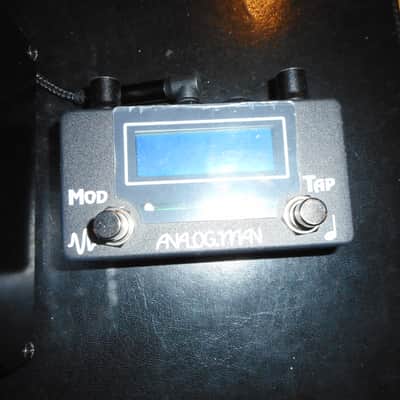
Tap the right button to enter the delay time. The delay time is shown on the top right, the tapped time is shown on the bottom left (same if Quarter selected).Pressing the left button turns modulation on (see ^v in top left) or off (see --- on top left).
When modulation is on, you can adjust it with the two knobs.
Left knob is modulation speed, 1 through 10, 10 is fastest.
You will see the top left figure ^v move in the speed that is set.
The right knob is used for MODULATION TYPE.
Modulation type 1-5 are normal up/down smooth sine wave modulation, 1 is mildest and 5 is the deepest setting.
Modulation type 6-10 are the TAPE DELAY SIMULATION, a random WARBLE type modulation, 10 is the deepest. This simulates the variances in delay time on a tape delay due to capstan and roller imperfections, tape snags, and other random events.
BASIC EMOTE CONTROL USING OPTION JACK for tap tempo
You need a TRS cable plugged into the option jack of the amaze1. AMAZE1 set to factory DIP switch setting of MODE1.
The jack is normally open. Sending ground pulses to the RING is like pressing the TAP button, grounding the TIP is the MODULATION button.
You can send or receive with the options jack.
PROGRAM MODE:To go to PROGRAM MODE, hold down the left button.You will see [P:X] where X is the selected program number.
The delay time and modulation type and speed for that program will be displayed.
Press the left button to toggle modulation on (^v in top left) and off (--).
Press the right button to scroll through the presets: P1 through P8,
and P0 which is used for setting the delay time manually with the right knob
and the modulation type AND speed manually with the left knob.
Each program can be edited for delay time and modulation speed and type.
To go to Tap Tempo mode from Program mode, hold the left button.
FEATURES:
AMAZE0 only: Two expression pedal jacks. Optionally plugging an expression pedal into either of the two center jacks will control the knob closest to that jack remotely.
AMAZE1 : The jack on the right can be used optionally with a dual remote footswitch like the
Boss FS-6, which will work just like the two switches on the AMAZE1. This allows remote control of the AMAZE or MIDI control of tap tempo, etc. You can also use this jack as a TAP TEMPO OUTPUT to sync to other pedals. The RING will be the right (tap tempo) switch and the TIP is the left switch which you don't need to use. To send tap tempo to a Strymon, send the RING connection on the amaze1 to the Strymon, don't use the tip (left amaze1 switch). On the Strymon end, you may need to connect the tip and ring together. But leave unused connection on AMAZE1 open (not shorted to ground).
Size : 4.5" wide x 3.5" deep x 2" tall
Requires stereo cable to connect to analog delay (Not a Y-Cable)
Runs off normal Boss 9V power supply. Do not use a power cable without ground connection.Uses about 30mA of power, best to give it an isolated power cable from Voodoo Labs, T Rex, etc power supply. I don't like to share power with digital devices but you can if you need to.
| Listed | a year ago |
|---|---|
| Condition | Excellent (Used) Excellent items are almost entirely free from blemishes and other visual defects and have been played or used with the utmost care.Learn more |
| Brand | |
| Model |
|
| Finish |
|
| Categories | |
| Year |
|
| Made In |
|
Product safety information may be available here.

