Walrus Audio Canvas Clock 2025 - Present - Black

Walrus Audio Canvas Clock 2025 - Present - Black
This seller has not set a shipping cost for Finland. Please contact them to ask about shipping.

Only 1 left
Grab it before it's gone


14-Day Return Policy
Enjoy peace of mind with your new gear
Our users rate Reverb
Shutup & Play Studios:
We only carry gear we love and use ourselves — backing the brands and people we believe in and want to see thrive.
Product Information:
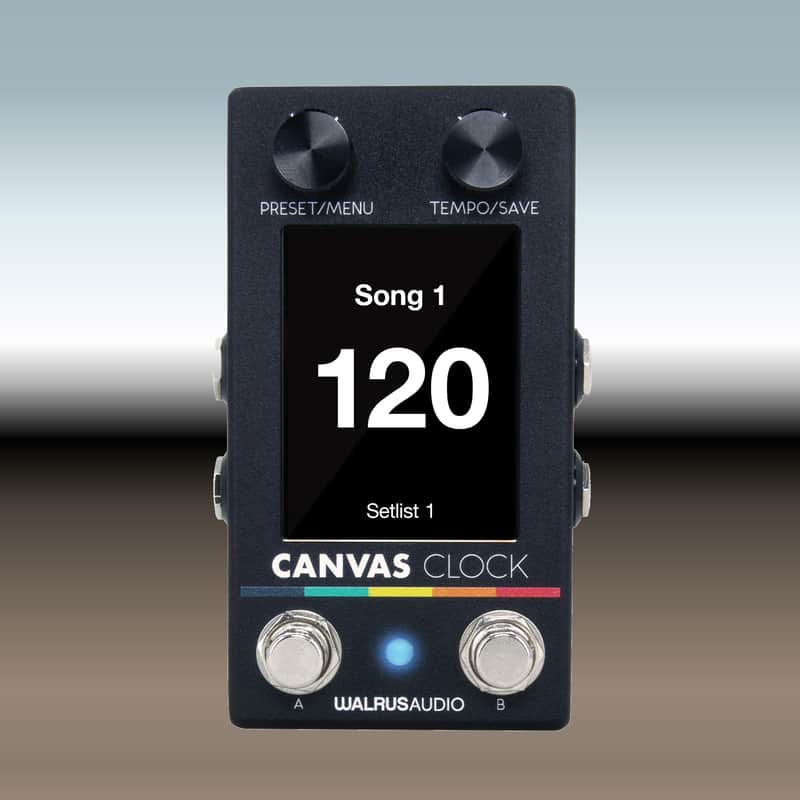
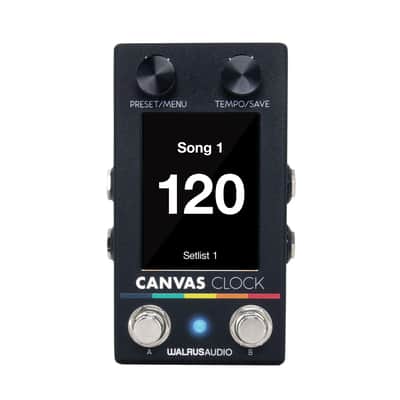
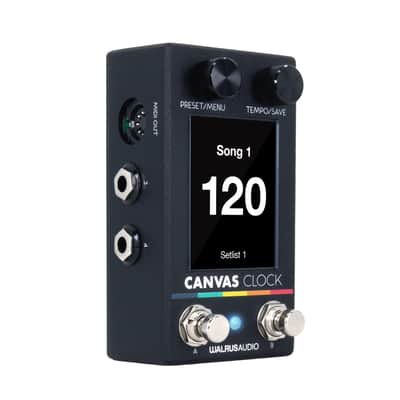
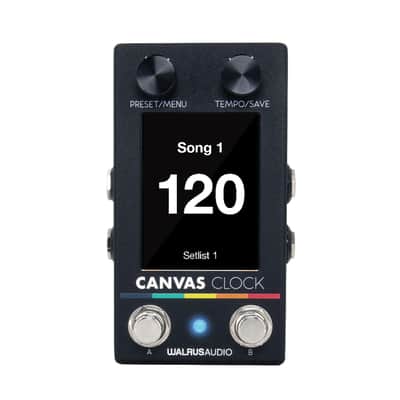
Sync all your time-based devices, seamlessly move through preset setlists, and simplify tempo matching with the Canvas Clock! Designed for any kind of rig you throw at it and deeply customizable, users can put their full trust in the Clock to be an all-in-one tempo solution for their board.
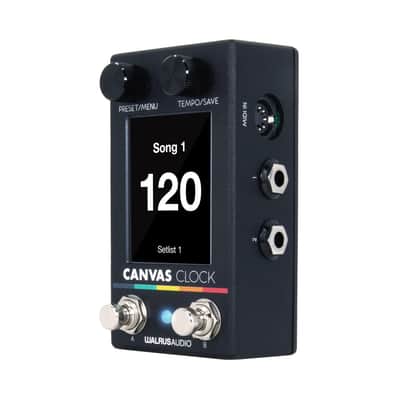
The Canvas Clock can interface to any device in your rig that accepts clock signal, whether MIDI, (via the ⅛ in or 5-pin MIDI ports) or analog (via the ¼ in jacks). Clock will send time signals for both MIDI and analog devices and will continue to do so as you move through your song list or manually adjust the tempo. As you edit, save, and recall songs in real-time or via the online editor at walrusaudio.io, Clock will send your specific settings for whichever song you are currently on out to all of the time-based devices you are connected to.
Canvas Clock features:
Customizable ¼” Jacks
Each of the four jacks can be assigned as:
- Tempo Out—Sends analog/MIDI clock to sync pedals.
- CV Out—Controls synths or drum machines that accept CV.
- Switch Input—Connect external footswitches (Tip/Ring) for customizable pedal control.
- Expression In—Send MIDI CC messages using an expression pedal (customizable range).
Customizable Footswitches
Onboard A/B footswitches can control:
- Song/Setlist navigation
- Tap tempo
- Start/stop metronome
Sync Jack
Set as:
- Input—Accept BPM from another device
- Output – Sync external devices (Eurorack, Volca, etc.)
Includes 1x/2x signal rate options and BPM subdivision control.
Metronome
- Output via dedicated MET OUT jack
- Adjustable type, volume, accent
- Useful for live monitoring or practice
Songs & Setlists
- 128 Song slots – Each with custom name, BPM, meter, MIDI, metronome settings
- Setlists – Organize songs for gigs and quickly navigate during sets
MIDI Macros
- Trigger up to 15 MIDI messages per song (CC, PC, etc.)
- 128 editable Macros for deep rig control (engage/bypass pedals, change presets, etc.)
Editor & Updates
- Customize everything via USB-C with the Canvas Clock Editor
Specs:
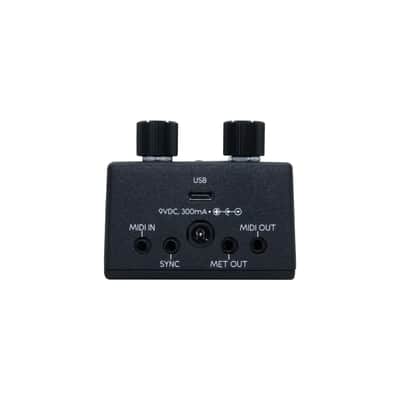
- Power: • 9VDC, 300mA, • Center-Negative, 2.1mm center pin OR Powered via USB-C• The use of an isolated power supply is recommended for powering all Walrus Audio Pedals. Daisy chain power supplies are not recommended. Power supply not included.
- Computer Connectivity: Requires Chrome web browser on either Windows or Mac OS. Visit walrusaudio.io to use the Canvas editor and get firmware updates when available.
- Enclosure: 2.3" x 2.96" x 4.84" including jacks & knobs
- Hardware
- Preset/Menu Encoder and Switch
- Tempo/Save Encoder and Switch
- Footswitch A
- Footswitch B
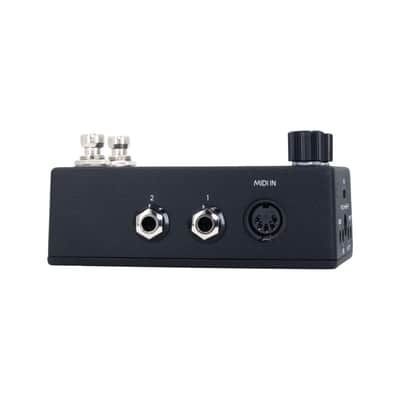
- ¼” Jack 1 (TS or TRS)
- ¼” Jack 2 (TS or TRS)
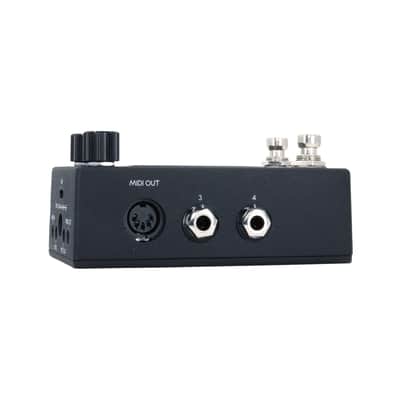
- ¼” Jack 3 (TS or TRS)
- ¼” Jack 4 (TS or TRS)
- MIDI In/Out (5-pin DIN)
- MIDI In/Out (1/8th” TRS cable)
- Sync (1/8th” TRS cable)
- Met Out (1/8th” TRS cable - not intended to drive headphones, please plug into high impedance input)
- USB-C
Shutup & Play is an Authorized Walrus Audio Effects Dealer and Reverb preferred Seller
Guy Eckelberger
Professional Organic Pedal Farmer since 1976.
Member and Founder-Tone Farmers Union since 1961
| Condition | Brand New (New) Brand New items are sold by an authorized dealer or original builder and include all original packaging.Learn more |
|---|---|
| Brand | |
| Model |
|
| Finish |
|
| Categories | |
| Year |
|
| Made In |
|
| Pedal Format |
|
| Color Family |
|
Product safety information may be available here.

