Direct Offers

Send deals automatically to interested buyers and sell your gear faster.

Try Direct Offers
Direct Offers

Send deals automatically to interested buyers and sell your gear faster.

Try Direct Offers

Make the first move and send offers to interested buyers who have saved your listing or have left it in their cart.

Try Direct Offers
Image of a synthesizer in a box

Reach interested buyers

Get in front of potential buyers who have interacted with it, but haven’t purchased
Image of shipping label, laptop, and a shipping box

Speed up sales

By contacting interested buyers, you’re increasing the likelihood that your gear will sell
Image of someone playing a guitar and boxing up a pedal

Set it and forget it

Once you enable Direct Offers, new offers will go out automatically

How to use Direct Offers
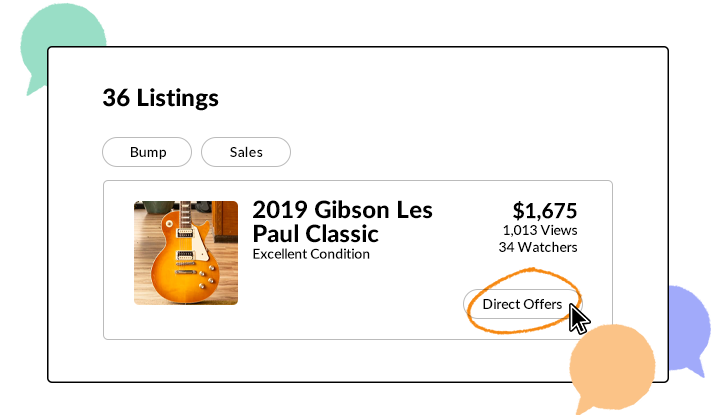
1

Go to your Listings page and enable the “Direct Offers” button on the listing
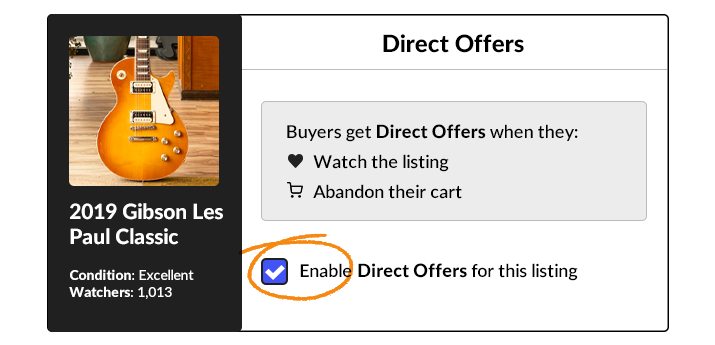
2

Check the “Enable Direct Offers for this listing” box
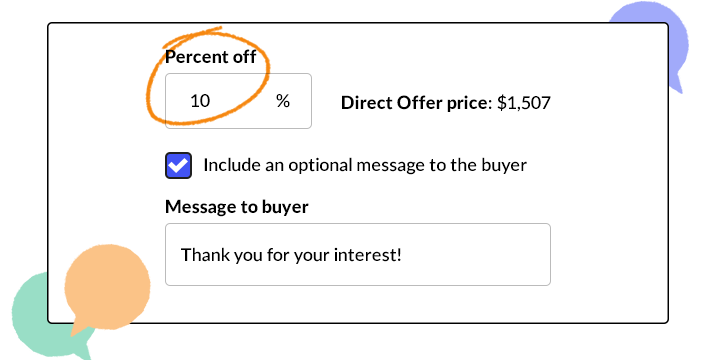
3

Enter the percentage off that you want to send to interested buyers

Recipients then have 48 hours to accept, ignore, or counter your offer.

Try Direct Offers

A buyer will receive a Direct Offer if:

They’ve saved a piece of gear with Direct Offers enabled

They have a piece of gear with Direct Offers enabled in their cart
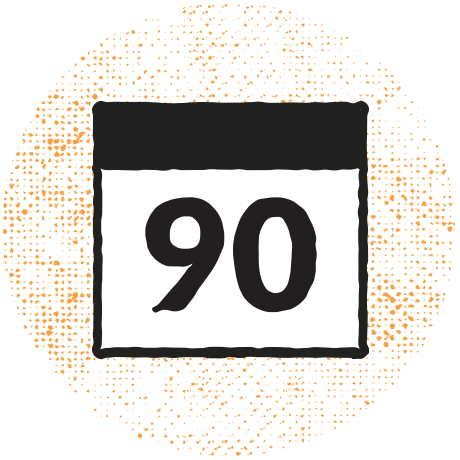
You enable Direct Offers on a piece of gear they saved or added to their cart within the past 90 days.
What else do I need to know?

  • Direct Offers are not eligible for listings that have USPS calculated shipping enabled.
  • If you increase the price of your listing and have Direct Offers enabled on it, the percent discount will follow the price.
  • If Direct Offers are enabled on listings that are added to a sale, Direct Offers pause as long as the item is on sale. They will resume once the sale ends.
  • To send Direct Offers, you must have five completed sales in your account.
  • If you decrease the price of your listing, Direct Offers will disable and you’ll need to enable it again.
  • If an item sells out and Direct Offers was enabled, Direct Offers will remain enabled when you set the item live again.
Learn more about selling on Reverb

Shipping corner

Shipping materials, discounted shipping labels, and safe shipping–plus tips from our team of musicians–all in one place.
How to sell on Reverb

This step-by-step guide walks you through listing an instrument for sale, pricing it, and photographing it so that you get more money for your gear.
Reverb shipping labels

Don’t let trips to the post office eat up your day and your wallet: Become your own shipping center and print shipping labels right at home.

Reverb Safe Shipping

Using a shipping label on Reverb gives you the option to purchase Reverb Safe Shipping for a fraction of your gear's sale price. If anything is lost or damaged during shipping, our responsive and friendly support team will help resolve the issue quickly.

Reverb Gives

Your purchases help youth music programs get the gear they need to make music.

Oops, looks like you forgot something. Please check the fields highlighted in red.