Mooer GL100 Guitar Pedal LOOP Drum Machine Effects Pedal Stereo Phrase Loop Auto Record with 100 Memory Positions,Price include the import duty to USA

Free Shipping
from Shenzhen, China


Our users rate Reverb
Note: the price include the import duty for US buyer.
Features.
1.Dual Stomp Stereo Phrase Loop Effects Pedal
2.100 storage locations for a total of 300 minutes of storage time.
3.Built-in Drum Machine function for perfect synchronization with phrase loops
4.Auto record function, recording instantly.
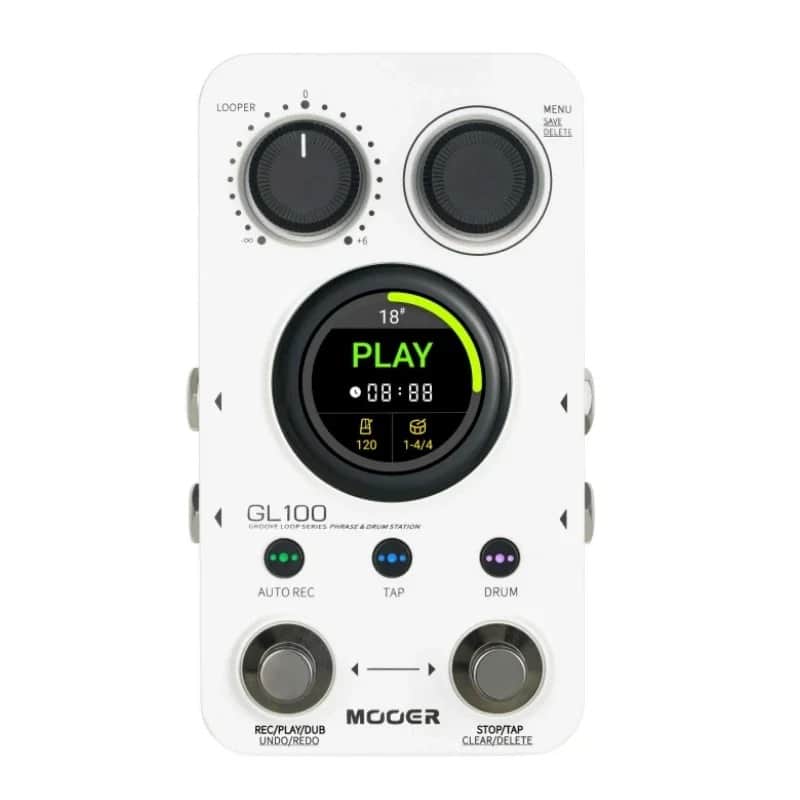
5.1.3-inch round touchscreen provides clear status display and convenient function control.
6.Dedicated PC software for importing and exporting audio files
7.Multiple input and output modes
8.Time Stretch variable speed function
9.Headphones can be connected to mute the use of
Specifications.
1.Input:2 x 1/4" mono input jacks (2.2 MΩ impedance)
2.Output:2 x 1/4" mono output jacks (120 Ω impedance)
3.Headphone jack:1 x 1/8" stereo jack (32 Ω impedance)
4.Storage locations:100
5.Total recording time:300 minutes (stereo)
6.Sample Rate / Sample Depth:44.1 kHz / 24 bit
7.Import file formats include but are not limited to:wav, flac, ape, mp3, m4a, aac, ogg, mp4, mov, wma, avi, mpeg
8.Export file format:wav
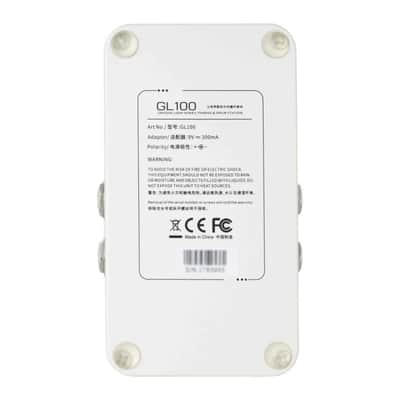
9.Power Requirements:9 V internal negative and external positive 300 mA (It is recommended to use the original power adapter to supply power independently, otherwise it may bring unnecessary crosstalk noise.)
10.Dimensions:approx. 125 mm(L) X 74 mm(W) X 49 mm(H)
11.Weight:approx. 200 g
Package List.
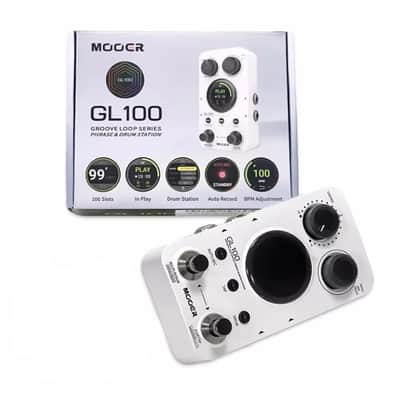
1x GL100 Effects Pedal
1x Power adapter
1x USB-C to USB-A cable
1x Quick guide
Instructions.
1.LOOPER volume knob.
Adjust the volume of LOOPER playback, when centered, the volume is comparable to that of straight-through, the maximum value is +6dB, and the minimum value is negative infinity (LOOPER playback is muted).
2.MENU encoder.
Responsible for on-screen menu navigation, value adjustment, etc., long press to perform phrase loop storage.
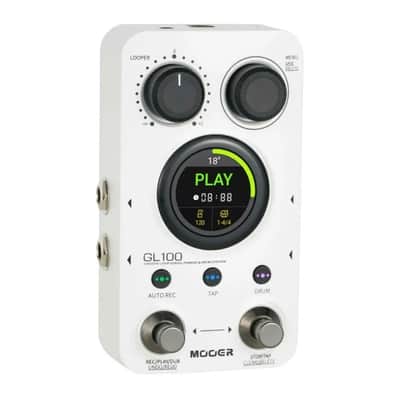
3.Left input jack.
6.35 mm mono (TS) jacks, input jacks for mono usage scenarios (left input jack for stereo scenarios).
4.Right input jack.
6.35 mm mono (TS) jack, right input jack for stereo scenes.
5.DRUM with lighted button.
Short press this button, the button light blinks, indicating that the drum machine enters the standby state, at this time to open the phrase loop recording will be synchronized to turn on the drum machine; in the phrase loop running process short press to switch the drum machine, the button light is always on, indicating that the drum machine is running; long press this button to enter the drum machine details adjusting interface, in this interface can be used to select the style of the drum machine, rhythmic pattern tempo, and volume, and so on.
6.Right Stomp.
When the Loop is empty, step on the right peg continuously to execute [ beat set speed ], short press on the right peg to execute "stop" operation in running state, long press on the right peg to execute "clear temporary data" in pause state, long press on the right peg + long press on the MENU encoder to execute [delete all data], step on the left and right pegs at the same time to enter the storage position switching mode, and execute position switching (incremental) in the storage position switching state.
7.TAP with lighted button.
Continuously press the button to set the speed, the flashing rate indicates the current speed; long press this button to enter the BPM adjustment interface, or press this button to hold it and rotate the MENU encoder at the same time to quickly adjust the BPM speed value.
8.1.3-inch round touchscreen.
Displays each status interface and some function operations.
9.Left output jack.
6.35mm mono (TS) jacks, output jacks for mono usage scenarios (left output jacks for stereo scenarios).
10.Right output jack.
6.35mm mono (TS) jack, right output jack for stereo scenes.
11.AUTO REC with lighted button.
AUTO REC is the on/off button for the AUTO REC function, the button light is on and off to indicate on/off or not; press and hold this button while rotating the MENU encoder to quickly adjust the trigger threshold for AUTO REC.
12.Left Stomp.
In Loop state, short press to record, play and overdub, long press to cancel, undo and redo; left and right pegs are pressed at the same time to enter Memory Position Switching mode; position switching (minus) is performed in Memory Position Switching state.
13.PHONES headphone jack.
3.5 mm TRS 3-conductor headphone jack.
14.Power supply port.
Connected to a 9 V adapter with not less than 300 mA internal negative and external positive for power supply.
15.USB port.
USB-C interface, connect to computer for data import and export, firmware update.
This item is sold As-Described
This item is sold As-Described and cannot be returned unless it arrives in a condition different from how it was described or photographed. Items must be returned in original, as-shipped condition with all original packaging.Learn More.
| Condition | Brand New (New) Brand New items are sold by an authorized dealer or original builder and include all original packaging.Learn more |
|---|---|
| Brand | |
| Model |
|
| Categories | |
| Made In |
|
Product safety information may be available here.

