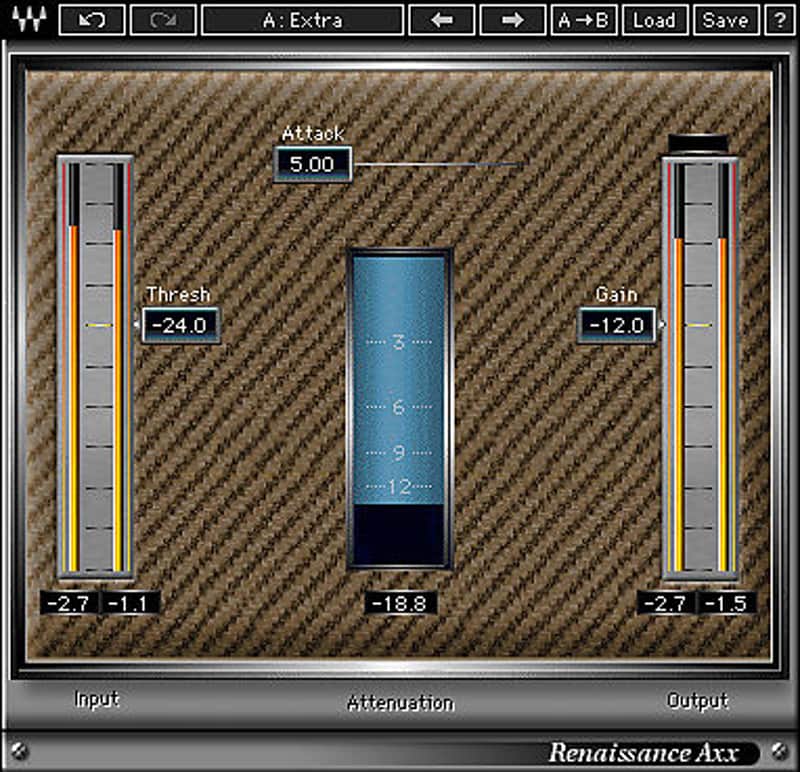

Waves Renaissance Axx
New Price€88.68
Incl. VAT
Instant Download
This gear has sold
See similar gear from other Reverb sellers
Listed:over a month ago
Views:456
Saves:5
Offers:1

Chicago, IL, United States
Our users rate Reverb
Your ideal guitar compressor.
What it is:
A musical compression plugin tailored towards the guitar.
How we use it:
Streamline the guitar mixing process.
Why it's cool:
With three sliders, Waves brings pleasing dynamic processing to your guitar recordings, without any headaches. Engineered especially for guitar, Renaissance Axx is the ideal compressor for musicians and engineers who need to dial in dynamic levels quickly. With its three efficient controls, Renaissance Axx features a fixed ratio curve, automatic release value, and an output limiter to prevent clipping.
Features:
Compatibility
Mac:
CPU
CPU
Installation Instructions
What it is:
A musical compression plugin tailored towards the guitar.
How we use it:
Streamline the guitar mixing process.
Why it's cool:
With three sliders, Waves brings pleasing dynamic processing to your guitar recordings, without any headaches. Engineered especially for guitar, Renaissance Axx is the ideal compressor for musicians and engineers who need to dial in dynamic levels quickly. With its three efficient controls, Renaissance Axx features a fixed ratio curve, automatic release value, and an output limiter to prevent clipping.
Features:
- Easy-to-use compressor plugin
- Ideal for guitar and bass
- Streamlined 3 parameter control
Compatibility
Mac:
CPU
- Intel Core i5 / i7 / Xeon
- 8 GB RAM
- 8 GB free disk space on the system drive
- 10.10.5 - 10.13.3
- Minimum: 1024x768
- Recommended: 1280x1024 / 1600x1024
- USB displays are not supported as the primary display.
- Mac OS Sierra 10.12.4
- VoiceOver Utility enabled
- Pro Tools 12.7
- Logic 10.3.1
CPU
- Intel Core i3 / i5 / i7 / Xeon / AMD Quad-Core
- 4 GB RAM
- 8 GB free disk space on the system drive
- Windows 7 with SP1 64 bit
- Windows 8.1 64 bit
- Windows 10 64 bit
- Minimum: 1024x768
- Recommended: 1280x1024 / 1600x1024
Installation Instructions
- Create an account: https://www.waves.com/create-account (if you have an account, skip this step)
- Register the serial number we emailed: https://www.waves.com/account/register
- Download and install Waves Central for Mac | Windows.
- If you already have Waves Central installed, skip to step 4. - Launch Waves Central.
- Windows: via the desktop shortcut or Start Menu > All Programs > Waves.
- Mac: Applications > Waves Central. - Log into Waves Central using your Waves account information.
- Click on Easy Install & Activate.
- Select the products you wish to install & activate on this computer.
- Click on the Install & Activate button.