Tallinn, Estonia
About this listing
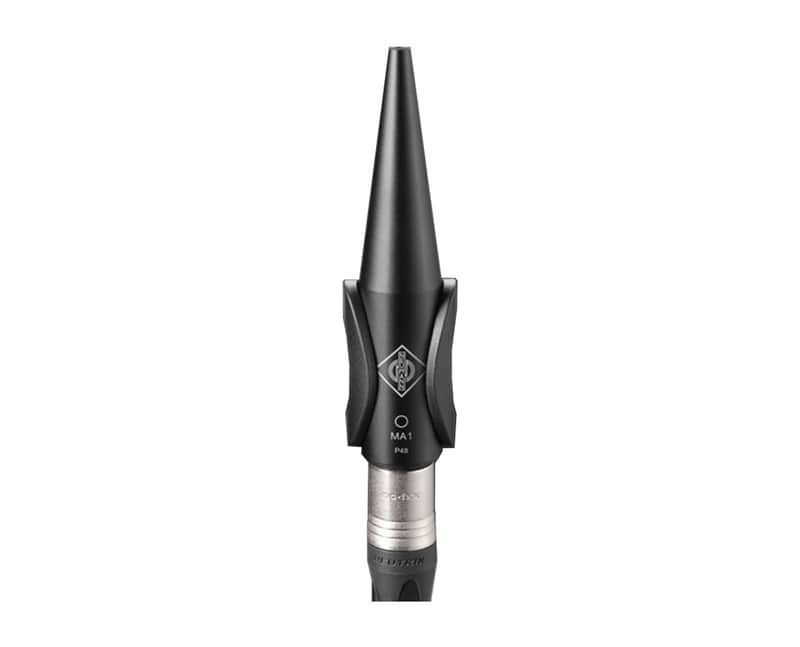
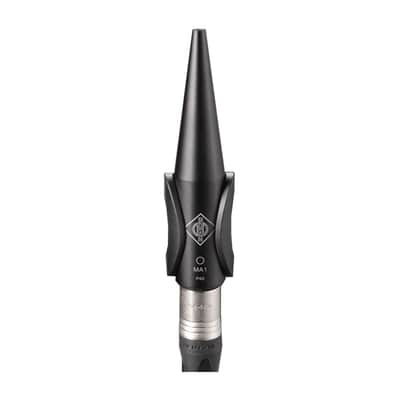
Neumann’s Automatic Monitor Alignment MA 1 ensures the best possible sound quality in any room – from home studios to professional control rooms. Using the individually calibrated measurement microphone your acoustic environment is analyzed in a guided process. Advanced calibration algorithms, jointly developed with the world's leading institute in audio processing, Fraunhofer IIS, guarantee an optimally adapted amplitude and phase correction for exact and reliable monitoring.The MA 1 Automatic Monitor Alignment is the beginning of a new era in monitoring. Starting with the current version, which delivers outstanding acoustic results for stereo setups, the range of software functions will be expanded step by step with updates.Hardware requirements:1 pair of KH DSP loudspeakers or up to two KH 750 DSP subwoofers in combination with a pair of analog (non-DSP based) KH loudspeakersNeumann MA 1 measurement microphoneComputer (Windows 10 64 Bit and macOS 10.13, 10.14, 10.15 or 11.0)Audio interface with balanced analog input with 48 V phantom power and 2 balanced analog outputs or digital AES3 output (only with KH 750 DSP)Network switchScreen resolution of 1280×720 px or higherSoftware requirementsOperating system: Windows 10 64 Bit and macOS 10.13, 10.14, 10.15 or 11.0Neumann MA 1 – Automatic Monitor Alignment softwareASIO driver (for Windows)IPv6 supported and enabledDSP loudspeakers (network-enabled)The following loudspeakers and subwoofers are network-enabled and can be controlled directly by the software:KH 80 DSPKH 120 IIKH 150KH 750 DSPKH 750 AES67Analog loudspeakers (not network-enabled) The following loudspeakers are not network-enabled and need to be connected via a network- enabled subwoofer in order to be included in the system setup.KH 120 AKH 120 DKH 310 AKH 310 DKH 420/KH 420 + DIM 1Important InformationPlease note:After the alignment process, the MA 1 software stores the correction data in the monitors or in the subwoofer. In addition, both the hardware setup and the alignment(s) created are saved in the software and can be changed later if required. Another continuous connection to the computer is only required if the loudspeaker setup is to be controlled via the MA 1 during operation. This includes level settings, bass management (if a subwoofer is connected) and setup or alignment changes.Therefore, no Ethernet connection to the computer is required for further operation of the aligned system. Currently, the data stored in the loudspeaker(s) cannot be recalled or changed, once the software is closed. The calibration procedure must be started from the beginning and repeated.The following currently applies: If the loudspeakers were previously adjusted using the Neumann.Control iPad® app, their correction data will be overwritten by an alignment with the MA 1 software. If you open the Neumann.Control iPad® app again, the last data stored in the app is sent to the loudspeakers, thus overwriting the correction data generated by the MA 1.Alignment settings are made via the MA 1 software. Other parameters (e.g. mute, delay ...) cannot currently be controlled by the MA 1 software.The MA 1 software does not include Guided Alignment or Manual Alignment like on the Neumann.Control iPad® app.We ship worldwide, feel free to ask for a precise shipping quote.Price shown in EU includes 24% VAT unless you have entered your valid EU VAT number to your Reverb account. VAT can be deducted if you have a company with a valid EU VAT number or if you're based outside of EU. Non-EU buyer pays any import duties and tax as regulated by their local customs.
Price€370.76
Incl. VAT
Free Shipping
Free Shipping
from Tallinn, Estonia