Moog Minitaur Editor/Librarian
PrixGRATUIT
TVA incl.
Téléchargement instantané
Cette annonce est terminée
Découvrez du matériel similaire proposé par d'autres vendeurs Reverb
Mis en ligne:il y a plus d'un mois
Vues:5 077
Ajouts aux favoris:32
Téléchargements:323

Chicago, IL, États-Unis
Nos utilisateurs évaluent Reverb
Dive deep into the Minitaur.
What it is:
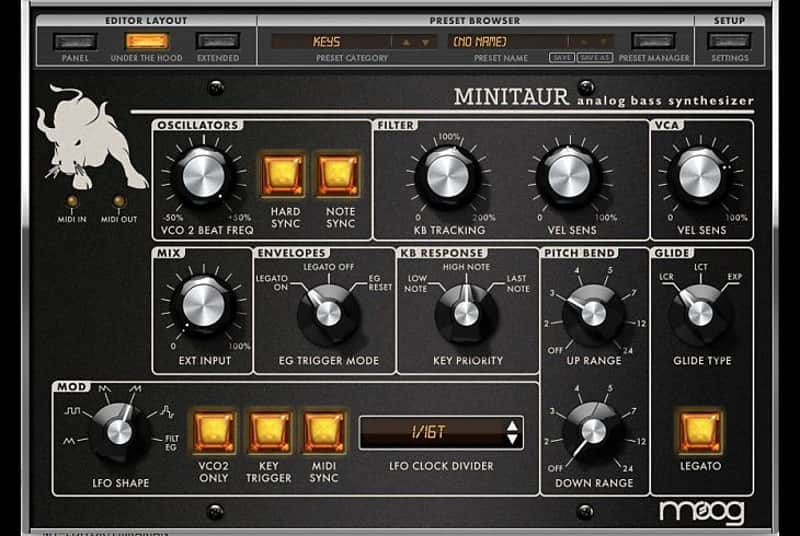
An Editor/Librarian software for the Moog Minitaur.
How we use it:
Manipulate, automate, and recall most any feature on the Moog Minitaur.
Why it's cool:
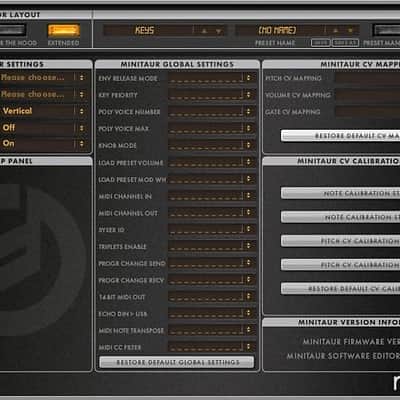
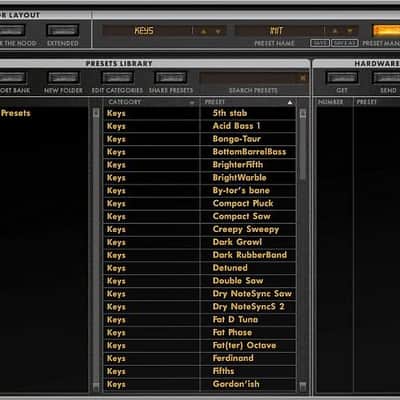
The Editor/Librarian brings seamless DAW integration to your Minitaur. The free Minitaur Editor/Librarian software unlocks Minitaur’s power and flexibility by making DAW integration and control completely seamless on both Mac and Windows machines. Load and save up to 128 presets onto your Minitaur, select from 6 different modulation sources, engage Hard Sync, access full ADSR envelopes, MIDI sync the LFO, reset oscillator waveform cycles, polychain with other Moog synthesizers and more. Every feature can be manipulated, automated and recalled instantly.
Compatibility
What it is:
An Editor/Librarian software for the Moog Minitaur.
How we use it:
Manipulate, automate, and recall most any feature on the Moog Minitaur.
Why it's cool:
The Editor/Librarian brings seamless DAW integration to your Minitaur. The free Minitaur Editor/Librarian software unlocks Minitaur’s power and flexibility by making DAW integration and control completely seamless on both Mac and Windows machines. Load and save up to 128 presets onto your Minitaur, select from 6 different modulation sources, engage Hard Sync, access full ADSR envelopes, MIDI sync the LFO, reset oscillator waveform cycles, polychain with other Moog synthesizers and more. Every feature can be manipulated, automated and recalled instantly.
Compatibility
- Mac: OS X 10.6.8 or higher
- PC: Windows 7 or higher with an Intel or AMD processor.
- Available USB Port or DIN MIDI input and output.
- Host Digital Audio Workstation (DAW) compatible with VST, AU, RTAS, or AAX platforms.
- Your Minitaur requires firmware version 2.2.0 or greater.
- VST Compatibility: 2.4+ or VST 3+.
- Please refer to your DAW’s software manufacturer for support.
| Marque | |
|---|---|
| Modèle |
|
| Catégories |
Des informations concernant la sécurité des produits peuvent être disponibles ici.