Flux:: Stereo Tool
PriceFREE
Incl. VAT
Instant Download
This listing has ended
See similar gear from other Reverb sellers
Listed:over a month ago
Views:5,895
Saves:61
Downloads:1,300

Chicago, IL, United States
Our users rate Reverb
Accurate visual feedback for your mix process.
What it is:
A management tool for your stereo signal.
How we use it:
Get the full picture of the mix.
Why it's cool:
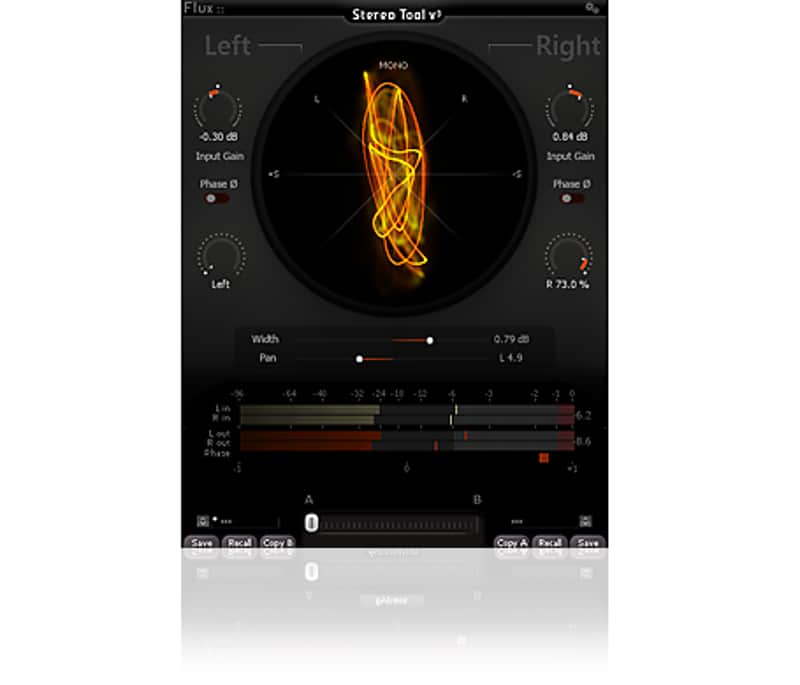
Stereo Tool provides a one-stop solution to both viewing and making simple changes to your stereo spread. Stereo Tool features ultra precise control of input gain and individual pan for left and right channels. A phase inverter is available on each channel. Global stereo pan and stereo width settings are also implemented to complete the management of the stereo signal. Stereo Tool also offers accurate visual feedback reflecting the signal content. A vector scope display, PPM meters for both inputs and outputs, and a phase correlation meter permanently monitor the signal.
Compatibility
All major native formats are supported
Installation Instructions
What it is:
A management tool for your stereo signal.
How we use it:
Get the full picture of the mix.
Why it's cool:
Stereo Tool provides a one-stop solution to both viewing and making simple changes to your stereo spread. Stereo Tool features ultra precise control of input gain and individual pan for left and right channels. A phase inverter is available on each channel. Global stereo pan and stereo width settings are also implemented to complete the management of the stereo signal. Stereo Tool also offers accurate visual feedback reflecting the signal content. A vector scope display, PPM meters for both inputs and outputs, and a phase correlation meter permanently monitor the signal.
Compatibility
All major native formats are supported
- Windows - 7 SP1, 8, 8,1 and 10 all in both 32 and 64 bits*.
- VST (2.4)
- Waves WPAPI
- Mac OS X (Intel) - 10.7.5, 10.8.5, 10.9.5, 10.10.5 and 10.11.5 in both 32 and 64 bits*.
- VST (2.4)
- AU
- Waves WPAPI
Installation Instructions
- Download the Flux Center Installer.
- Run the installer and launch Flux Center.
- Scroll down to Stereo Tool and click Install.
- Open your DAW and you're good to go!