A-Envelope
Price€536.13
+ €18.07 Shipping
€3.01 shipping when combined

Only 1 left
Grab it before it's gone
Listed:over a month ago
Views:239
Saves:5
Offers:0

London, United Kingdom

14-Day Return Policy
Enjoy peace of mind with your new gear
Our users rate Reverb
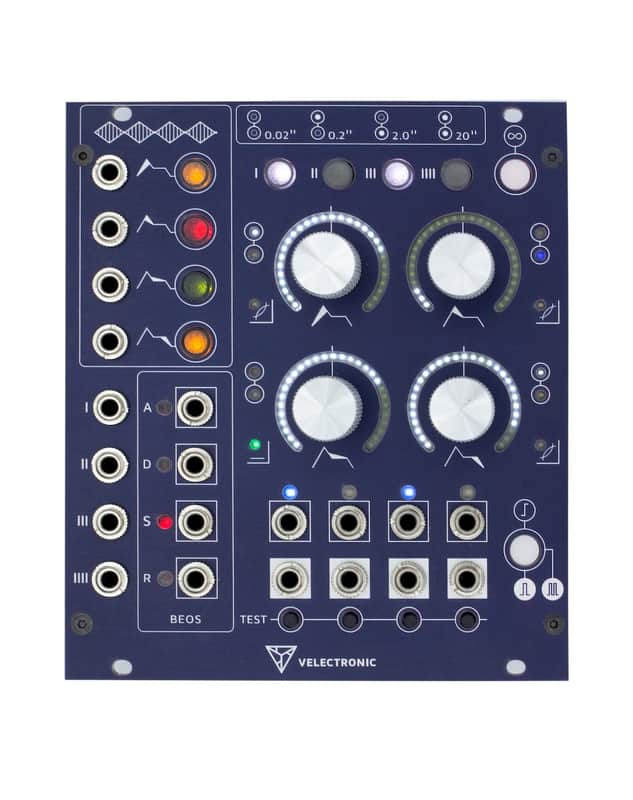
Associative Quadruple Envelope
A-envelope is a four independent channels ADSR envelope, with associated capabilities.
Association between channels
A-envelope allows to define channel groups, that share configuration. This capability makes it possible to define polyphonic configurations on the go up to 4 voices, in a simple way.
Each channel allows:
- Modulate every of the ADSR stages in time or shape (Exp, Lin, Log) independently.
- Adjust the amount of modulation using the stage knobs when acting as attenuverters.
- Controlling the duration of each stage from 0 to 20 seconds using the stage knobs.
- Controlling the shape of attack, decay and release stages.
- Controlling the level of the sustain stage.
- Configure the input activation mode as Gate, Trigger or Re-Trigger.
- Configure the channel in single, loop or auto-loop mode.
- Configure the BEOS (Begin and/or End Of Stage) outputs for each stage.
- Trigger the channel manually using the test button.
- Instant visualization of each channel group thru the scale indicators and LED arches.
- Direct monitoring of the signal and BEOS outputs thru specific LEDs.
- The minimum amount of time is 750 microseconds, under this value the stage is omitted.
- The maximum amount of time is 20 seconds.
- The minimum amount of time is 750 microseconds, under this value the stage is omitted and therefore, the maximum voltage for the attack becomes the one defined by the sustain.
- The maximum amount of time is 20 seconds.
- The minimum amount of time is 750 microseconds, under this value the stage is omitted but the voltage level remains as a reference for the other stages.
- The maximum amount of time is 20 seconds.
- The minimum amount of time is 750 microseconds, under this value the stage is omitted
- The maximum amount of time is 20 seconds.
- +5v = 170 mA
- +12v = 35 mA
- -12v = 23 mA
- +5v = 0 mA
- +12v = 245 mA
- -12v = 23 mA
- Protection for human body model electrostatic discharge (ESD) of 2kV.
- Power connector reverse protection.
- Protection against power polarity inversion.
- Working ambient temperature from -20oC to 70oC.
- The accuracy for all specified values is < 1%.
- Width: 22HP
- 38mm depth from the back of the panel to the power connector, including the connector.
Firmware updates
Here you can find all the available firmware updates, including the one delivered with the module.
- latest/a-envelope_v3_0_5.hex, 28/06/2021
Update procedure
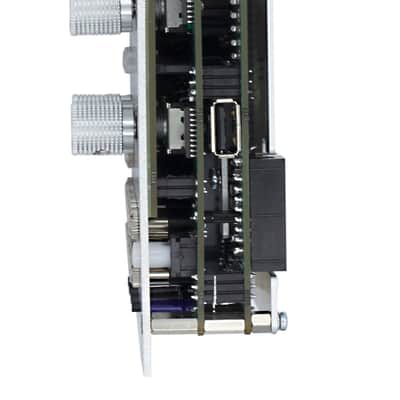
The A-envelope is provided with a USB A port, for firmware update purposes.
Follow the steps to perform the update.
- Download from the firmware list the on you want to apply.
- Copy the downloaded file to at the root of your USB storage device.
- Rename the copied file to a-envgen.hex.
- Power off the module.
- Keep pressed the Attack modulation button.
- Power on the module.
- Now the module is in boot mode.
- The trigger and sustain modulation buttons will get enabled and the channel buttons will blinking waiting for a USB storage device.
- Plug the USB storage device in the module USB port.
- If everything is fine, the channel buttons will show the firmware update check progress.
- If the firmware is not been detected, the channel buttons will remain blinking and you will need to check the previous steps.
- If the firmware is not a valid, or is not suitable for this module, the release shape LED will start blinking.
- If the firmware update check succeeds, the channel button will turn off and the loop, trigger and sustain modulation buttons will get enabled.
- Push the loop button to proceed with the update.
- The channel buttons will show the firmware update progress.
- Once the update terminates, the module will restart.
Now you can enjoy the new features.
Reset to factory values procedure
Follow the steps to apply the factory default values.
- Power off the module.
- Keep pressed the Attack modulation button.
- Power on the module.
- Now the module is in boot mode.
- The trigger and sustain modulation buttons will get enabled and the channel buttons will blinking waiting for a USB storage device.
- Push the sustain modulation button to proceed with the factory default values recall.
- Push the trigger button to restart the module.
| Condition | Brand New (New) Brand New items are sold by an authorized dealer or original builder and include all original packaging.Learn more |
|---|---|
| Brand | |
| Model |
|
| Categories | |
| Made In |
|
Product safety information may be available here.

