Arturia Stage-73 V Electric Piano Virtual Instrument Software
Price€160.59
Incl. VAT
Instant Download

Free Shipping
from Chicago, IL, United States
Listed:over a month ago
Views:832
Saves:1
Offers:0

Chicago, IL, United States
Our users rate Reverb
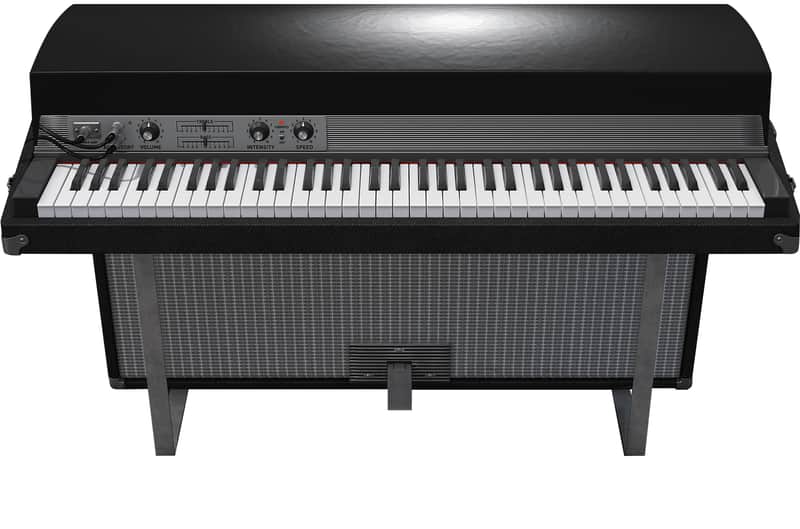
Stage-73 V combines an unmatched physical modeling engine, an authentic pedal & amp rig, and advanced tonal customizations for unprecedented levels of soulful Rhodes realism.Physical Modeling Engine (no samples)
Stage and Suitcase models
Stage model features
Suitcase model features:
Variety of EP Profiles to choose from reflecting the range of voicing possible.
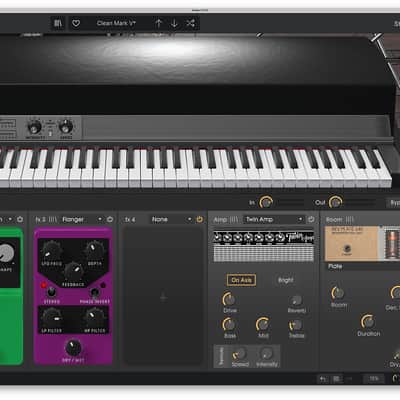
Dedicated effects pedal board:
Advanced mode for editing the model itself:
Compatibility
Windows
Installation Instructions
Stage and Suitcase models
Stage model features
- Fender Rhodes™ Stage 73 1973 and earlier (Tone)
- Fender Rhodes™ Stage 73 1974 and later (Bass Boost)
Suitcase model features:
- Bass and treble EQ models
- Stereo Vibrato with speed and intensity controls
- Modeled preamp of the Suitcase amp
Variety of EP Profiles to choose from reflecting the range of voicing possible.
Dedicated effects pedal board:
- 4 slots with a selection of 13 different effects
- 1 amplifier simulator (Fender Twin or Leslie)
- 1 room ambiance
Advanced mode for editing the model itself:
- Velocity curve editor
- Model selection
- Tuning
- Hammer hardness
- Output selection
- Pickup distance
- Pickup alignment
- Damper duration
- Noise Gate
- Pickup Noise
- Tine Noise
- Damper Noise
- Dynamics
- Tone bar resonance
Compatibility
Windows
- Win 10+ (64bit)
- 4 GB RAM
- 4 cores CPU, 3.4 GHz (4.0 GHz Turbo-boost)
- 3GB free hard disk space
- OpenGL 2.0 compatible GPU
- ARM processors not supported on Windows
- Works in Standalone, VST, AAX, Audio Unit, NKS (64-bit DAWs only).
- Mac OS 11+
- 4 GB RAM
- 4 cores CPU, 3.4 GHz (4.0 GHz Turbo-boost) or M1 CPU
- 3GB free hard disk space
- OpenGL 2.0 compatible GPU
- An elegant and simple solution to help you install, activate, and update your Arturia software instruments.
Installation Instructions
To download your purchase, follow this link to download the Arturia Software Center (ASC)
Once downloaded, launch the ASC and log in (new users can select “Create Account”)
After logging in, find your product in the list and select “Activate”
Once the product has been activated, select “Install”
| Brand | |
|---|---|
| Model |
|
| Categories |
Product safety information may be available here.

