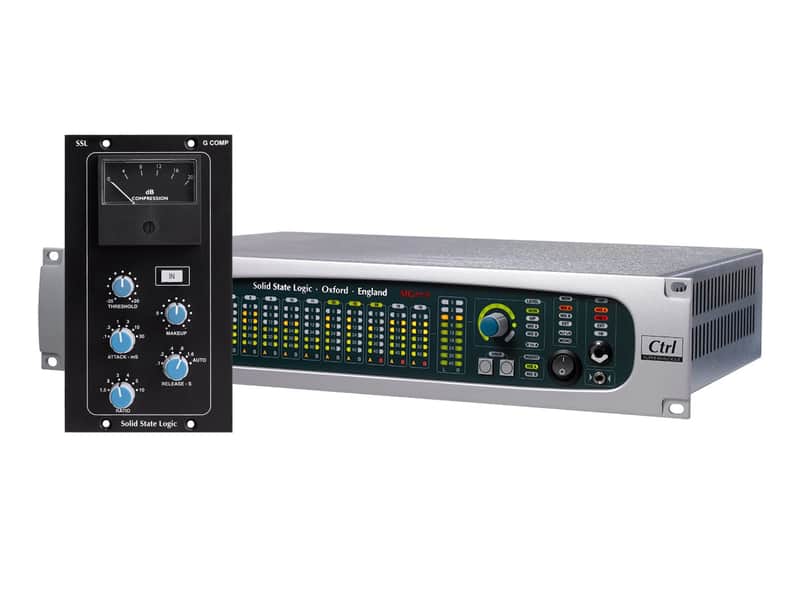
SSL Sigma Summing Mixer with Free SSL Buss Compressor - Special Offer
This listing has ended
See similar gear from other Reverb sellers

Our users rate Reverb
SSL Sigma Summing Mixer with FREE SSL Buss Compressor - Special Offer
** Offer available while stocks last! With FREE Shipping to US/Mainland Europe **
The SSL Sigma has been designed for the DAW user that seeks the legendary big sound of an SSL console while retaining the convenience of working in the box, Sigma is a unique DAW automated SuperAnalogue summing engine.
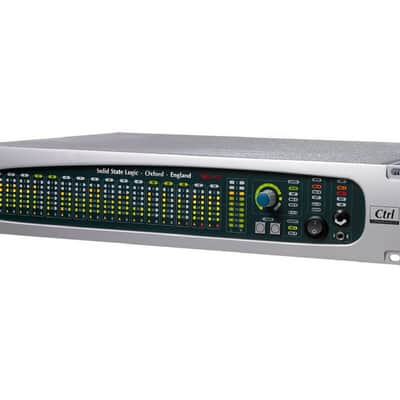
Sigma seamlessly brings the analogue joy of mixing on an SSL console into your DAW dominated workflow. Using MDAC technology unique to SSL, Sigma takes the SuperAnalogue mix buss from SSL's Duality and AWS consoles and delivers it in a 2U rack design, with complete remote control of the analogue signal path, using a hardware control surface and/or volume automation written inside your DAW. Now anyone who can drive a DAW can mix on an SSL.
Consistent feedback from the world's leading producers demonstrates that analogue summing still brings a record together in a special way that no emulation plug-in can match. Sigma and SSL's no-compromise approach to designing audio circuits, delivers summing with an extended low-end frequency response, wide stereo imaging, clarity, depth and detail. When it comes to sonic tone and character many leading engineers state that a significant part of their 'sound' is the magic that happens when you drive the analogue mix buss of a console a little too hard...that delicate cohesive distortion only a pushed analogue mix buss brings their mixes. This is exactly the case with Sigma. It is at its best when pushed to that "sweet spot", to the point where it yields that extra sonic dimension which has always been part of the legendary SSL sound.
Sigma combines its true analogue tone and depth with complete integration into a DAW dominated workflow. In today's commercial environment, fast turnaround of productions, with multiple mix tweaks and revisions, engineers and producers depend upon instant recall of all their settings. Sigma meets this demand. As Sigma's levels are driven from your DAW, the mix recalls instantly upon session load. Furthermore, every setting on Sigma itself (Mix Buss routing, monitoring section and settings) can be saved and recalled at the click of a button.
Sigma also features a dual output monitor and headphone switcher and talkback system which is completely remote controllable. Sigma is set up using a cross platform, tablet ready html 5 software browser that offers comprehensive configuration controls. Running on an iPad or other tablet the browser also performs as a superb remote control for the monitor switcher/talkback.
SSL Sigma Features:
- Advanced DAW automation driven SSL SuperAnalogue mix engine
- Works with all major DAW's including Pro Tools, Logic, Cubase/Nuendo, Ableton Live
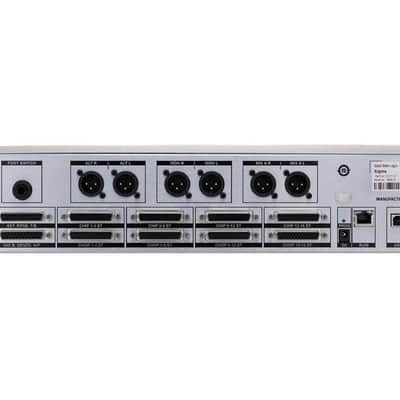
- 16 flexible channels individually switchable between stereo or mono for up to 32 channels at mixdown
- 2 stereo mix busses with individual stereo insert points
- Independent Main and Alternate Monitor outputs
- Direct outputs on all channels
- Talkback facility with adjustable Dim level
- Intuitive cross platform set-up and configuration software interface
- High speed External MIDI control via single Ethernet cable
Setup Concepts
Sigma communicates with your computer a little differently to what you may be used to... it is worth reading this before setting up.
- Sigma is an analogue summing unit which can be controlled remotely using MIDI control and automation data from a DAW or a Hardware Control Surface.
- Sigma uses an application called 'IP MIDI' which runs on your computer and lets you use a standard Ethernet cable connected between your computer and Sigma to carry MIDI information. You need to install IP MIDI before you can use Sigma.
- Sigma can also be remote controlled using a software browser. This browser is not a piece of software you install on your computer, it is actually a set of web pages which are hosted inside Sigma. You access those web pages using a standard internet browser such as Chrome, Firefox, Internet Explorer etc. To access the Sigma Browser 'software' you simply open a tab in your internet browser and type in a number (the IP Address of your Sigma unit). This address can be bookmarked like any normal web page.
- Both the Sigma Browser and IP MIDI require that a network connection exists (via Ethernet) between your computer and Sigma. This is set up in a similar way to configuring a wireless hub and requires selection of appropriate settings in your network control panel in your computer.
- To use a tablet/smartphone device (iPad etc) to control Sigma you will need a Wireless Router, to which your computer and Sigma are already connected (using physical Ethernet cables). You simply connect to your tablet via WI-FI your Wireless Router's signal. This allows you to connect to and control Sigma's web pages, in a tab within your web browser. This is necessary as Sigma does not have a wireless connection of its own.
- The network and MIDI control aspects of Sigma are entirely separate to the audio side of Sigma. All audio connections are made between the Sigma unit and your Computer audio interface/converters.
| Condition | Brand New (New) Brand New items are sold by an authorized dealer or original builder and include all original packaging.Learn more |
|---|---|
| Brand | |
| Model |
|
| Categories | |
| Made In |
|
Product safety information may be available here.