Arturia SEM V Analog Synthesizer Virtual Instrument Software
Price€158.29
Incl. VAT
Instant Download

Free Shipping
from Chicago, IL, United States
Listed:over a month ago
Views:406
Saves:2
Offers:0

Chicago, IL, United States
Our users rate Reverb
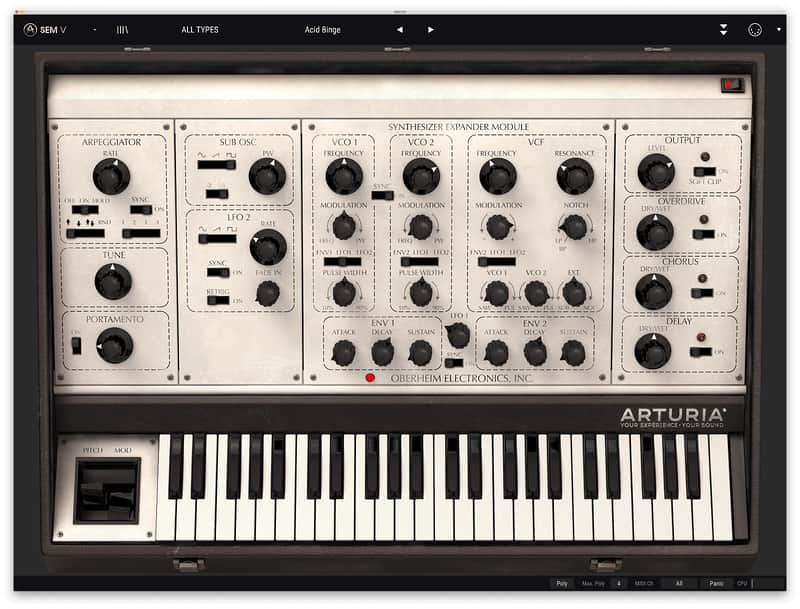
The Oberheim® Synthesizer Expander Module was a complete and gigantic sounding analog synth voice in a box. Now, SEM V resurrects this beautifully minimalist machine in stunning vintage detail, adding capabilities that meet the needs of today’s music makers.
Compatibility
Windows
Installation Instructions
- All the original parameters of the Oberheim® SEM : two oscillators, each offering sawtooth wave and variable-width pulse wave with PWM, sine wave LFO, 12dB/oct multi-mode Filter with low-pass, high-pass, band-pass and notch, two ADS envelope generators.
- Added functionalities : New LFO, Noise, Sub oscillator, on board effects (overdrive, chorus and delay), Arpeggiator, Portamento.
- Polyphony up to 32 and 8 Voice Multitimbrality
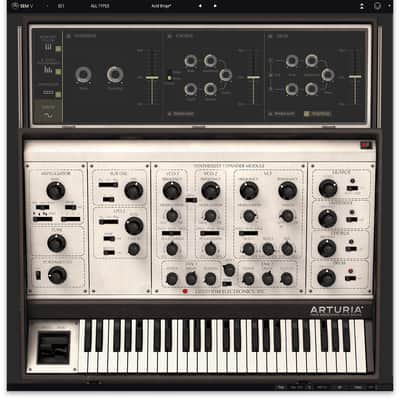
- New 8 Voice Programmer module
- Advanced Keyboard Follow module
- Modulation Matrix module
- Works in Standalone
- Now compatible with iSEM Preset export/import
- Polyphony parameter to limit the polyphony of the plugin
- 20 new factory presets from Ian Boddy
- 21 new factory presets from Erik Norlander
- 35 new factory presets from Richard Courtel
- 11 new factory presets from Kevin Lamb
- 14 new factory presets from Drew Newmann
- "Forward Retrigg" mode for the 8-Voice Programmer (for easy use of sequences using the Arpeggiator)
- "Reassign" mode for the 8-Voice Programmer (like in the original one, the SEM V will first use the boards that are not gated in its voice assignment)
- Sustain pedal is now active on all systems
Compatibility
Windows
- Win 10+ (64bit)
- 4 GB RAM
- 4 cores CPU, 3.4 GHz (4.0 GHz Turbo-boost)
- 3GB free hard disk space
- OpenGL 2.0 compatible GPU
- ARM processors not supported on Windows
- Works in Standalone, VST, AAX, Audio Unit, NKS (64-bit DAWs only).
- Mac OS 11+
- 4 GB RAM
- 4 cores CPU, 3.4 GHz (4.0 GHz Turbo-boost) or M1 CPU
- 3GB free hard disk space
- OpenGL 2.0 compatible GPU
- An elegant and simple solution to help you install, activate, and update your Arturia software instruments.
Installation Instructions
To download your purchase, follow this link to download the Arturia Software Center (ASC)
Once downloaded, launch the ASC and log in (new users can select “Create Account”)
After logging in, find your product in the list and select “Activate”
Once the product has been activated, select “Install”
| Brand | |
|---|---|
| Model |
|
| Categories |
Product safety information may be available here.

