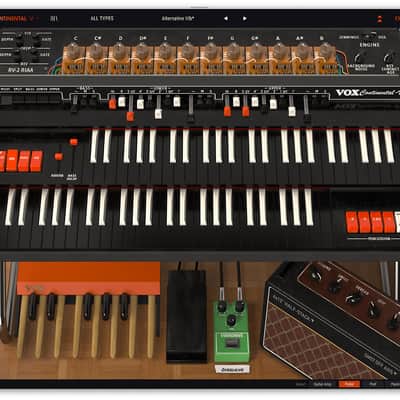
Arturia Vox Continental V Organ Virtual Instrument Software
Price€161.13
Incl. VAT
Instant Download

Free Shipping
from Chicago, IL, United States

Only 1 left
Grab it before it's gone
Listed:over a month ago
Views:1,039
Saves:5
Offers:0

Chicago, IL, United States
Our users rate Reverb
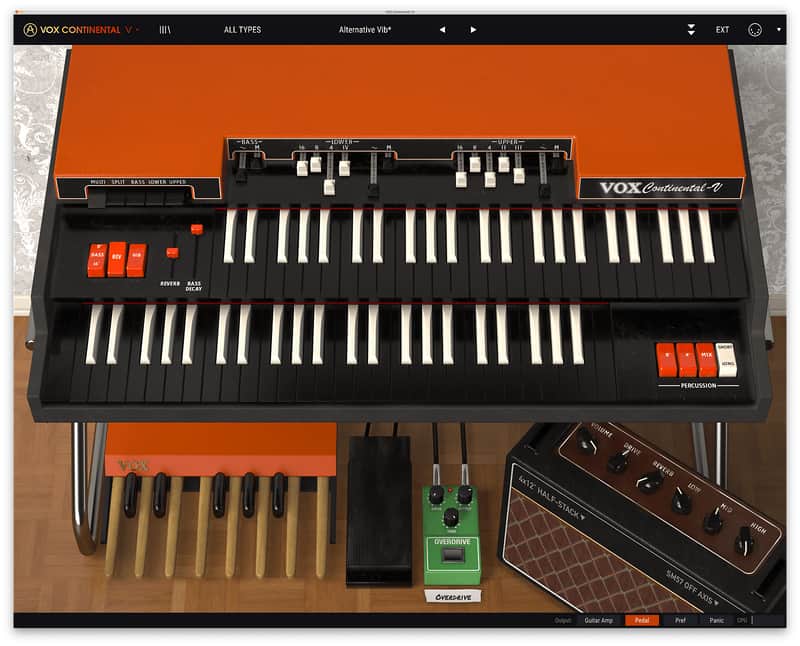
Vox® organs produced the indelible sounds of The Doors, The Animals, Elvis Costello, and even a few Beatles tracks. Vox Continental V puts this sizzling sound front and center in your mix, combining faithful modeling with modern software convenience. Light your fire.
Compatibility
Windows
Installation Instructions
- Dual manual VOX 300 emulation
- Jennings J70 voice engine mode
- Classic red/orange VOX skin or UK VOX/Jennings grey skin
- Upper manual, lower manual and bass pedal sections
- Complete MIDI mapping
- Multiple output effects processors
- Supports MIDI splits or independent channels per manual
- Tight integration with Arturia Keylab MIDI Controller keyboards
- VST, VST3, AU, AAX and standalone versions.
- EXPANDED mode:
- Adds a full compliment of drawbars for each harmonic
- Adds a new waveform drawbar on each section
- Vibrato, tremolo, reverb, overdrive and more effects
- Leslie™ and guitar amp simulator outputs
- Expanded percussion section with short and long decay times
- OPEN mode:
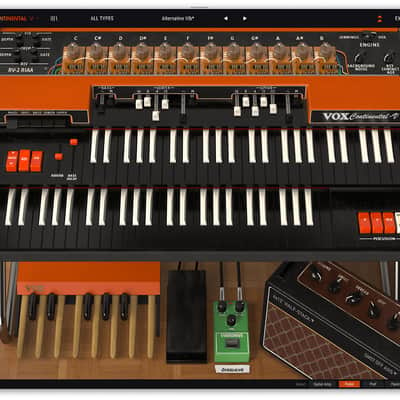
- Allows for individual tuning of each pitch like a real VOX
- Increase or decrease the key contact timing (simulates older key contacts)
- Switch between the VOX 300 circuit emulation and the updated Jennings J70 engine.
- Increase or decrease the background noise bleed that older VOX/Jennings have.
Compatibility
Windows
- Win 10+ (64bit)
- 4 GB RAM
- 4 cores CPU, 3.4 GHz (4.0 GHz Turbo-boost)
- 3GB free hard disk space
- OpenGL 2.0 compatible GPU
- ARM processors not supported on Windows
- Works in Standalone, VST, AAX, Audio Unit, NKS (64-bit DAWs only).
- Mac OS 11+
- 4 GB RAM
- 4 cores CPU, 3.4 GHz (4.0 GHz Turbo-boost) or M1 CPU
- 3GB free hard disk space
- OpenGL 2.0 compatible GPU
- An elegant and simple solution to help you install, activate, and update your Arturia software instruments.
Installation Instructions
To download your purchase, follow this link to download the Arturia Software Center (ASC)
Once downloaded, launch the ASC and log in (new users can select “Create Account”)
After logging in, find your product in the list and select “Activate”
Once the product has been activated, select “Install”
| Brand | |
|---|---|
| Model |
|
| Categories |
Product safety information may be available here.

