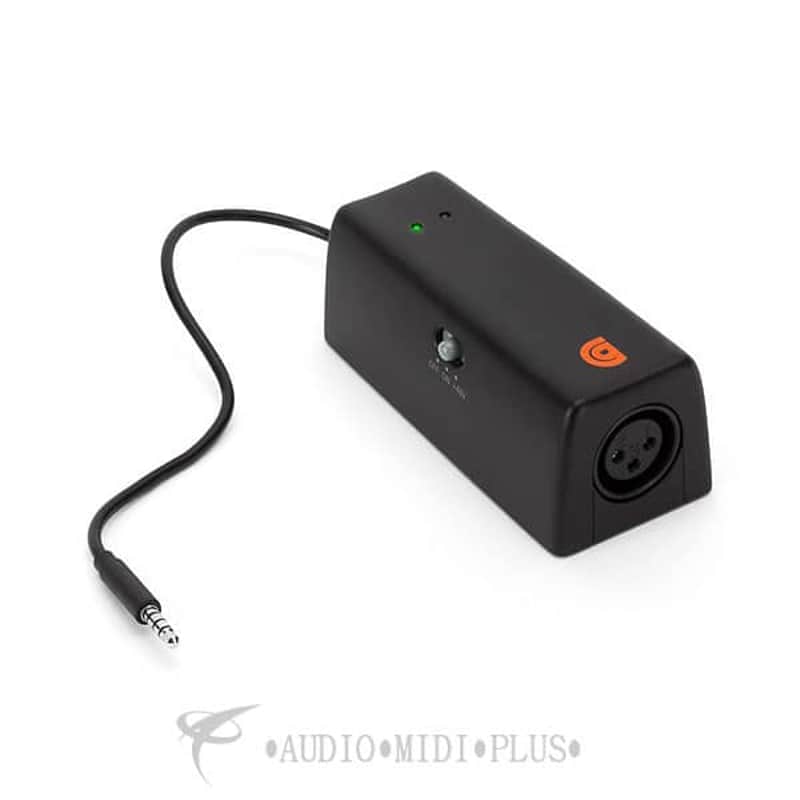

Griffin MICCONNECT for iOS Interface Brand New Factory Sealed - GC35891 - 123890 - 685387363209
This gear has sold
See similar gear from other Reverb sellers

Whether you're practicing in your room, recording with your band, or just jotting down song ideas on the road, MicConnect makes it easy to record vocals on your iPhone, iPad, and iPod touch. Once your mic has been connected to the XLR input on MicConnect, plug the 1/8" (3.5 mm) audio cable into your device's headphone jack and launch GarageBand or other compatible app to get rocking. With built-in +48V phantom power, you're no longer restricted to just passive dynamic microphones. Grab your favorite condenser mic and get to work.
Not just for vocals
MicConnect makes it possible to record not only vocals, but amplifiers, acoustic instruments, and anything else, really, right into GarageBand. Recording guitars, mandolins, drums, or even podcasts are now that much easier.
Easy setup
Plug your mic cable into the front XLR jack on MicConnect, connect the 1/8" (3.5 mm) audio cable into your iPhone, iPad, or iPod touch's headphone jack and launch GarageBand. NOTE: If you're using a condenser microphone, press the +48V button on the top of MicConnect to turn on phantom power (2 x AA batteries required, not included).
- XLR microphone interface for microphones
- Gain adjustment
- +48V phantom power (2 x AA batteries, included) for condenser microphones
- Low-profile design
- Compatible with iPhone, iPad and iPod touch
- MPN : GC35891
- UPC : 685387363209
| Condition | B-Stock (Used) B-Stock items are sold by an authorized dealer or original builder, but have been opened, blemished, or used in some manner.Learn more |
|---|---|
| Brand | |
| Model |
|
| Categories |
Product safety information may be available here.