
Burbank, CA, United States
About this listing
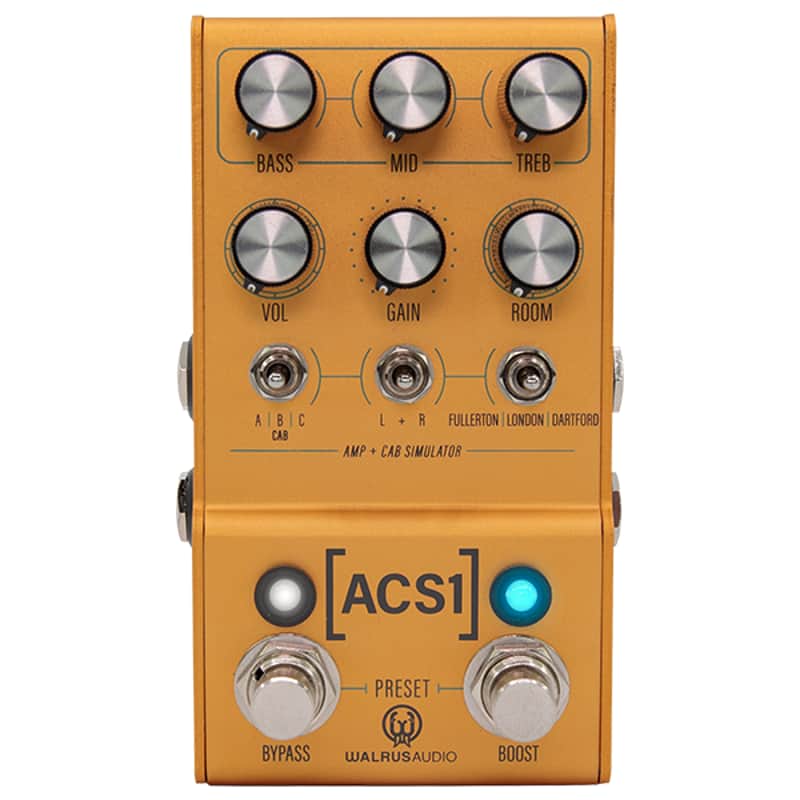
The [ACS1] is an amplifier and speaker cab simulator delivering the sound and feel of world-class amplifiers, complimentary speaker cabinet IRs created by Tone Factor and York Audio, and controllable room size. With the ACS1, players have expansive options to deliver their tone on stage, in the studio, or practicing at home. Simple controls, stereo in and out, onboard presets, and MIDI support make the ACS1 an essential tool in a guitarist's arsenal. Players can also load in their own IRs and update firmware at walrusaudio.io.The ACS1 contains six amplifier models based on fan-favorite amps, each with its place in music history, and twelve cab IRs (Impulse Responses) designed by world-class designers to give you the best tonal representation possible.The ACS1 can mix and match stereo amp and cab combinations. Want to run an AC30-style amp on the left and an Orange-style amp on the right? Or perhaps a 5150 flavored amp in both channels but with two different cabs for a wider stereo sound? When running the ACS1 in stereo, one amp can be used through both channels, or these combinations can be run independently left and right if you choose, leading to powerful, unique amp tones. Simply press down on the Middle encoder to choose individual settings for L, R, or L+R combined. Amps can be mixed and matched with no phase/polarity issues as well.Primary ControlsVolume, gain, and room make up the top three knobs. Volume and gain work together, as gain is increased and made louder, volume can be turned down to compensate.RoomThe ACS1 has three different types of reverb effects:Room - Simulates the size of the room that your amp and cabinet are in. At zero, it would resemble tracking your amp in an isolated environment with no reverb. At max would emulate a natural-sounding, large studio environment.Hall - Simulates the acoustics of a large, live sound space.Spring - Simulates spring reverb tanks found in tube amps.Increase the room size or amount of reverb by adjusting the Room knob. The further clockwise you go, the bigger the room. Decay control can be adjusted for room in the Global Sound menu.Bass/Mid/Treble EQBass, mid, and treble control are adjustable on the home screen with the use of the encoder knobs. The left knob controls bass, the middle is mids, and the right is treble. This simple EQ control has clear visual feedback and can be used to adjust levels on the L, R, and L+R channels.Noise GateA noise gate can be applied and adjusted within the navigation menu, which can be especially helpful when playing with the high-gain amp models.Amp EQPresence and resonance controls are available within Amp EQ Settings in the menu, giving you even more control of your amp tone.Bypass IRs or AmpsCab IRs as well as amp models can both be bypassed with the ACS1, making it more flexible for ampless rigs that still have physical cabs, and vice versa. Access these settings by clicking the bottom middle and right encoder knobs simultaneously.PresetsSave up to three presets onboard by dialing in your favorite sound then pressing and holding the bypass and boost switch simultaneously. Both LEDs will flash confirming your settings were saved. Cycle through presets by pressing and releasing bypass and boost simultaneously. The pedal will cycle through the three onboard presets - red, green, and blue. Additional banks and presets can be accessed in the Global Sound menu by pressing down the Left and Middle encoders simultaneously. When power is removed from the pedal, it will boot up in the last used preset. Using MIDI, up to 128 presets can be saved and recalled
PriceA$657.97
+ A$102.34 Shipping
30-Day Return Policy
Enjoy peace of mind with your new gear