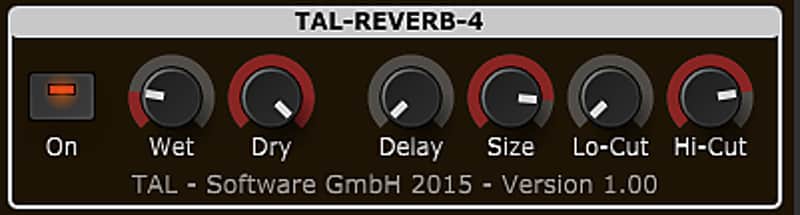
TAL-Reverb-4
PriceFREE
Incl. VAT
Instant Download
This listing has ended
See similar gear from other Reverb sellers
Listed:over a month ago
Views:7,560
Saves:51
Downloads:1,952

Chicago, IL, United States
Our users rate Reverb
TAL-REVERB-4 - The lush reverberations of yesteryear in one easy to use plugin.
What it is:
The standalone version of the high quality reverb implemented in the TAL-Sampler.
How we use it:
For warm stereo reverb.
Why it’s cool:
Like most reverb plugins, TAL-REVERB-4 isn’t a direct copy of something, giving it its own idiosyncratic tone.TAL-Reverb-4 is a standalone version of the high quality reverb implemented in TAL-Sampler.
Features:
Compatibility
Requirements:
Installation Instructions
How to use installed plugins in Ableton Live: https://youtu.be/N2VjFjUhlR4
What's new?
Version History:
What it is:
The standalone version of the high quality reverb implemented in the TAL-Sampler.
How we use it:
For warm stereo reverb.
Why it’s cool:
Like most reverb plugins, TAL-REVERB-4 isn’t a direct copy of something, giving it its own idiosyncratic tone.TAL-Reverb-4 is a standalone version of the high quality reverb implemented in TAL-Sampler.
Features:
- Modulated vintage reverb sound.
- Very diffuse sound.
- Fast build up time, also with long reverb sounds.
- Works on almost every audio material.
- Easy to use.
- Only stereo channels supported.
Compatibility
Requirements:
- Windows: Windows XP or higher (32 / 64 bit)
- OSX: OSX 10.7 or higher (32 / 64 bit).
- AAX: Pro Tools 10.3.6 or higher
Installation Instructions
How to use installed plugins in Ableton Live: https://youtu.be/N2VjFjUhlR4
- If Ableton Live is closed, open it and skip to #5.
- If Ableton Live is already open, go to Preferences.
- Go to Files & Folder.
- Click "Rescan plugins".
- Find the plugin in the Ableton plugins folder in the sidebar.
- Drag-and-drop the plugin onto your track at the bottom of the screen.
- Open Logic Pro X. Newly installed plugins should be detected automatically every time Logic is opened.
- If you've downloaded an effect or utility plugin, these can be used on an insert for any track in the mixer.
- Create a software instrument track if you downloaded a virtual instrument plugin.
- Under Default Patch, go to AU Instruments and choose the plugin you just installed.
- Go to the Reverb SYNC Software and plugin Collection.
- Choose your desired plugin.
- Reverb will auto-detect your platform, so simply click the download button.
- Continue the installation process by following the prompt.
- Hover your mouse over the smart control button.
- Click Show Inspector icon.
- Click on plugins and choose your desired plugin.
What's new?
Version History:
- Possible AAX crash fixed (v 1.2.1)
- Framework update. Fixes UI performance issues on some OSX hosts with VST (v1.2.0)