iZotope Neutrino Spectral Shaping Plugin

iZotope Neutrino Spectral Shaping Plugin
This listing has ended
See similar gear from other Reverb sellers

Our users rate Reverb
What it is:
An intelligent audio analyzer and manipulator - Neutrino listens to an incoming audio signal and adjusts to bring better balance.
How we use it:
Place Neutrino on multiple tracks to level out patchiness and ensure each instrument has a proper place in the mix.
Why it's cool:
Low-CPU usage allows you to place Neutrino on every track - guaranteeing consistency and transparency.
Neutrino
is a free plug-in that offers a glimpse into iZotope's newest mixing
technology. Insert Neutrino on multiple tracks across your session to reveal a
subtle amount of detail that can help elevate great mixes to a new level of
refinement.
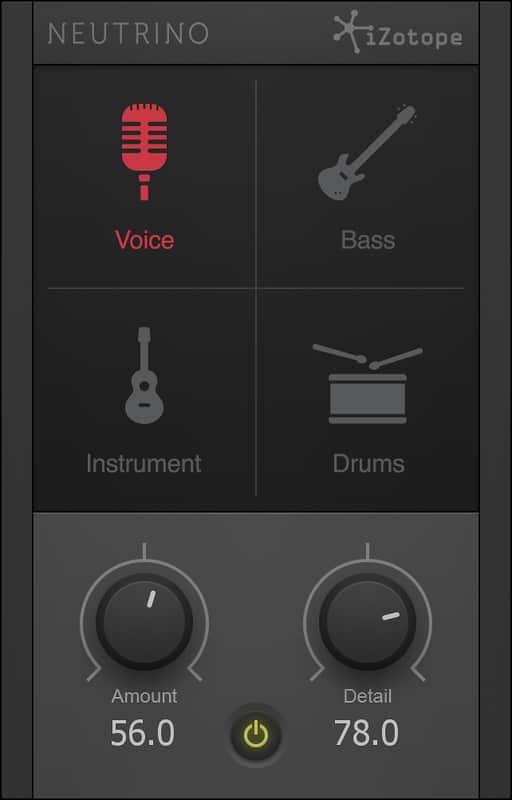
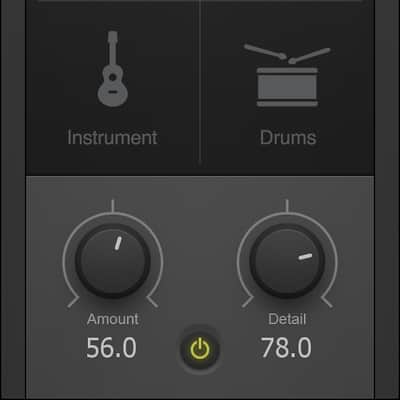
Based on iZotope's Spectral Shaping technology, Neutrino listens to your audio and provides subtle, real-time adjustments based on perceptual hearing models to reduce momentary unevenness in a signal transparently, in a way that conventional equalizers and compressors cannot. With simple controls and low-CPU usage, you can put it on every track in your session and achieve better-balanced mixes without sacrificing dynamics and sonic integrity. Best of all, it's free to download, and easy to use.
Neutrino: Key Features- Clarity across the board: Ultra efficient and designed to add unprecedented balance and focus to
a mix when applied to every track, conceptually similar to analog summing or
console emulations.
- Four modes for tailored response: Voices have a completely different sonic character,
dynamic range, and frequency response than drums, bass, and other instruments.
Shouldn’t your processing take that into account?
- Voice Mode focuses
processing on mid and high frequencies for adding clarity and detail that helps
vocals sit on top of the mix without becoming harsh or strident.
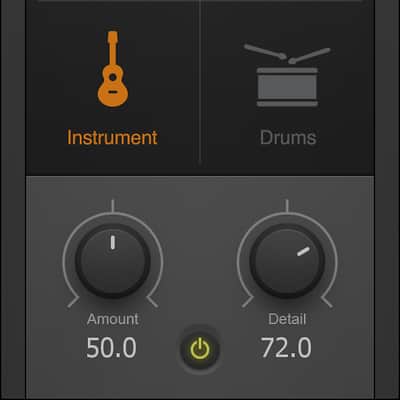
- Instrument Mode
smoothes resonant frequencies while preserving the authentic character of the
instrument.
- Bass Mode is designed
to attenuate notes that stick out while adding punch and weight to electric,
acoustic, and synth basses.
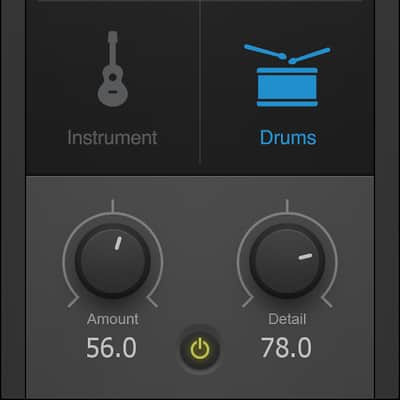
- Drum Mode emphasizes
transient detail across the spectrum while minimizing frequency build-ups that
can sound “muddy” or “flabby.”
- Simple controls: Tweak
just two knobs to dial in the appropriate processing amount and detail for your
music.
Bring your mixes into focus with iZotope’s free Neutrino plug-in. Insert it on multiple tracks in your session to create better-balanced mixes without sacrificing dynamics.
Compatibility
The majority of plugins hosted on Reverb run on both Mac and Windows operating systems. General minimum requirements are as follows:
Mac:
- Mac OS X 10.7 - 10.11.
- Pro Tools 10 and above, Ableton 9 and above, Logic Pro X and above, or any host compatible with VST/AAX/AU.
- Intel Core i3 / i5 / i7 / Xeon
- 2GB RAM.
- Display Resolution of at least 1280 x 1024px
PC:
- Windows 7 - 10.
- Pro Tools 10 and above, Ableton 9 and above, FL Studio 12 and above, or any host compatible with VST/AAX.
- Intel Core i3 / i5 / i7 / Xeon
- 2GB RAM.
- Display Resolution of at least 1280 x 1024px.
Installation Instructions
General Instructions:
- We auto-detect your computer operating system, so just click the download button above.
- Find the downloaded plugin (it's in your computer's download folder, or wherever you've chosen to save it) and double click the installer.
- A plugin installer window will open. Simply go through the installation process.
- We will also send you an email with a link to re-download in case you need it.
- If Ableton Live is closed, open it and skip to #5.
- If Ableton Live is already open, go to Preferences.
- Go to Files & Folder.
- Click "Rescan plugins".
- Find the plugin in the Ableton plugins folder in the sidebar.
- Drag-and-drop the plugin onto your track at the bottom of the screen.
- Open Logic Pro X. Newly installed plugins should be detected automatically every time Logic is opened.
- If you've downloaded an effect or utility plugin, these can be used on an insert for any track in the mixer.
- Create a software instrument track if you downloaded a virtual instrument plugin.
- Under Default Patch, go to AU Instruments and choose the plugin you just installed.
- Open Pro Tools. Newly installed plugins should be detected automatically every time Pro Tools is opened.
- If you've downloaded an effect or utility plugin, these can be used on an insert for many types of tracks (Audio, Aux, Instrument, Master Fader...)
- If you’ve downloaded a software instrument, create a new Instrument track.
- Navigate to the Mixer and locate the newly created Instrument track.
- Select the desired instrument plugin by clicking on any of the Inserts on the Instrument track.
- Go to the Reverb SYNC Software and plugin Collection.
- Choose your desired plugin.
- Reverb will auto-detect your platform, so simply click the download button.
- Continue the installation process by following the prompt.
- Hover your mouse over the smart control button.
- Click Show Inspector icon.
- Click on plugins and choose your desired plugin.