Eventide Quadravox Harmonizer - Reverb Exclusive
This listing has ended
See similar gear from other Reverb sellers

Our users rate Reverb
What it is:
A four-voice pitch shifter inspired by Eventide's famed H8000.
How we use it:
Put Quadravox on a return track to blend in realistic harmonies, ambient delays, or detuned glitches.
Why it's cool:
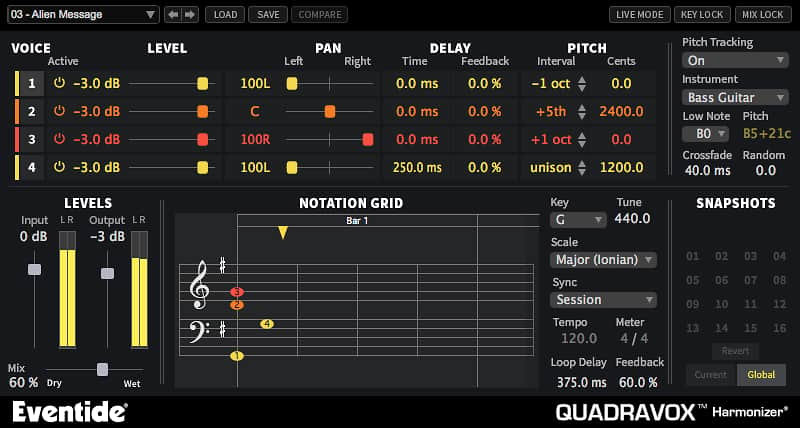
Alongside the endless functionality of the effect, Quadravox's Notation Grid allows for educated harmonizing. Intuitive Compositions
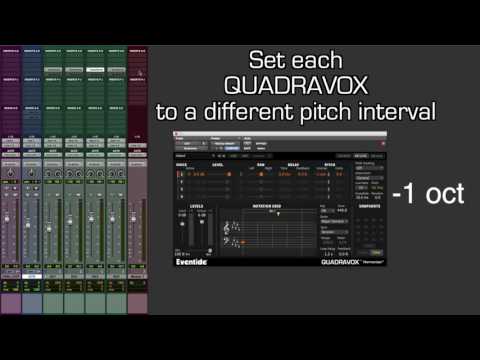
Quadravox is a unique composition tool designed to inspire songwriting, stack harmonies, widen instruments and offers creative innovative rhythmic sequences. With Quadravox, you can take any incoming tones, including drums, and generate up to four voices based on the chosen key and timing interval. It’s optimized for multiple instances so your tracks can interact with each other by way of beautiful harmonies and groovy sequences.
Quadravox controls are intuitive, allowing you to quickly adjust parameters or type in values. Each of the four voices can be independently manipulated by level, panning, delay time with feedback, and pitch, including the type of musical interval. The effect can even be sync’d to your DAW tempo for killer, melodic, rhythmic delays.
Features
Whether you are an electronic musician, singer/songwriter or guitarist, Quadravox has got you covered with more than 60 presets to breathe new life into your musical ideas.
- 4-voice diatonic pitch shifter based on technology from Eventide’s flagship H8000 effects processor with panning, delay, detune, and feedback to create beautiful harmonies and groovy sequences.
- Randomize function randomizes an amount of micro pitch shift resulting in simulation of natural character for each of the 4 voices.
- Pitch-tracking "off" mode allows it to shine on polyphonic and rhythmic sounds
- Optimized for multiple instances and works great on monophonic synths, guitar, and vocals
- MixLock keeps the wet/dry mix of the effect static as you scroll through presets or user-defined snapshots. Key Lock does the same for the Key and Scale.
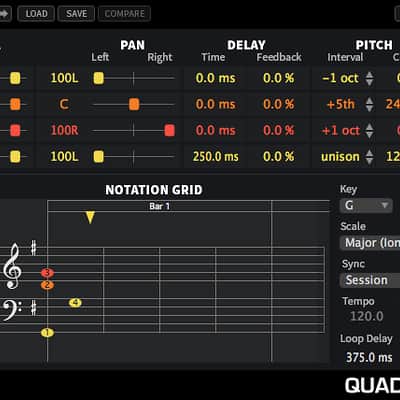
- Unique Notation Grid presents pitches on a traditional music staff with a quantized grid for placing notes over time allowing for a more musical programming experience. Color and brightness indicate pan and level for each voice.
After you receive your serial number and license key, you will need to register it at EventideAudio.com to complete the activation with iLok.
To generate your iLok.com license for this product, please log into EventideAudio.com and register your product at http://Eventideaudio.com/register_product.
From Attack Magazine:
https://www.attackmagazine.com/reviews/gear-software/eventide-quadravox/
Compatibility
iLok: No dongle required, but an iLok.com account is required for authorization.
Quadravox is compatible with any of the following Digital Audio Workstations running on either Microsoft Windows 7+ or Apple OS X 10.7+- Pro Tools 10+ (AAX Native)
- Cubase 7+ (VST)
- Nuendo (VST)
- Wavelab (VST)
- Logic 8+ (AU)
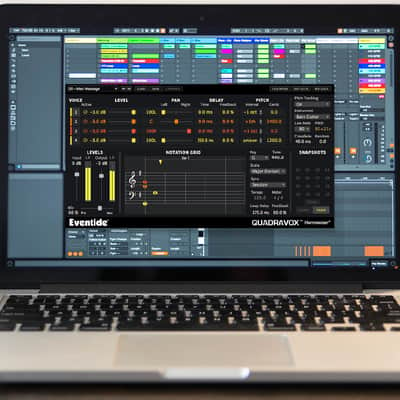
- Ableton Live 7+ (AU, VST)
- Sonar (VST)
- Studio One (AU, VST)
- Digital Performer (AU)
- Reaper (VST)
- GarageBand (AU)
Installation Instructions
Installing and Authorizing Plug-ins -
Before You Begin:
You will need to provide three pieces of information to complete the authorization and installation process:
iLok.com User ID & License Manager- If you don’t have an ilok.com account, you can create one for free by visiting iLok.com
- Download and install the free iLok License Manager to activate and manage your plug-in licenses.
- If you don't have an Eventide account, Click here to Register.
- A confirmation email will be sent after completion. If you don't see it, check your spam folder.
The Serial Number will be two letters followed by 6 numbers (i.e SR-######). The License Key will be 3 sets of 4 characters, a letter or a number, each; like XXXX-XXXX-XXXX.
- Register your plug-in using your Eventide account, iLok user ID, serial number and license key.
- Find your plug-in license in the iLok License Manager and activate it on your computer.
- Download the plug-in installer and run it on the same computer as your DAW and iLok License Manager.
- Launch your DAW. If you do not see the plug-in, you may need to rescan.