Kuassa EVE-AT Bundle
This listing has ended
See similar gear from other Reverb sellers

Our users rate Reverb
The Kuassa EVE-AT1 / EVE-AT4 consists of two individual EQs inspired by the design of the legendary Neve* 1081 and 1084 that are known for their clear, smooth, and very musical characteristics. We are thrilled by the sound and present these EQs as a modern tribute to one of the most influential audio tools ever created.
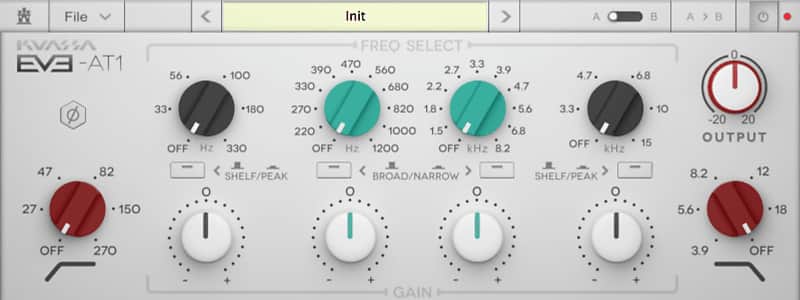
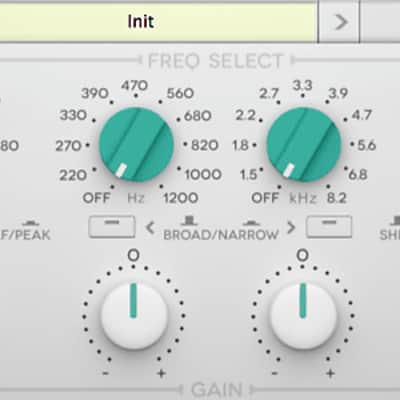
EVE-AT1 is a 4-band parametric equalizer with an additional high-pass and low-pass filter. Inspired by the EQ section of a renowned British Classic –the Neve* 1081 –this equalizer delivers a clear, smooth, and musical sound to shape your tracks. The EVE-AT1 posseses an additional parametric band with expanded Q bandwidth selection in the low-mid and high-mid frequency ranges as compared to the EVE-AT4. In addition, the AT1 impelements a different high-pass and low-pass filter, giving the AT1 a slightly more conventional frequency response in these areas. These characteristics mean the EVE-AT1 is suitable for a broad range of musical applications, offering flexibility, versatility and all-round utility.
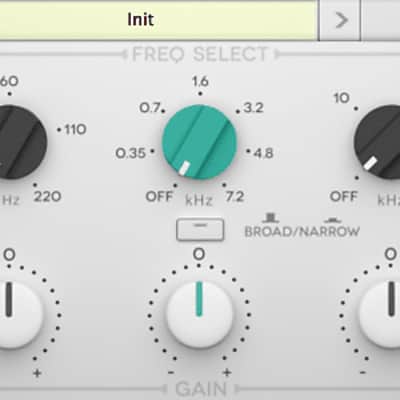
EVE-AT4 is a 3-band equalizer with an additional high-pass and low-pass filter. Designed as a tribute to the EQ section of the Neve* 1084, which was created as the successor to the legendary Neve* 1073. Although the EVE-AT4 possesses fewer bands, a smaller frequency selection palette, and less Q bandwidth selection options as compared to the EVE-AT1, its strength lies in its unique filter implementation, producing an idiosyncratic frequency response not present on the EVE-AT1. The result is a particular tonal character; the sound and tonal shape of its original incarnation is a hallmark of many classic recordings from the 70s.
Both the AT1 and AT4 were designed with simplicity and clarity in mind, allowing for straightforward usage and immediate productivity. Although they share certain tonal characteristics, the EVE-AT1 and EVE-AT4 reveal their differences in the details. The EVE-AT4 is the stronger ‘character’ equalizer, while the EVE-AT1 is suitable as a ‘go-to’ equalizer for a wide range of instruments and musical applications.
- Approximately +/-18dB (Narrow Q), and +/-12 dB (Broad Q).
- Selectable broad/narrow Q bandwidth.
- Selectable shelf/peak filter mode.
- HP & LP, -18 dB/octave.
- A/B compare button, A/B copy button.
- Output trim, Phase Reverse Button.
Compatibility
- Windows XP, Vista, 7, or Later (32/64-bit)
- Mac OS 10.6 or later (32/64-bit)
Installation Instructions
Redeem Instructions:
We strongly suggest for all users to register to Kuassa Member Area as described below. Your purchased product(s) and their corresponding license(s) will be available there at any time.
When purchased the plugin from Reverb:
- After completing a purchase, the reseller’s system will automatically send you a purchase receipt along with a unique 18-digit [Order ID] with format like this: ABC0000ABC-XXXX-XXXXX
- Download the correct installer for your DAW here: http://kuassa.com/downloads . We supports VST, VST3, Audio Unit and AAX (and Standalone for the Amp Sims), then make sure it runs inside your DAW.
- Visit the Member Area here: https://member.kuassa.com or through the [Support] drop-down menu from the kuassa.com main page
- To gain access, click [register] and fill all the required fields. You don’t need to provide the same credentials as the ones you entered when you do a purchase.
- After registering, our system will automatically send a confirmation email to your inbox containing an [Activation Code]. Simply click the confirmation link provided, or copy the [Activation Code] and paste to the Member Area form.
- You can sign in with the email address and password right after the [Activation Code] is successfully entered.
- Once inside the Member Area, to add your purchased plugins, click on [Register New Product] and enter your [Order ID]. Then download the [License File] which looks like this: ProductName.kuassa
- You can download the License File at any time from your Member Page by clicking on the [Download] button for related product(s).
- Use the [License File] to authorize your Kuassa plug-in using the [File] button on the top left of the plug-in’s interface, then point it to the [License File]
- Done! Visit: http://kuassa.com/redeem or e-mail [email protected] if you need assistance.
Alternative method of authorizing
If you had troubles to authorize the plugin from the DAW, you can manually authorize it by copying the license file and paste it to these folders:
Windows: “Documents/Kuassa/Licenses/”
Default full path: “C:/Users/[username]/Documents/Kuassa/Licenses/”
Mac OSX: “Music/Audio Music Apps/Kuassa/Licenses/”
Default full path: “Macintosh HD//Users/[username]/Music/Audio Music Apps/Kuassa/”
** Only for Amplifikation One
Windows: “C:\Program Files (x86)\Steinberg\Vstplugins\Kuassa\AmplifikationOne Files\”
For 64-bit users, the default location on “C:\Program Files\”
Mac OSX: “Users/[username]/Library/Application Support/Kuassa/”
By default, the User Library folder is hidden. You can access it by opening Finder, click on Go on the top menu and hold the [Option] button. A new “Library” selection will appear.