Fender ULT-4 Footswitch Pedal for Fender G Dec 30 Amp
This gear has sold
See similar gear from other Reverb sellers
Listed:10 years ago
Views:437
Saves:25
Offers:0

New Orleans, LA, United States
Our users rate Reverb
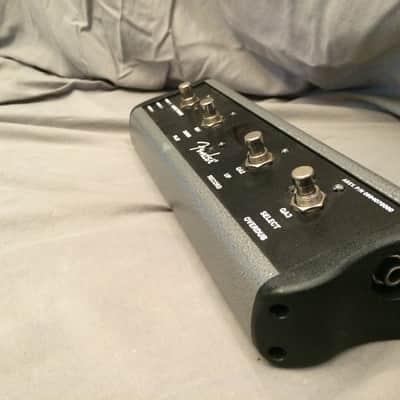
Get the most out of your Fender G-Dec 30 or B-Dec 30 amp with the ULT-4 4-button footswitch!
Features- 4-button footswitch:
- Mode select
- Start/stop of backing tracks and phrase samples
- Program select
- Tuner select with 1/4" jack
The ULT-4 is fully compatible with
● Fender G-DEC® 30
● Fender B-DEC®
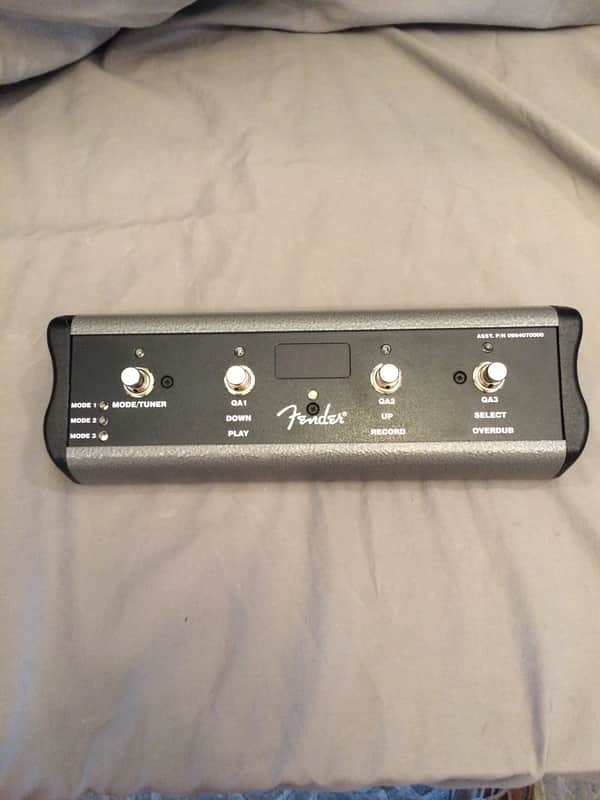
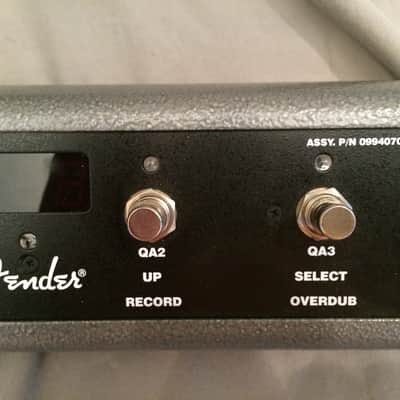
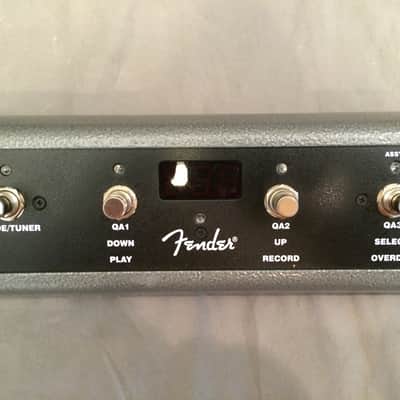
Connect an (optional) Fender ULT-4 footswitch (P/N 0994070000) to your G-DEC 3 to enable remote control of essential G-DEC 3 functions. The footswitch screen and LEDs show you some of the same information as the amplifier display, so you can, for example, tune your guitar and select presets by watching the footswitch without ever looking at the G-DEC 3 display! • Select Quick Access presets • Use the Tuner • Select presets (up/down) • Start/stop Band tracks • Use the Phrase Sampler (play/record/overdub)
The footswitch has three modes that are indicated by the three LEDs labeled MODE 1, MODE 2 and MODE 3. The footswitch also has a Tuner mode which is indicated when all of the mode LEDs are off.
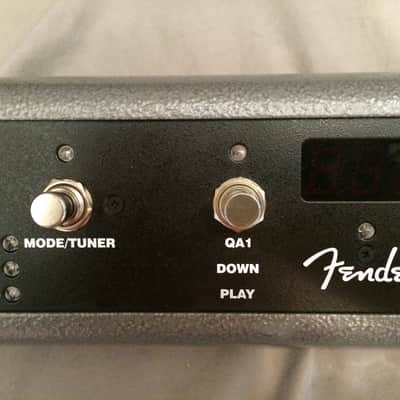
To switch between modes, press the MODE button. To activate Tuner mode, press and hold the MODE button for 2 seconds.
Mode 1—In Mode 1 the footswitch is used to select Quick Access presets as indicated by the labels (QA1 / QA2 / QA3) under each button, in line with the MODE 1 LED. When you select a Quick Access preset, the number of the preset will appear in the display of the footswitch.
Mode 2—In Mode 2 the footswitch is used to select presets and start/stop the band track as indicated by the labels (DOWN / UP / SELECT) under each button, in line with the MODE 2 LED. When you select a preset, the number of the preset will appear in the display of the footswitch.
Mode 3—In Mode 3 the footswitch is used to operate the Phrase Sampler as indicated by the labels (PLAY / RECORD / OVERDUB) under each button, in line with the MODE 3 LED. The footswitch button LEDs indicate your Phrase sampler actions, but the phrase progress bar is only displayed on the G-DEC 3 screen.
Tuner Mode—Press and hold the MODE button for 2 seconds to activate the Tuner. The screen and the footswitch both will display the same tuner information so that you can look in either place to tune your guitar. The footswitch will display the nearest note. The button LEDs will indicate sharp and flat. "In tune" is indicated when the green LED below the footswitch display lights up. Press any footswitch button to exit Tuner mode
| Listed | 10 years ago |
|---|---|
| Condition | Mint (Used) Mint items are in essentially new original condition but have been opened or played.Learn more |
| Brand | |
| Model |
|
Product safety information may be available here.