Allen & Heath iLive T112 & iDR48
Price€4,471.01
Local Pickup Only
This listing has ended
See similar gear from other Reverb sellers
Listed:8 years ago
Views:620
Saves:8
Offers:1

Huntsville, AL, United States
Our users rate Reverb
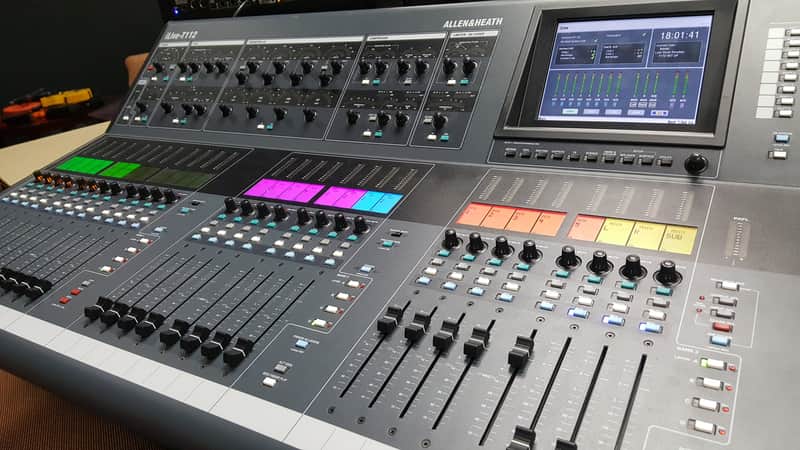
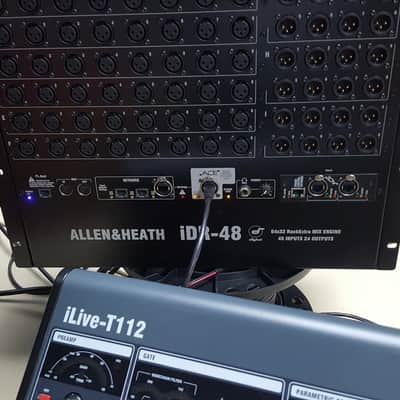
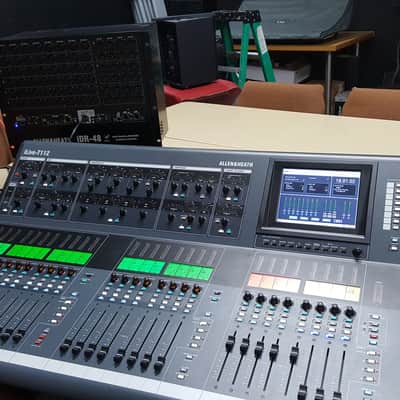
This T112 and IDR48 were used to mix audio for video as a part of our church's weekly broadcast and stream ministry. The surface and rack are in fine working condition, and are in great shape, with no notable scratches or dings. The system was purchased new and spent its entire life in a climate controlled venue. The components can be picked up or shipping by common carrier can be arranged at cost. Depending on distance, this could run $200 to $500.
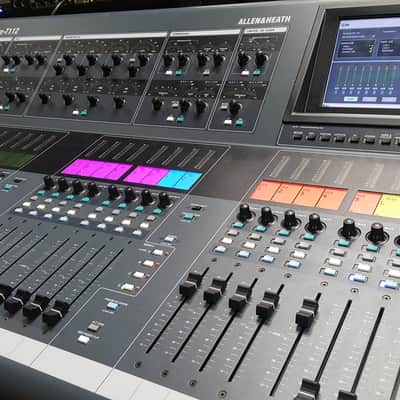
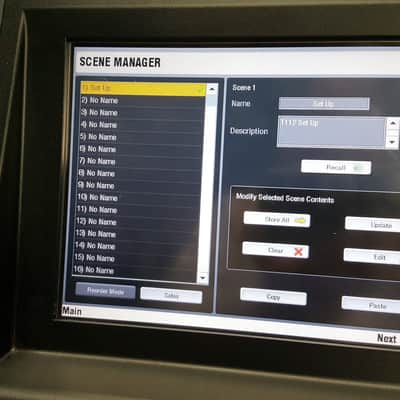
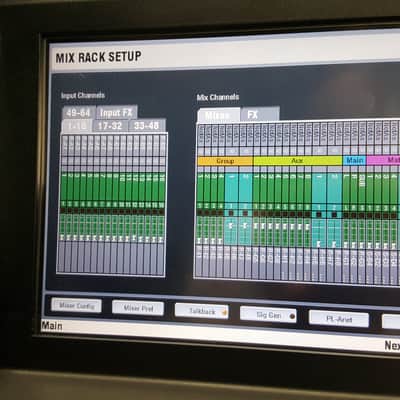
ILIVE-T112 OVERVIEW The Surface is simply a controller for the MixRack. It also has an audio rack built into it to conveniently provide local inputs and outputs at the mix position. It features a large analogue style, one control per function processing block, TouchScreen, name and colour virtual ‘write-on’ strip, banks of motorised faders with independent layers, SoftKeys, built-in headphones, local monitor and talkback. The iLive-T112 provides all iLive functionality in a cost-effective, light weight chassis with fixed format I/O.
FEATURE SUMMARY Larger fixed format Surface Same control as top of the range, modular iLive-112 28 faders – 3 banks, 4 layers = 112 control strips 16 in, 12 out audio In = 8x TRS line, 4x phono, 2x SPDIF Out = 8x TRS line, 2x phono, 1x SPDIF, monitor TRS TB mic can be patched to talkback or channels ACE™ Surface link (audio and control over single CAT5) Built in 2 port Ethernet switch MIDI port
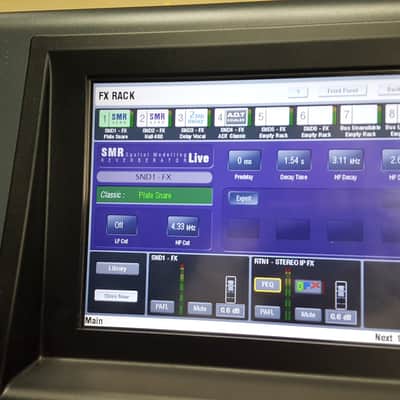
The Surface is simply a network controller for theMixRack. It has a built-in interface for local audiowhich is transported to and from the MixRack via theACE connection along with the Ethernet control. Eachbank of faders has 4 or 6 layers providing a total of 72,80 or 112 control strips depending on Surface size.These strips are freely assignable as inputs, mixmasters or DCAs in any combination. The Surfacesoffer the same control, the difference being a reducedrotary control section for the smaller models. Allprocessing is available using the TouchScreen.iLive-T112 Biggest surface:28 faders, 4 layers = 112 strips16 local line in = 8 TRS, 4 RCA, 2 SPDIF14 local out = 8 TRS, 2 RCA, 1 SPDIF, Monitor Channel Processing Strip Analogue style control section with dedicated rotary controls, switches and meters for the channel or mix preamp, HPF, gate, PEQ,compressor and limiter/de-esser. Press the strip SEL key to access the processing of the channel or master assigned to it. The controls illuminate when they are available. TouchScreen For status display,system setup and memory management.To see an alternative graphical view oft he processing for the channel or master currently selected make sure none of the keys below the screen is selected.Fader Banks Independent groups of fader strips with 4 layers each.Provides control of the Input channel, FX return, Mix master orDCA assigned to it.SEL opens the channel processing for the selected strip.MIX presents the sends for the selected strip on faders (or encoders) and assignments and pre/post settings in the strip LCD windows. Soft Keys 8 user assignable keysVirtual write-on stripName and color PAFL monitor and SIPTalkback mic input, level and48V. Hold downTB ASSIGN and press the masterMIX keys to assign. Copy/Paste/Reset edit keysDimmerScene GO recall keys. . These are disabled by default.Use the SURFACEPreferences option to enable.SCENE SAFES to prevent selected channels being overwritten by the memories. Hold down SAFES and press MIX keys to toggle on or off.ASSIGN and PRE/POST access keys for the selected mix.While a MIX is active:Hold down ASSIGN and press strip MIX keys to toggle the assignments on or off.Hold down PRE/POST and press strip SEL keys to toggle pre or post fade.Hold down ROTARY SHIFT to access the second encoder function if it has one.Hold down ALT VIEW to view the channel or socket numbers in place of the name in the LCD windows. GEQ FADER FLIP to present the GEQ across the faders.FREEZE IN LAYERS to keep a channel visible across all layers. Hold down and press stripMIX keys.VGA port for external monitor(same view asTouchScreen).For future use…2x USB ports. Plug yourUSB key in here. Local PAFL monitor output Assignable local audio inputs and outputs.Rows A, C = inputsRows B, D = outputs.Balanced TRS jackRCA phonoRCA digital (SPDIF)Surface to MixRack linkACE (audio and control overEthernet) CAT5 cable up to120m (400 feet) *Additional Ethernet ports for connecting laptops and wireless router. MIDI in and out Lamp sockets I EC mains power input Depends on cable type. Refer to allen-heath.com for recommended cable types and maximum lengths. Using ACE & nbsp; requires a single CAT5 cable which transports AUDIO and CONTROL over the same cable.Plug MixRack Port A ACE 1 to the Surface Port A ACE 1 to connect the PAFL, talkback and rear panel input/output signals (channels 1 to 32) to and from the Surface. For information on using the optional network modules refer to information later in the user guide.
ILIVE-T112 OVERVIEW The Surface is simply a controller for the MixRack. It also has an audio rack built into it to conveniently provide local inputs and outputs at the mix position. It features a large analogue style, one control per function processing block, TouchScreen, name and colour virtual ‘write-on’ strip, banks of motorised faders with independent layers, SoftKeys, built-in headphones, local monitor and talkback. The iLive-T112 provides all iLive functionality in a cost-effective, light weight chassis with fixed format I/O.
FEATURE SUMMARY Larger fixed format Surface Same control as top of the range, modular iLive-112 28 faders – 3 banks, 4 layers = 112 control strips 16 in, 12 out audio In = 8x TRS line, 4x phono, 2x SPDIF Out = 8x TRS line, 2x phono, 1x SPDIF, monitor TRS TB mic can be patched to talkback or channels ACE™ Surface link (audio and control over single CAT5) Built in 2 port Ethernet switch MIDI port
The Surface is simply a network controller for theMixRack. It has a built-in interface for local audiowhich is transported to and from the MixRack via theACE connection along with the Ethernet control. Eachbank of faders has 4 or 6 layers providing a total of 72,80 or 112 control strips depending on Surface size.These strips are freely assignable as inputs, mixmasters or DCAs in any combination. The Surfacesoffer the same control, the difference being a reducedrotary control section for the smaller models. Allprocessing is available using the TouchScreen.iLive-T112 Biggest surface:28 faders, 4 layers = 112 strips16 local line in = 8 TRS, 4 RCA, 2 SPDIF14 local out = 8 TRS, 2 RCA, 1 SPDIF, Monitor Channel Processing Strip Analogue style control section with dedicated rotary controls, switches and meters for the channel or mix preamp, HPF, gate, PEQ,compressor and limiter/de-esser. Press the strip SEL key to access the processing of the channel or master assigned to it. The controls illuminate when they are available. TouchScreen For status display,system setup and memory management.To see an alternative graphical view oft he processing for the channel or master currently selected make sure none of the keys below the screen is selected.Fader Banks Independent groups of fader strips with 4 layers each.Provides control of the Input channel, FX return, Mix master orDCA assigned to it.SEL opens the channel processing for the selected strip.MIX presents the sends for the selected strip on faders (or encoders) and assignments and pre/post settings in the strip LCD windows. Soft Keys 8 user assignable keysVirtual write-on stripName and color PAFL monitor and SIPTalkback mic input, level and48V. Hold downTB ASSIGN and press the masterMIX keys to assign. Copy/Paste/Reset edit keysDimmerScene GO recall keys. . These are disabled by default.Use the SURFACEPreferences option to enable.SCENE SAFES to prevent selected channels being overwritten by the memories. Hold down SAFES and press MIX keys to toggle on or off.ASSIGN and PRE/POST access keys for the selected mix.While a MIX is active:Hold down ASSIGN and press strip MIX keys to toggle the assignments on or off.Hold down PRE/POST and press strip SEL keys to toggle pre or post fade.Hold down ROTARY SHIFT to access the second encoder function if it has one.Hold down ALT VIEW to view the channel or socket numbers in place of the name in the LCD windows. GEQ FADER FLIP to present the GEQ across the faders.FREEZE IN LAYERS to keep a channel visible across all layers. Hold down and press stripMIX keys.VGA port for external monitor(same view asTouchScreen).For future use…2x USB ports. Plug yourUSB key in here. Local PAFL monitor output Assignable local audio inputs and outputs.Rows A, C = inputsRows B, D = outputs.Balanced TRS jackRCA phonoRCA digital (SPDIF)Surface to MixRack linkACE (audio and control overEthernet) CAT5 cable up to120m (400 feet) *Additional Ethernet ports for connecting laptops and wireless router. MIDI in and out Lamp sockets I EC mains power input Depends on cable type. Refer to allen-heath.com for recommended cable types and maximum lengths. Using ACE & nbsp; requires a single CAT5 cable which transports AUDIO and CONTROL over the same cable.Plug MixRack Port A ACE 1 to the Surface Port A ACE 1 to connect the PAFL, talkback and rear panel input/output signals (channels 1 to 32) to and from the Surface. For information on using the optional network modules refer to information later in the user guide.
This item is sold As-Described
This item is sold As-Described and cannot be returned unless it arrives in a condition different from how it was described or photographed. Items must be returned in original, as-shipped condition with all original packaging.Learn More.
| Listed | 8 years ago |
|---|---|
| Condition | Excellent (Used) Excellent items are almost entirely free from blemishes and other visual defects and have been played or used with the utmost care.Learn more |
| Brand | |
| Model |
|
| Categories | |
| Made In |
|
Product safety information may be available here.