Waves CLA Classic Compressors
New Price€549.59
Instant Download
This gear has sold
See similar gear from other Reverb sellers
Listed:over a month ago
Views:932
Saves:4
Offers:4

Chicago, IL, United States
Our users rate Reverb
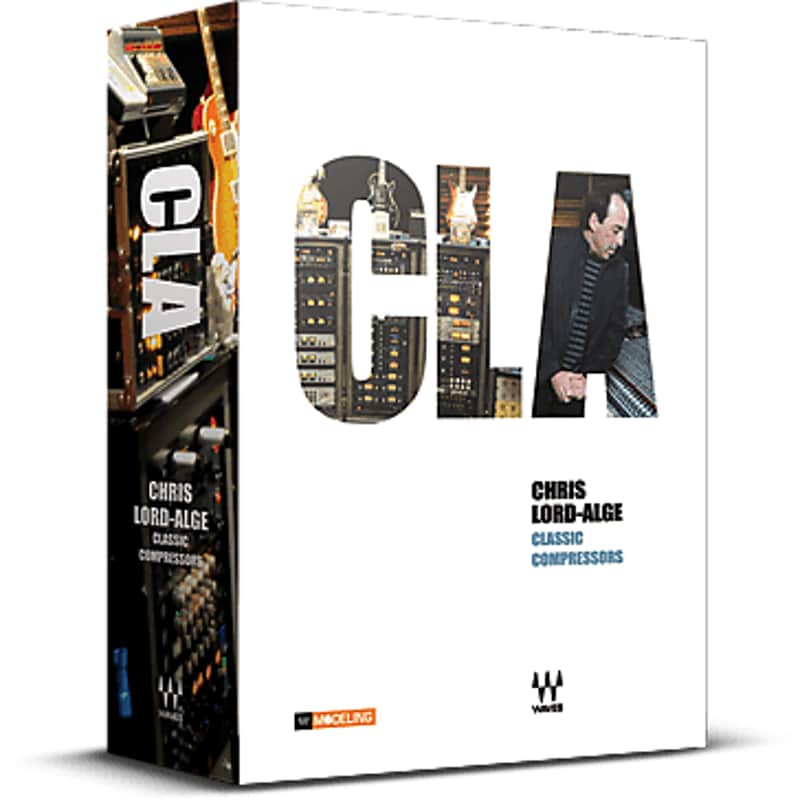
Chris Lord-Alge, the Grammy®-winning engineer helped create four classic compressor models.
What it is:
Four classic compressors, based on iconic hardware models.
How we use it:
Use on bass tracks to get in-pocket bass tones, duck vocal tracks the right amount to sit in your mix, and slam drum tracks with a classic sound.
Why it's cool:
This set of custom classic designed compressors will take your productions and mixes to new sonic territories. CLA Classic Compressors
True classics stand the test of time.
Chris Lord-Alge is a true classic. Over the course of a career spanning almost three decades, he has worked alongside many artists who are classics in their own right.
Green Day. U2. Dave Matthews Band. Tim McGraw. Brian Setzer. Peter Frampton. Tina Turner. Rod Stewart. Steve Winwood. James Brown. Grandmaster Flash & the Furious Five. And many others.
Now, Waves and Chris Lord-Alge join forces to bring you impeccable models of four compressors considered true classics by audio engineers the world over.
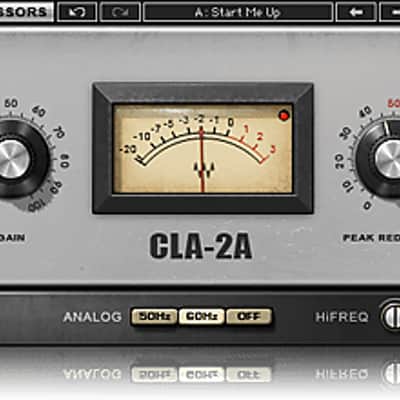
Modeled on the legendary electro-optical tube compressor, this plugin emulates the original’s smooth frequency-dependent behaviors which made it a favorite of engineers everywhere.
CLA-3A Compressor / Limiter
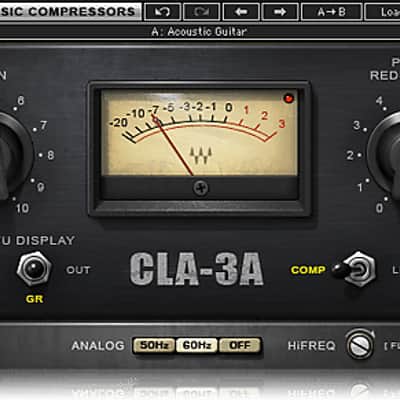
Based on the early ‘70s solid-state unit with its transparent compression curve, the CLA-3A compressor plugin delivers the quick response and subtle harmonic distortion of the original.
CLA-76 Compressor / Limiter (“Blacky” and “Bluey”)
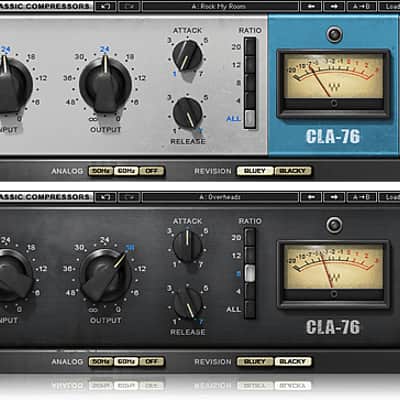
Inspired by the famed mid-‘60s Class A line level limiting amplifier, Waves CLA-76 compressor plugin offers the superfast attack that made the original studio legends.
Compatibility
Mac OS:
CPU
Memory
Operating System
Screen Resolution
Supported Hosts - Mac:
Windows OS:
CPU
Memory
Operating System
Screen Resolution
Supported Hosts - Windows:
Installation Instructions
What it is:
Four classic compressors, based on iconic hardware models.
How we use it:
Use on bass tracks to get in-pocket bass tones, duck vocal tracks the right amount to sit in your mix, and slam drum tracks with a classic sound.
Why it's cool:
This set of custom classic designed compressors will take your productions and mixes to new sonic territories. CLA Classic Compressors
True classics stand the test of time.
Chris Lord-Alge is a true classic. Over the course of a career spanning almost three decades, he has worked alongside many artists who are classics in their own right.
Green Day. U2. Dave Matthews Band. Tim McGraw. Brian Setzer. Peter Frampton. Tina Turner. Rod Stewart. Steve Winwood. James Brown. Grandmaster Flash & the Furious Five. And many others.
Now, Waves and Chris Lord-Alge join forces to bring you impeccable models of four compressors considered true classics by audio engineers the world over.
- Four models based on classic compressors
- Created in collaboration with Grammy® award-winning mixer Chris Lord-Alge
- Includes CLA-2A, CLA-3A, CLA-76 Blacky & CLA-76 Bluey
Modeled on the legendary electro-optical tube compressor, this plugin emulates the original’s smooth frequency-dependent behaviors which made it a favorite of engineers everywhere.
CLA-3A Compressor / Limiter
Based on the early ‘70s solid-state unit with its transparent compression curve, the CLA-3A compressor plugin delivers the quick response and subtle harmonic distortion of the original.
CLA-76 Compressor / Limiter (“Blacky” and “Bluey”)
Inspired by the famed mid-‘60s Class A line level limiting amplifier, Waves CLA-76 compressor plugin offers the superfast attack that made the original studio legends.
Compatibility
Mac OS:
CPU
- Intel Core i3 / i5 / i7 / Xeon
Memory
- 4 GB RAM
- 8 GB free disk space
Operating System
- 10.9.5 - 10.12.1
- 10.8.5 for ProTools 10 only
Screen Resolution
- Minimum: 1024x768
- Recommended: 1280x1024 / 1600x1024
- USB displays are not supported as the primary display.
Supported Hosts - Mac:
- Pro Tools 11.3.2 - 12.6 (AAX Native 64-bit, Audiosuite)
- Pro Tools 10.3.10 (RTAS, Audiosuite)
- Logic Pro X 10.2 - 10.2.4 (Audio Units)
- Digital Performer 9.0 - 9.1.2 (Audio Units)
- Ableton Live 9.2.2 - 9.7 (VST)
- Nuendo 7.0.20 - 7.1 (VST3)
- Cubase 8.0.30 - 8.5 (VST3)
- WaveLab 9.0.10 - 9.0.15 (VST3)
- Main Stage 3.2 - 3.2.3 (Audio Units)
- Garage Band 10.1.0 - 10.1.3 (Audio Units)
- Audition CC2015, CC2017 (VST3)
- Adobe Premiere CC2015, CC2017 (VST3)
- Final Cut Pro X 10.2.2 - 10.2.3 (Audio Units)
- Studio One 3.1 - 3.3.1 (VST3)
- Media Composer 8.6.3 - 8.6.4 (AAX Native)
- Sound Forge Pro 2.5 (Audio Units)
- REAPER 5.18 - 5.22 (VST3)
Windows OS:
CPU
- Intel Core i3 / i5 / i7 / Xeon / AMD Quad-Core
Memory
- 4 GB RAM
- 8 GB free disk space
Operating System
- Windows 7 with SP1 64 bit
- Windows 8.1 64 bit
- Windows 10 64 bit
Screen Resolution
- Minimum: 1024x768
- Recommended: 1280x1024 / 1600x1024
Supported Hosts - Windows:
- Pro Tools 11.3.2 - 12.6 (AAX Native 64-bit, Audiosuite)
- Pro Tools 10.3.8 - 10.3.10 (RTAS, Audiosuite)
- Ableton Live 9.1.6 - 9.7 (VST)
- Nuendo 6.5.35 - 7.1 (VST3)
- Cubase 7.5.30 - 8.5 (VST3)
- WaveLab 8.5, 9.0.10 - 9.0.15 (VST3)
- Sonar X3e (VST3), Platinum (VST3)
- Sound Forge 10.0e, 11 (VST)
- Vegas Pro 12 - 14 (VST)
- Acid 7.0e (VST)
- Audition CC2014, CC2015, CC2017 (VST3)
- Adobe Premiere CC2014, CC2015, CC2017 (VST3)
- Samplitude Pro X (VST), Pro X2 (VST), Pro X3 (VST)
- Sequoia 12 - 13 (VST)
- Pyramix 9.0.7 - 9.1.6 (VST)
- Studio One 3.1 - 3.3.1 (VST3)
- Media Composer 7.0.4 (RTAS), 8.6.3 - 8.6.4 (AAX Native)
- FL Studio 12.1.3 - 12.4 (VST3)
- REAPER 5.18 - 5.22 (VST3)
Installation Instructions
- Create an account: https://www.waves.com/create-account (if you have an account, skip this step)
- Register the serial number we emailed: https://www.waves.com/account/register
- Download and install Waves Central for Mac | Windows.
- If you already have Waves Central installed, skip to step 4. - Launch Waves Central.
- Windows: via the desktop shortcut or Start Menu > All Programs > Waves.
- Mac: Applications > Waves Central. - Log into Waves Central using your Waves account information.
- Click on Easy Install & Activate.
- Select the products you wish to install & activate on this computer.
- Click on the Install & Activate button.