Waves NS1 Noise Supressor
New Price€169.15
Incl. VAT
Instant Download
This gear has sold
See similar gear from other Reverb sellers
Listed:over a month ago
Views:422
Watchers:4
Offers:1

Chicago, IL, United States
Our users rate Reverb
Intelligent noise suppression from Waves.
What it is:
An adaptive noise supressor.
How we use it:
Eliminate unwanted noise with ease.
Why it's cool:
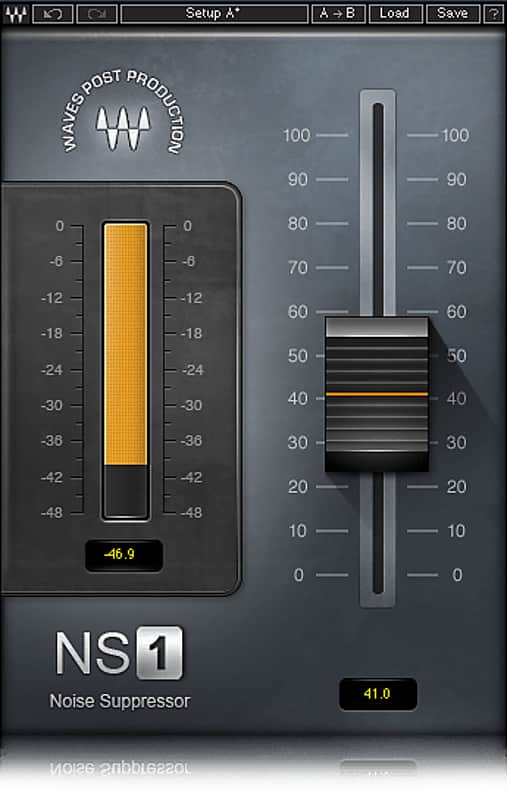
NS1's single-fader setup makes it a no-brainer for any rig. The most intuitive professional noise suppression plugin ever created, Waves NS1 Noise Suppressor intelligently differentiates between dialog and unwanted noise. Perfect for post production, audio forensics and musical applications alike, NS1 instantly analyzes and adapts to your signal in real-time, bringing the foreground into focus as it eliminates unnecessary background noise. Controlled by a simple single fader, NS1 also features an attenuation meter which shows you just how much overall energy is being removed from your input signal.
With NS1, noise suppression is as easy as fading away.
Features:
Compatibility
Mac:
CPU
Memory
Operating System
Screen Resolution
Support for Visually Impaired Users
Windows:
CPU
Memory
Operating System
Screen Resolution
Installation Instructions
What it is:
An adaptive noise supressor.
How we use it:
Eliminate unwanted noise with ease.
Why it's cool:
NS1's single-fader setup makes it a no-brainer for any rig. The most intuitive professional noise suppression plugin ever created, Waves NS1 Noise Suppressor intelligently differentiates between dialog and unwanted noise. Perfect for post production, audio forensics and musical applications alike, NS1 instantly analyzes and adapts to your signal in real-time, bringing the foreground into focus as it eliminates unnecessary background noise. Controlled by a simple single fader, NS1 also features an attenuation meter which shows you just how much overall energy is being removed from your input signal.
With NS1, noise suppression is as easy as fading away.
Features:
- Automatic adaptive real-time noise suppression
- Intuitive one-fader control
- Ideal for dialog, voiceovers, broadcast, music and more
Compatibility
Mac:
CPU
- Intel Core i5 / i7 / Xeon
Memory
- 8 GB RAM
- 8 GB free disk space on the system drive
Operating System
- 10.10.5 - 10.12.6
Screen Resolution
- Minimum: 1024x768
- Recommended: 1280x1024 / 1600x1024
- USB displays are not supported as the primary display.
Support for Visually Impaired Users
- Mac OS Sierra 10.12.4
- VoiceOver Utility enabled
- Pro Tools 12.7
- Logic 10.3.1
Windows:
CPU
- Intel Core i3 / i5 / i7 / Xeon / AMD Quad-Core
Memory
- 4 GB RAM
- 8 GB free disk space on the system drive
Operating System
- Windows 7 with SP1 64 bit
- Windows 8.1 64 bit
- Windows 10 64 bit
Screen Resolution
- Minimum: 1024x768
- Recommended: 1280x1024 / 1600x1024
Installation Instructions
- Create an account: https://www.waves.com/create-account (if you have an account, skip this step)
- Register the serial number we emailed: https://www.waves.com/account/register
- Download and install Waves Central for Mac | Windows.
- If you already have Waves Central installed, skip to step 4. - Launch Waves Central.
- Windows: via the desktop shortcut or Start Menu > All Programs > Waves.
- Mac: Applications > Waves Central. - Log into Waves Central using your Waves account information.
- Click on Easy Install & Activate.
- Select the products you wish to install & activate on this computer.
- Click on the Install & Activate button.