AudioBlast InstaLooper
PriceFREE
Incl. VAT
Instant Download
This listing has ended
See similar gear from other Reverb sellers
Listed:over a month ago
Views:3,413
Saves:30
Downloads:1,920

Chicago, IL, United States
Our users rate Reverb
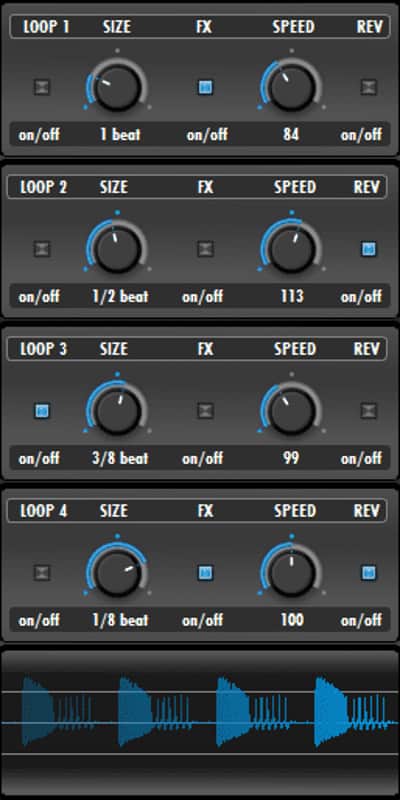
Add customized glitches and motion to your live sets with this 4-FX looper.
What it is:
A simple looping mechanism with the capacity to add a whole lot of character to a track.
How we use it:
Use InstaLooper to trigger effected glitches or sequences during a live performance or studio session.
Why it's cool:
InstaLooper is as fun as it is useful. Its simplistic design and approach makes it a breeze to add to any sonic scenario. InstaLooper is a simple looper with four integrated FX!
Easy to use and efficient, add this tool in your live sets for live FX performances, or simply edit motions on your DAW to get glitch effects, end of measures effects and more.
Installation Instructions
On a Mac:
What it is:
A simple looping mechanism with the capacity to add a whole lot of character to a track.
How we use it:
Use InstaLooper to trigger effected glitches or sequences during a live performance or studio session.
Why it's cool:
InstaLooper is as fun as it is useful. Its simplistic design and approach makes it a breeze to add to any sonic scenario. InstaLooper is a simple looper with four integrated FX!
Easy to use and efficient, add this tool in your live sets for live FX performances, or simply edit motions on your DAW to get glitch effects, end of measures effects and more.
Installation Instructions
On a Mac:
- Double click the file to unzip it.
- Open the InstaLooper-AU folder, go to Macintosh HD/Library/Audio/Plug-Ins, and drop the InstaLooper.au file into your Components folder.
- Open the InstaLooper-vst folder, go to Macintosh HD/Library/Audio/Plug-Ins, and drop the InstaLooper.vst file into your VST folder.
- Double click the file to unzip it.
- Open the InstaLooper_Win folder.
- You will then see two folders: "InstaLooper-v1_2-x64" and "InstaLooper-v1_2-x86"
- If you plan to use the 64bit version of InstaLooper, open the x64 folder and drag the .dll file into C:\Program Files\Steinberg\Vstplugins\
- If you plan to use the 32bit version of InstaLooper, open the x86 folder and drag the .dll file into C:\Program Files (x86)\Steinberg\Vstplugins\
| Brand | |
|---|---|
| Model |
|
| Categories |
Product safety information may be available here.