iZotope Vocal Chain Bundle
Pricekr4,940.67
Instant Download
This listing has ended
See similar gear from other Reverb sellers
Listed:over a month ago
Views:298
Watchers:6
Offers:0

Chicago, IL, United States
Our users rate Reverb
A curated journey through benchmark vocal production plugins.
What it is:
A collection of six plugins designed to address every aspect of vocal production, from tracking through to the final mix.
How we use it:
Play with textures sonic painting with synthesized vocal parts, harmonies, and vocal effects.
Why it's cool:
The addition of Celemony Melodyne 4 Essential makes this the most sophisticated set of tools designed specifically for vocal production.The iZotope Vocal Chain Bundle
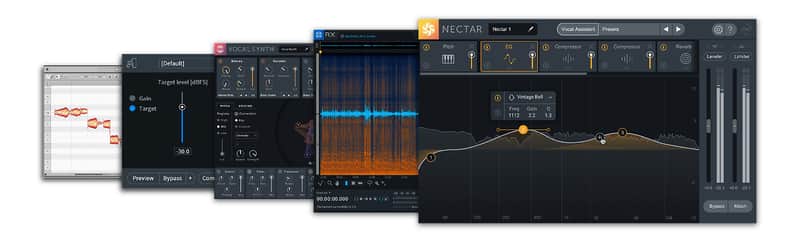
The all-new Vocal Chain Bundle is a curated collection of six plug-ins designed to address vocal production from tracking through the final mix. Correct pitch, timing, breaths, and common recording problems with Celemony Melodyne 4 Essential, RX Elements, and RX Breath Control. Play with styles and textures, create synthesized vocal parts, harmonies, and vocal effects with VocalSynth 2. And when you’re ready, get your vocal to sit in the mix with Nectar 3, the most sophisticated set of tools designed specifically for vocal production.
Nectar 3 | Vocals In The Mix
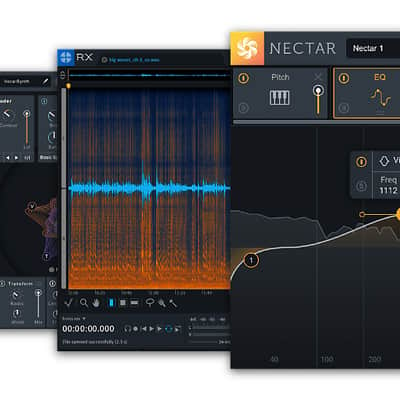
Get your vocals to sit in the mix with the most sophisticated set of tools designed for vocal production. From corrective to creative vocal production all the way to the final polish, Nectar 3 brings forth your intended performance in isolation and in the context of the mix. Put your vocals in their place with everything they need for a clear, professional sound.
Nectar 3 also includes
Celemony Melodyne 4 Essential
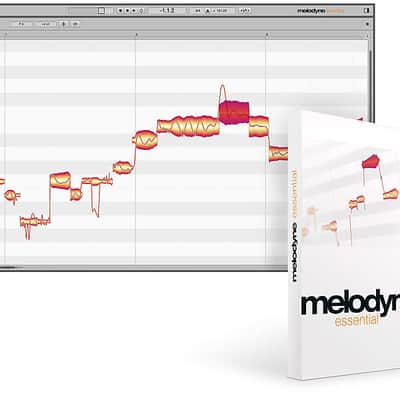
As an added benefit to Nectar 3’s built-in pitch correction module, iZotope has partnered with Celemony to include Melodyne 4 essential: GRAMMY-award winning pitch and time correction. Melodyne adds surgical, intuitive, and truly transparent pitch adjustment capabilities that are an industry standard in professional studios around the world.
RX 7 Breath Control
RX 7 Breath Control intelligently detects breaths in dialogue or vocal recordings and suppresses them. Removing and reducing breaths in recordings can be a time-consuming process for dialogue editors and music producers alike. Breath Control can help reduce the time spent on repetitive editing without sacrificing the quality of your dialogue or vocal recordings.
iZotope Relay
Your hub for intelligently connecting your entire mix to your iZotope plug-in collection via inter-plugin communication.
VocalSynth 2 | Vocals Evolved
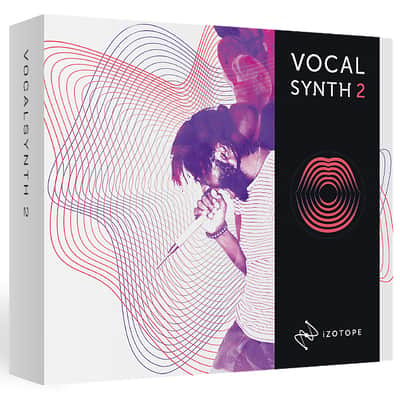
The perfect compliment to Nectar 3, VocalSynth 2 helps you find your sound in an immersive vocal experience that evolves with your production. Color your vocal with five, blendable creative must-haves. A one-stop for past, present, and future vocal sounds, VocalSynth 2 features a Vocoder, Compuvox, Polyvox, Talkbox, and Biovox: a brand new effect based on the dynamic sonic qualities of the human vocal tract. Further enhance your production with seven stompbox-style studio effects. And with the ability to play in Auto, MIDI, or Sidechain modes, you control every aspect of your sound.
RX Elements
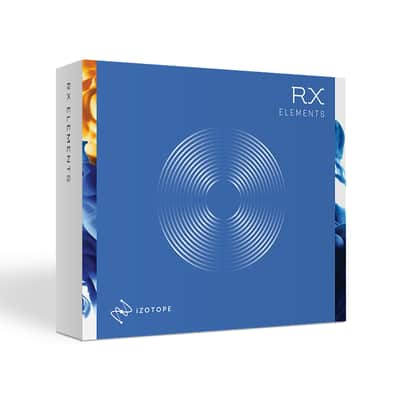
RX Elements is a noise reduction toolkit perfect for addressing common issues in vocal recording and correction. RX Elements includes a standalone audio editor with spectral editing as well as four essential, real-time noise reduction plug-ins to fix clipping, hums, clicks, and other unwanted background noise like mouth noises, or room noises like air conditioners, fans, lights, and other common appliances. New to version 7, Repair Assistant uses the digital signal processing in RX Elements to analyze your audio and provide solutions to quickly correct the most common issues.
Compatibility
Nectar 3, Relay, and RX 7 Breath Control
Product Compatibility: For the most up-to-date system requirements and host compatibility details, please visit our website: www.izotope.com/nectar3specs
Operating Systems: OS X 10.8-10.14 - macOS 10.12 (Sierra) Windows: 7, 8, & 10
Plug-in Formats: VST2, VST3, AudioUnit (Mac Only), AAX (Real-time & AudioSuite; 64-bit only)
Supported Plug-in Host Applications: Logic Pro X, Ableton Live 9-10, Pro Tools 11-2018, Cubase 9.5, Nuendo 8, FL Studio 12, Studio One 3-4, Reason 10, Reaper 5, Audition CC 2018, Premiere Pro CC 2018, Digital Performer 9
RX 7 Elements
Supported Operating System
Windows: 7, 8, and 10
Mac: OS X 10.8.5 - 10.13
Plug-in Formats:
AAX (64-bit), Audiosuite DPM, Audio Unit (32-bit and 64-bit), RTAS (32-bit), VST 2 (32-bit and 64-bit), and VST 3 (32-bit and 64-bit).
Supported Plug-in Hosts:
Audition CC 2017, Cubase 9*, Final Cut Pro 10, Live 9, Logic Pro X, Media Composer 8.8, Nuendo 7, Premiere Pro CC 2017, Pro Tools 10-12, Studio One 3
*Supported in OS X 10.13
VocalSynth 2
Supported Operating Systems Mac: OS X 10.8.5 (Mountain Lion) - macOS 10.13 (High Sierra) Windows: Windows 7 - Windows 10 Graphics Card Requirements A graphics card with Open GL 2.0 support is required to display the visualizations in VocalSynth 2.
Supported plug-in types AudioUnit AAX (64-bit), AAX-AS (64-bit AudioSuite) RTAS (32-bit), DPM (32-bit AudioSuite) VST 2 VST 3
Supported Plug-in Host Applications Logic Pro X, Ableton Live 9-10, Pro Tools 10-2018, Cubase 9.5, FL Studio 12, Studio One 3, Reason 10, Reaper 5, Bitwig Studio 2
Installation Instructions
Redeem Here: https://www.izotope.com/getmelodyne
What it is:
A collection of six plugins designed to address every aspect of vocal production, from tracking through to the final mix.
How we use it:
Play with textures sonic painting with synthesized vocal parts, harmonies, and vocal effects.
Why it's cool:
The addition of Celemony Melodyne 4 Essential makes this the most sophisticated set of tools designed specifically for vocal production.The iZotope Vocal Chain Bundle
The all-new Vocal Chain Bundle is a curated collection of six plug-ins designed to address vocal production from tracking through the final mix. Correct pitch, timing, breaths, and common recording problems with Celemony Melodyne 4 Essential, RX Elements, and RX Breath Control. Play with styles and textures, create synthesized vocal parts, harmonies, and vocal effects with VocalSynth 2. And when you’re ready, get your vocal to sit in the mix with Nectar 3, the most sophisticated set of tools designed specifically for vocal production.
Nectar 3 | Vocals In The Mix
Get your vocals to sit in the mix with the most sophisticated set of tools designed for vocal production. From corrective to creative vocal production all the way to the final polish, Nectar 3 brings forth your intended performance in isolation and in the context of the mix. Put your vocals in their place with everything they need for a clear, professional sound.
Nectar 3 also includes
Celemony Melodyne 4 Essential
As an added benefit to Nectar 3’s built-in pitch correction module, iZotope has partnered with Celemony to include Melodyne 4 essential: GRAMMY-award winning pitch and time correction. Melodyne adds surgical, intuitive, and truly transparent pitch adjustment capabilities that are an industry standard in professional studios around the world.
RX 7 Breath Control
RX 7 Breath Control intelligently detects breaths in dialogue or vocal recordings and suppresses them. Removing and reducing breaths in recordings can be a time-consuming process for dialogue editors and music producers alike. Breath Control can help reduce the time spent on repetitive editing without sacrificing the quality of your dialogue or vocal recordings.
iZotope Relay
Your hub for intelligently connecting your entire mix to your iZotope plug-in collection via inter-plugin communication.
VocalSynth 2 | Vocals Evolved
The perfect compliment to Nectar 3, VocalSynth 2 helps you find your sound in an immersive vocal experience that evolves with your production. Color your vocal with five, blendable creative must-haves. A one-stop for past, present, and future vocal sounds, VocalSynth 2 features a Vocoder, Compuvox, Polyvox, Talkbox, and Biovox: a brand new effect based on the dynamic sonic qualities of the human vocal tract. Further enhance your production with seven stompbox-style studio effects. And with the ability to play in Auto, MIDI, or Sidechain modes, you control every aspect of your sound.
RX Elements
RX Elements is a noise reduction toolkit perfect for addressing common issues in vocal recording and correction. RX Elements includes a standalone audio editor with spectral editing as well as four essential, real-time noise reduction plug-ins to fix clipping, hums, clicks, and other unwanted background noise like mouth noises, or room noises like air conditioners, fans, lights, and other common appliances. New to version 7, Repair Assistant uses the digital signal processing in RX Elements to analyze your audio and provide solutions to quickly correct the most common issues.
Compatibility
Nectar 3, Relay, and RX 7 Breath Control
Product Compatibility: For the most up-to-date system requirements and host compatibility details, please visit our website: www.izotope.com/nectar3specs
Operating Systems: OS X 10.8-10.14 - macOS 10.12 (Sierra) Windows: 7, 8, & 10
Plug-in Formats: VST2, VST3, AudioUnit (Mac Only), AAX (Real-time & AudioSuite; 64-bit only)
Supported Plug-in Host Applications: Logic Pro X, Ableton Live 9-10, Pro Tools 11-2018, Cubase 9.5, Nuendo 8, FL Studio 12, Studio One 3-4, Reason 10, Reaper 5, Audition CC 2018, Premiere Pro CC 2018, Digital Performer 9
RX 7 Elements
Supported Operating System
Windows: 7, 8, and 10
Mac: OS X 10.8.5 - 10.13
Plug-in Formats:
AAX (64-bit), Audiosuite DPM, Audio Unit (32-bit and 64-bit), RTAS (32-bit), VST 2 (32-bit and 64-bit), and VST 3 (32-bit and 64-bit).
Supported Plug-in Hosts:
Audition CC 2017, Cubase 9*, Final Cut Pro 10, Live 9, Logic Pro X, Media Composer 8.8, Nuendo 7, Premiere Pro CC 2017, Pro Tools 10-12, Studio One 3
*Supported in OS X 10.13
VocalSynth 2
Supported Operating Systems Mac: OS X 10.8.5 (Mountain Lion) - macOS 10.13 (High Sierra) Windows: Windows 7 - Windows 10 Graphics Card Requirements A graphics card with Open GL 2.0 support is required to display the visualizations in VocalSynth 2.
Supported plug-in types AudioUnit AAX (64-bit), AAX-AS (64-bit AudioSuite) RTAS (32-bit), DPM (32-bit AudioSuite) VST 2 VST 3
Supported Plug-in Host Applications Logic Pro X, Ableton Live 9-10, Pro Tools 10-2018, Cubase 9.5, FL Studio 12, Studio One 3, Reason 10, Reaper 5, Bitwig Studio 2
Installation Instructions
First Time Users: If you haven't already, create an account with iZotope: http://www.izotope.com/en/account/log-in/
- Download your installer (Mac or PC) from your account. Once the file has finished downloading to your computer, you will need to open and run the installer.
- Once you have gone through the install wizard and accepted the software license agreement, you will be prompted to select which features you would like to install. If you are not sure what you will need, it is advisable to just leave the default options ticked and press 'Continue'.
- Once you have selected your install features, press 'Continue' and start the 'Install'.
- Near the end of the installation, you will be prompted if you would like to 'check for updates to iZotope software', press yes on this prompt, and your plug-ins will be scanned to see if there are any newer versions for any of your iZotope products.
- If any updates are found, you will be prompted with an updates window where you can follow the on screen prompt.
- Once the installation is complete and all checks have been run, you will be prompted with an installation was successful window, which you can then 'Close'.
- When the installation is finished, you will next need to open and authorize the product. It is always best practice to authorize using the standalone version (if available).
- The first time launching for product, you will be prompted with an Authorization box. After clicking 'Authorize' you will need to enter your serial number and the Name and E-mail address used to create your iZotope user account. [If you intend to use your software offline, here you will need to press the 'Offline Authorization' button and follow the on screen instructions.]
- After pressing 'Authorize' you will see a pop-up box confirming your details for you to then press 'Submit'. Your software should now be fully authorized and ready to go!
Redeem Here: https://www.izotope.com/getmelodyne