Inwood, NY, United States
About this listing
Authorized Presonus Internet Dealer!
Video of ATOM:
Description:
Intuitive and easy-to-use, ATOM is more than just
an expressive MIDI pad controller, it’s a production and performance controller
as well. Play virtual instruments with 16 velocity- and pressure-sensitive pads;
navigate your session without looking at the screen. Wherever inspiration takes
you, ATOM lets you focus on the music.
Tight integration with Studio One® and Ableton Live music production software
gets your mind off the screen and back on the beat; flexible control of virtual
instruments and real-time triggering of samples and loops using 16 full-size,
velocity- and pressure-sensitive RGB pads send polyphonic aftertouch, channel
pressure, or MIDI CC messages, plus 20 buttons and 8 assignable pad banks;
includes Studio One Artist, Ableton Live Lite, Studio Magic Plug-in Suite, and a
custom-curated MVP Loops library.
Capture the beat whenever and wherever creativity strikes with PreSonus®’ ATOM.
An intuitive, musical, MIDI pad controller, ATOM’s 16 dynamic, ultra-sensitive
pads will give you all the expression you need, whether you’re making a beat,
creating a driving synth bassline, or triggering sound effects and loops on the
fly. Use the 4 programmable rotary encoders to automate levels and filter
sweeps. Transport controls let you stay in the moment while producing. Tight
integration with both Studio One® and Ableton® Live means that you stay inspired
without missing a beat. Your focus will be off the screen and on your
performance—where it matters most.
Rhythm nation.
Capture the beat whenever and wherever creativity strikes with PreSonus®’ ATOM.
An intuitive, musical, MIDI pad controller, ATOM’s dynamic, ultra-sensitive pads
will give you all the expression you need, whether you’re making a beat,
creating a driving synth line, or triggering sound effects and loops on the fly.
Tight integration with both Studio One® and Ableton® Live mean that you stay
inspired without missing a beat. Your focus will be off the screen and on your
performance—where it matters most.
Impactful creation.
Fully bus-powered by USB, and compact enough to ride in your backpack with your
laptop, ATOM is tightly integrated with Studio One and Impact XT. Impact XT is a
powerful pad-style sampler with 16 pads, each with its own pitch, amplifier, and
filter controls, all editable via ATOM so you can make adjustments on the fly.
More than just a pad controller, ATOM also allows you to quickly add virtual
instruments, change presets, create loop points, control the Studio One
transport and more, allowing you to build dynamic performances and blazing fast
productions.
Get in the groove.
Included with ATOM, Studio One Artist music production software enables you to
compose, record, and produce without getting distracted by the tools or hemmed
in with track limitations. Easy to learn and intuitive to use, Studio One’s
unique drag and drop workflow and powerful tools will let you produce faster
than ever before. Also included is a carefully curated loop and one-shot library
custom-designed for ATOM by the hitmakers at MVP Loops. And if you need more,
Studio One lets you shop, audition, and purchase new content right from your
production environment.
Live in the moment.
While compatible with most third-party software, ATOM offers deeper integration
with Ableton Live (version 10.1.5 and later). Launch clips and scenes, change
track volume and panning, and switch between Session and Arranger views all
while playing virtual instruments and Live’s Drum Rack device from ATOM’s 16
velocity- and pressure-sensitive pads. Add another ATOM to your setup and use
one ATOM to perform and the second to launch and record clips. Two or more ATOM
MIDI pad controllers can also be used to extend the performance range for your
instruments and Drum Rack. Even better: any ATOM purchased after October 20,
2019 gets a free copy of Ableton Live Lite dropped in your My.PreSonus account.
Drop the beat.
Intuitive and easy-to-use, ATOM is more than just an expressive MIDI pad
controller, it’s a production and performance controller as well. Use the
velocity- and pressure-sensitive pads to play your virtual instruments live,
with incredible expressiveness. Navigate your session without looking at the
screen. Automate filter sweeps with four responsive knobs. Wherever inspiration
takes you, ATOM lets you focus on the music.
Features:
PRESONUS ATOM 16 Pad USB MIDI RGB DJ Controller and Studio One Recording Software
Tight integration with included Studio One® Artist and Ableton® Live (Live 10 Lite included) music production software gets your mind off the screen and back on the beat
Produce, play virtual instruments, and trigger samples and loops with unsurpassed expressiveness and flexibility
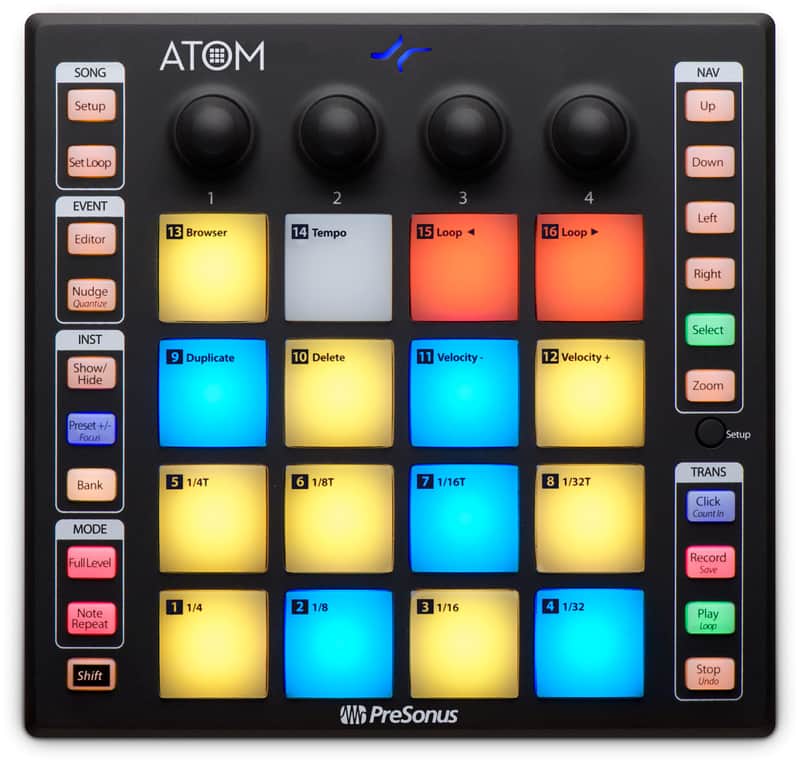
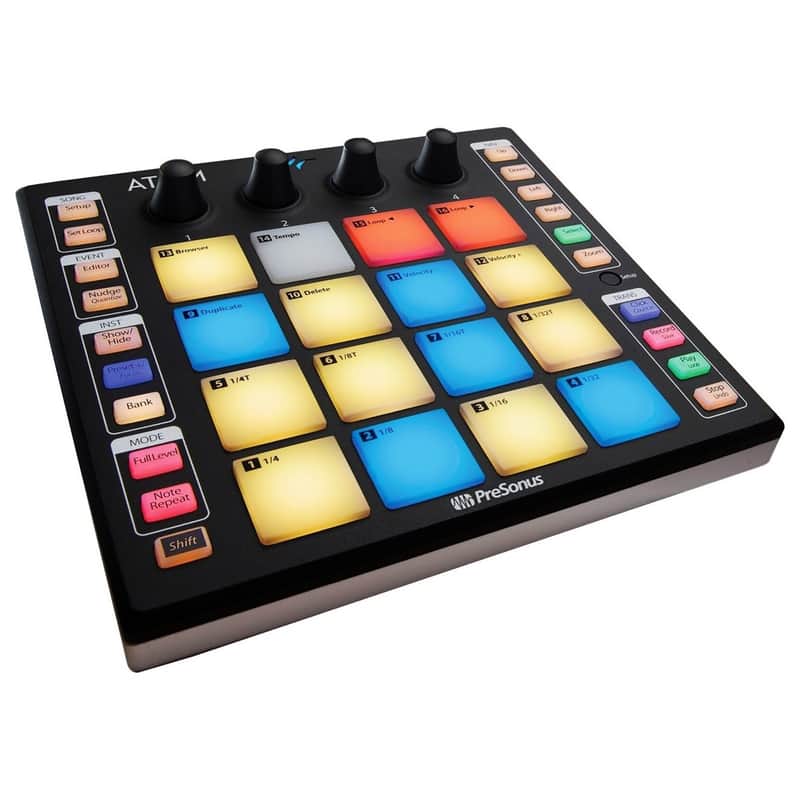
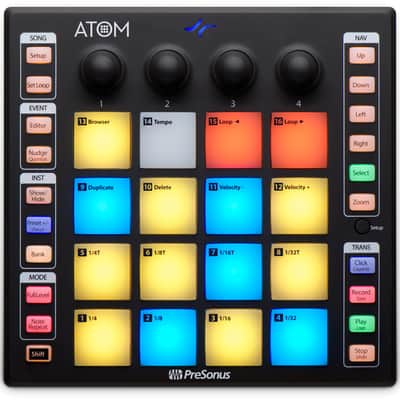
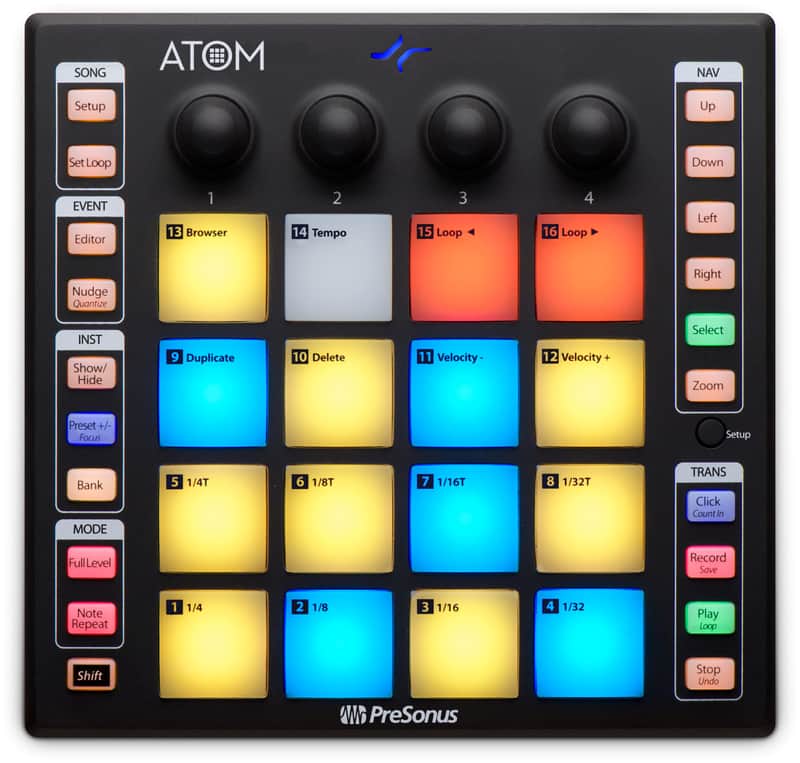
16 full-size velocity- and pressure-sensitive, RGB LED pads
Pressure switchable between polyphonic MIDI aftertouch, monophonic channel pressure, and CC messages
8 assignable pad banks
Selectable pad velocity curves and pad pressure thresholds
20 assignable buttons
4 endless rotary encoders
MIDI "keyboard" mode, Note Repeat mode, and Full Velocity mode (application dependent)
Includes MVP Loops content custom-curated for ATOM
Compatible with most music production and performance software
USB connectivity
General
Trigger loops and effects and play virtual instruments with 16 full-size, velocity- and pressure-sensitive RGB pads
8 assignable pad banks
MIDI Keyboard mode, Note Repeat mode, and Full Velocity mode to customize instrument control (Application dependent)
4 programmable rotary encoders and 20 assignable buttons, navigate and set more parameters faster
Pressure switchable between MIDI aftertouch, channel pressure, and CC messages
Selectable pad velocity curves and pad pressure thresholds
Studio One Integration Features
Automatically detected by Studio One Artist, no setup required
Navigate and choose an instrument from the Browser
Studio One dynamically switches ATOM between Keyboard and Drum modes depending on the selected instrument
Create a new track
Change presets on a virtual instrument
Change song tempo
Set looping points
Navigate the timeline
Zoom in and out on the timeline or events
Edit and quantize MIDI events
Transport control (stop, play, record)
Ableton® Live Integration Features
Navigate Up, Down, Left, or Right in Live's Session view in banks of 4 with ATOM's navigation buttons
Launch clips and scenes using ATOM's Session mode
RGB LEDs display which clips are playing or stopped and reflect each clip's assigned color
Play virtual instruments and Live's Drum Rack device using ATOM's Note mode
Navigate Live's mixer using ATOM's Channel mode
Select, Solo, and Record Enable channels as well as stop all clips on a selected channel
Knobs are used to change track volume, track panning, Sends A, and Sends B for the selected bank
Switch between Session and Arranger views from ATOM
Record in either Session Record or Arranger Record modes
Dedicated User mode for custom user assignments
Metronome On/Off, Save and Undo, Loop On/Off, and more...
NOTE: In order to utilize these features in Live, ATOM firmware must be updated to version 3.4 (released via Universal Control on November 19, 2019). Advanced integration features are only available with Ableton Live 10.1.5 or later.
Modes*
MIDI "keyboard" mode
Note Repeat mode
Full Velocity mode (only send velocity 127)
*May vary depending on application.
Connections
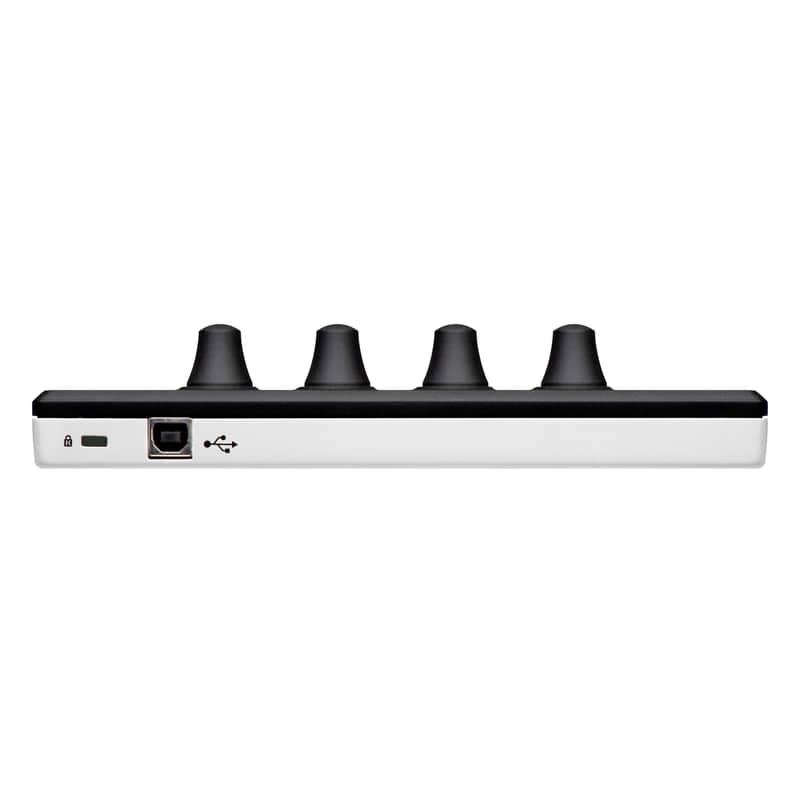
USB 2.0
Included Software
Studio One® Artist production software for Mac® and Windows®
Ableton® Live Lite (for registered users after October 20, 2019)
MVP Loops content custom-designed for ATOM
Compatible with most music production and performance software for Mac and Windows
Computer system requirements:
Below are the minimum computer-system requirements for ATOM with Studio One 4 or later:
Mac
Mac® OS X 10.11 or higher (64-bit only)
Intel® Core® 2 Duo processor (Intel Core i3 or better recommended)
Windows
Windows® 7 (SP1 + platform update), Windows 8.1, or Windows 10 (64-bit only)
Intel Core Duo or AMD® Athlon™ X2 processor (Intel Core 2 Duo or AMD Athlon X4 or better recommended)
Mac and Windows Systems
4 GB RAM (8 GB or more recommended)
USB 2.0 port
Internet connection (needed for software installation and activation)
Monitor with 1366 x 768 resolution (high-dpi monitor recommended)
40 GB hard-drive space
Universal Control 2.9 or later (for firmware updates)
Studio One 4.1+ required for native integration
Technical Specifications:
Input
Connection Type: USB 2.0 (bus-powered)
Pads, Buttons, and Knobs
16 full-size velocity- and pressure-sensitive, RGB LED pads
20 assignable buttons
4 endless rotary knobs
1 Setup button
Dimensions
Height: 0.82” (20.75 mm)
Depth: 7.68” (195 mm)
Width: 7.95” (202 mm)
Weight: 1 lb. (0.45 kg)
Advantages of purchasing from an authorized seller:
Best prices - We sell all Presonus Products at wholesale prices
Full Factory Warranty
Detailed information of all products
Lifetime Customer Service by Presonus product Experts
Guaranteed legitimate and authentic merchandise
Please note: If you purchase Presonus from an un-authorized seller then you are taking a big risk. You will not have any manufacturers warranty, and there is no guarantee that the item is authentic, brand new, or even working.
Original Price$136.99
$22 price drop
New Price$114.99
Free Shipping
Free Shipping
from Inwood, NY
14-Day Return Policy
Enjoy peace of mind with your new gear