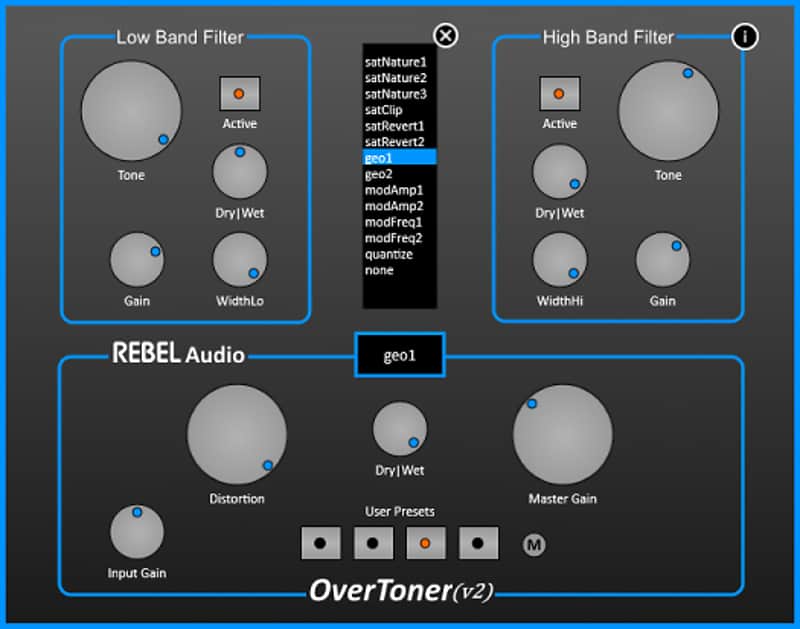
Rebel Audio OverToner
This listing has ended
See similar gear from other Reverb sellers

Our users rate Reverb
What it is:
Distortion plugin with high and low-band filters and storable user presets.
How we use it:
Set your gain, adjust the filters, and enjoy.
Why it's cool:
A lot can be done with the Overtoner in comparison to typical distorters - the user presets are a big plus here.
Product Highlights:
- Two independent analog approximated output filters
- 13 overtoning functions
- Four programmable user presets
- Dry/wet controllers for each section
- Smoothed controller fading
The OverToner is a distortion unit designed to expand the spectrum of your sound. You have the choice between 13 overtoning functions. The expanded output signal could be processed with a two band analog approximated band pass filter. It is possible to activate/deactivate and parameterize each filter band independently. The filter sections and the distortion section provides its own dry/wet controller e.g. for parallel processing. All parameter settings could be stored and fast reloaded in one of four programmable user presets.
User presets: If you have dialed a desired parameter setting you can save it on any of the four preset buttons.
Compatibility
General minimum requirements are as follows:
PC:
- Windows 7 - 10.
- Pro Tools 10 and above, Ableton 9 and above, FL Studio 12 and above, or any host compatible with VST/AAX.
- Intel Core i3 / i5 / i7 / Xeon
- 2GB RAM.
- Display Resolution of at least 1280 x 1024px.
Installation Instructions
General Instructions:
- We auto-detect your computer operating system, so just click the download button above
- Find the downloaded plugin (it’s in your computer’s download folder) and double click it
- A plugin installer window will open, so go through the installation process
- We will also send you an email with a link to re-download in case you need it
How to install plugins in Ableton Live:
- If Ableton is closed, open it and skip to #5
- If Ableton is already open, go to Preferences
- Go to Files & Folder
- Click “Rescan plugins”
- Find the plugin in the Ableton plugins folder in the sidebar
- Drag-and-drop the plugin onto your track at the bottom of the screen
What's new?
- Version 1.03: Bugfixes.
| Brand | |
|---|---|
| Model |
|
| Categories |
Product safety information may be available here.